
How to set up webhooks in Senja
Use webhooks to send your testimonials to your own app or server the moment something changes in Senja. Every time a testimonial is created, updated or deleted, Senja sends the details to a URL you choose, so you can build your own workflows.
Webhooks are available on Senja paid plans (Starter and Pro). This feature is for developers. For no-code automations, see How to automate testimonials with Zapier.
Set up your webhook
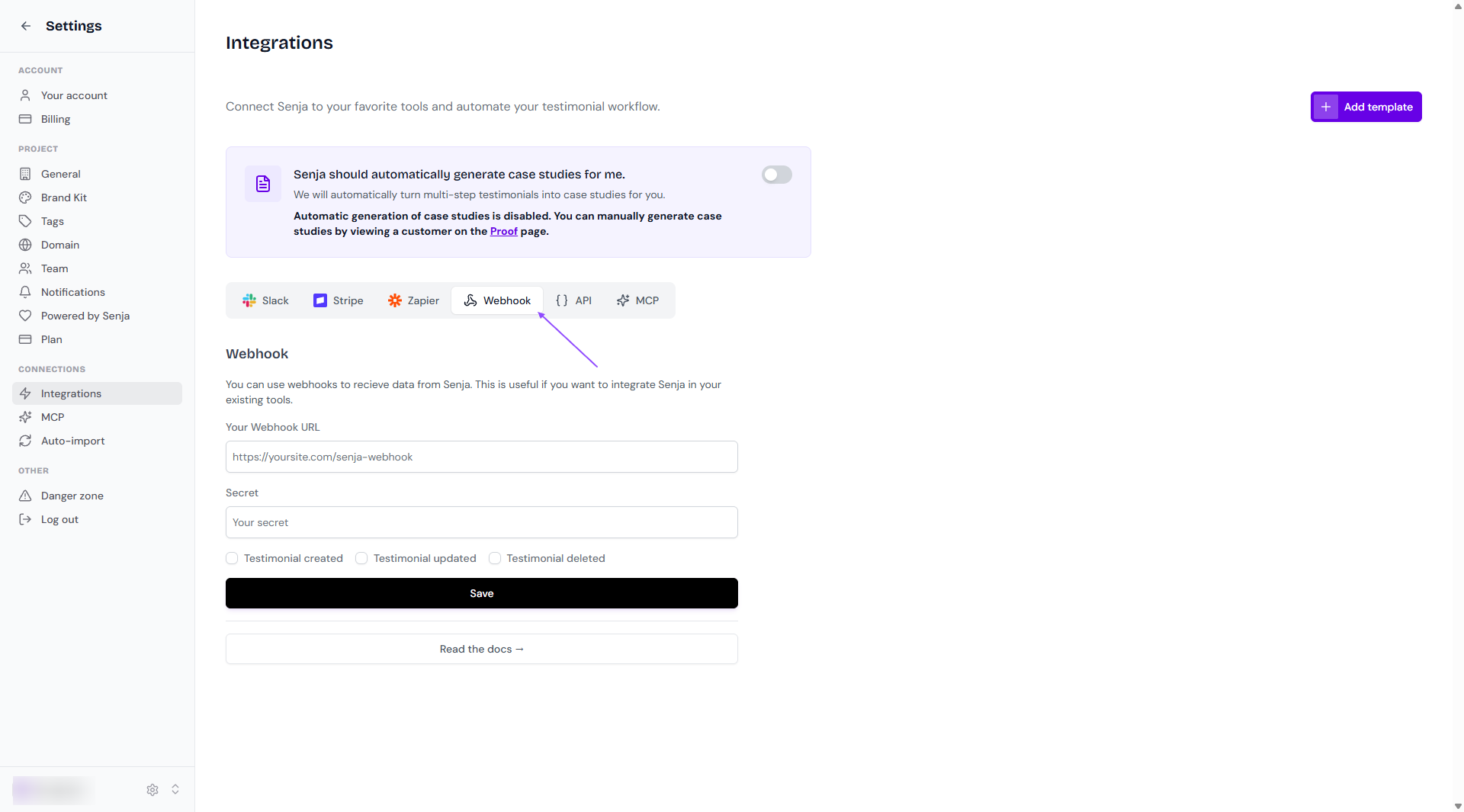
Go to Settings → Integrations and click the Webhook tab
Add your webhook URL, the address Senja sends events to
Add a secret if you want to check that requests really come from Senja (optional)
Choose the events you want to receive
Save your webhook
Webhook events
Event | Sent when | Example use |
|---|---|---|
| A new testimonial is added to Senja | Tag the customer in your CRM |
| A testimonial is changed, including when it's approved | Post a testimonial to social media once it's approved |
| A testimonial is deleted | Remove it from your own database |
Each payload includes the full testimonial. For what every field means, see our REST API documentation.
Verify that a webhook came from Senja
If you added a secret, every webhook includes an x-senja-signature header. Senja creates it by signing the payload with your secret, using HMAC with SHA256. Create the same signature on your side and compare the two. If they match, the request came from Senja and wasn't changed on the way.
Here's an example in Node.js:
import crypto from 'crypto';

function createHmacSignature(secret: string, payload: string) {
	const hmac = crypto.createHmac('sha256', secret);
	hmac.update(payload);
	return hmac.digest('hex');
}

function verifyHmacSignature(secret: string, payload: string, signature: string) {
	return createHmacSignature(secret, payload) === signature;
}

const secret = 'YOUR SECRET';
const payload = req.body;
const signature = req.headers['x-senja-signature'];
const isValid = verifyHmacSignature(secret, JSON.stringify(payload), signature);
Example payloads
testimonial_created
The new testimonial is in data.new.
testimonial_updated
The testimonial before the change is in data.old, and after the change in data.new.
testimonial_deleted
The deleted testimonial is in data.old.