
How to get your Wall of Love to rank on Google
Your Wall of Love can show up in Google search results, so people searching for your product find your testimonials.
This is available on all Senja plans: Free, Starter and Pro. Rich snippets need a Pro plan.
In a nutshell
Fill in the SEO settings on your Wall of Love
Link to your Wall of Love from your website, so Google can find it
Fill in your SEO settings
Go to Studio → Saved and open your Wall of Love
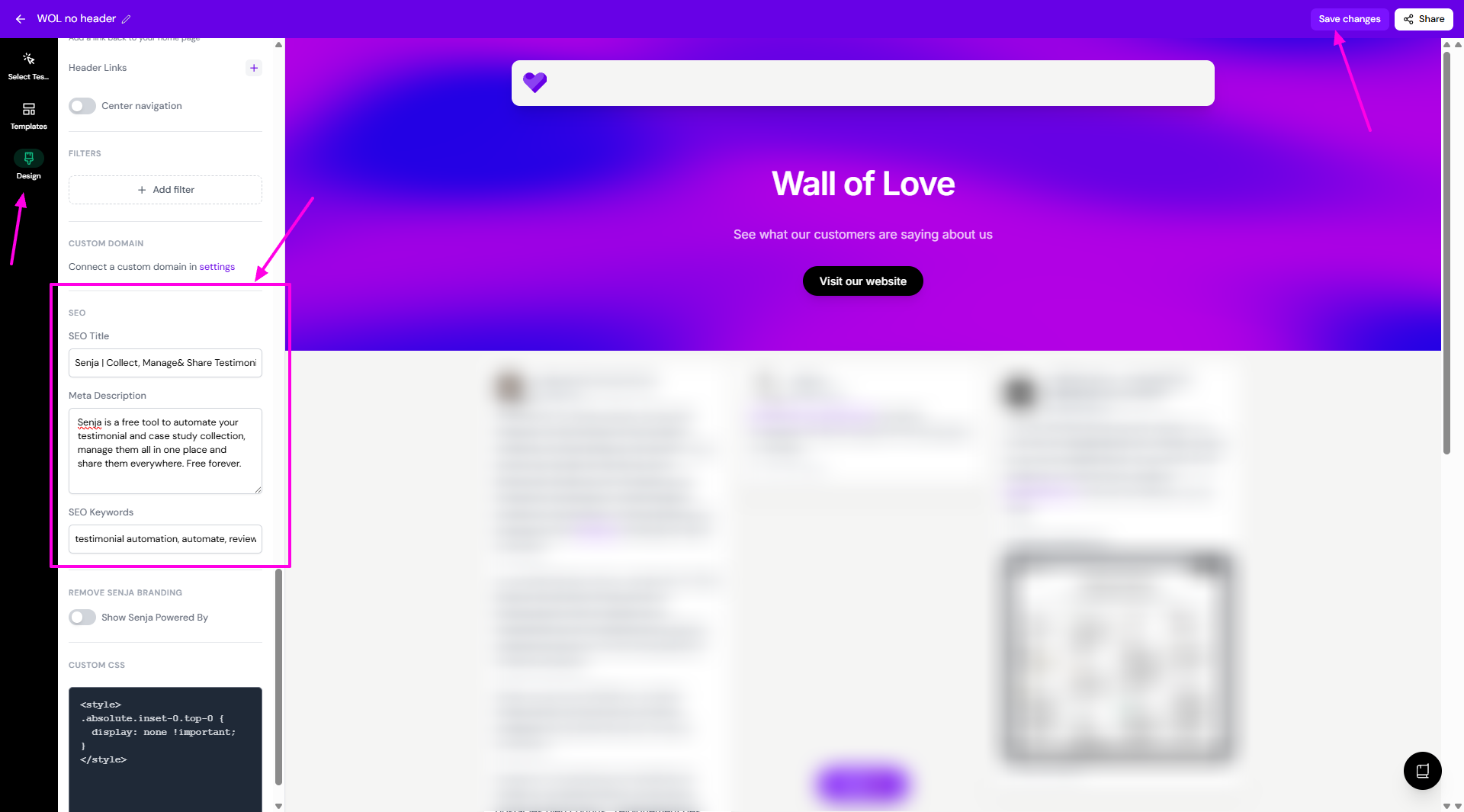
Click Design and scroll down to SEO
Add your SEO Title, like "Customer reviews of [your product]"
Add your Meta Description, a sentence or two that shows under the title in Google
Add your SEO Keywords
Click Save changes
Link to it from your website
Google finds new pages by following links. Add a link to your Wall of Love somewhere on your website, like your menu, footer or pricing page. To get the link, see How to share or embed your Wall of Love.
A custom URL, like /reviews or /customers, is easier to remember and looks better in search results.
Google decides when to add a page to its results, so it can take a few days or weeks to show up.
Show your star rating in Google
Rich snippets add your star rating below your page title in Google search results, which can get you more clicks. See How do I add a rich snippet?
AI search tools
Walls of Love can also be read by AI assistants and AI search tools, so they can use your testimonials when people ask about your product. See How do I create a Wall of Love?