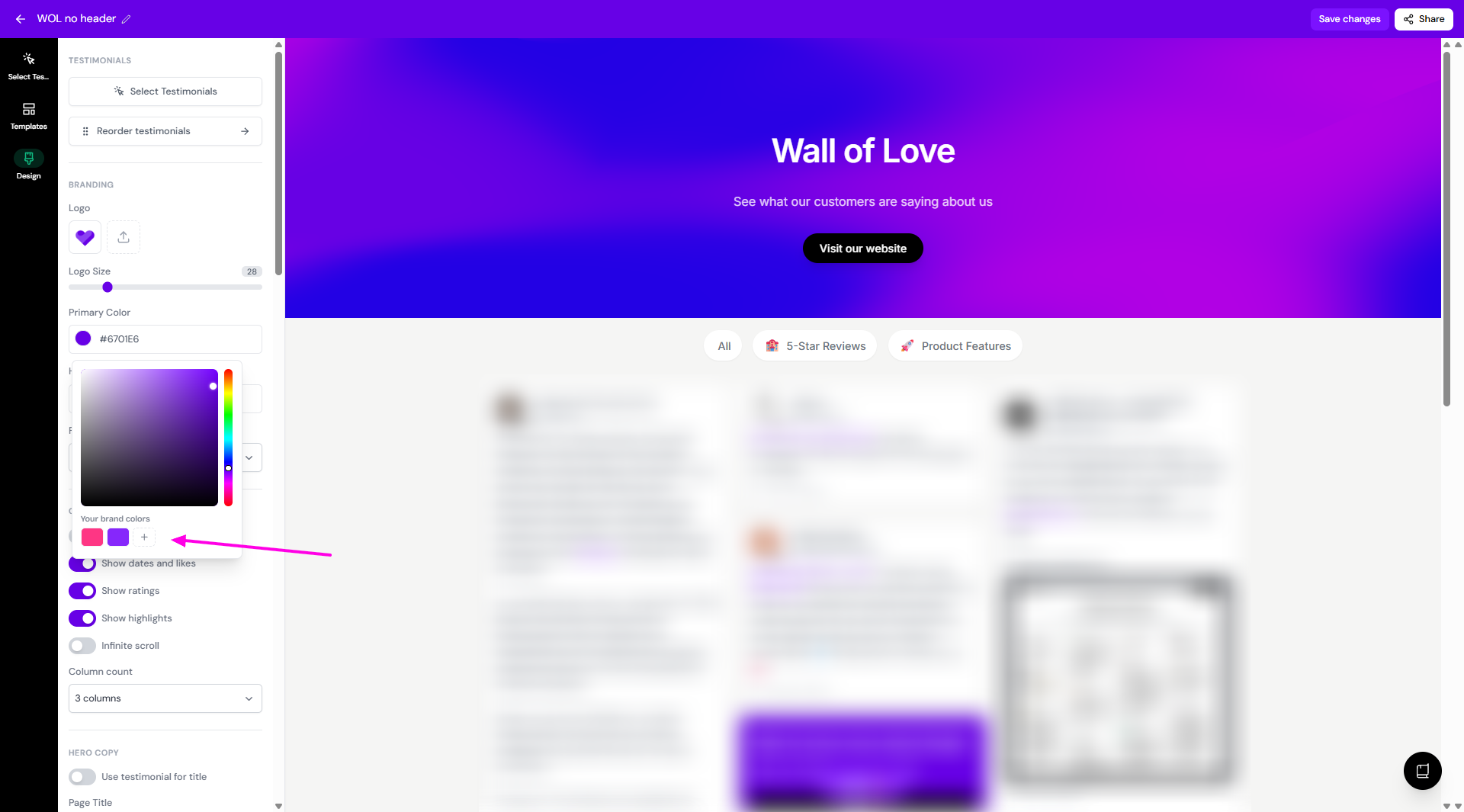
How do colors work in brand kit?
Your Brand page is the central place to manage your brand colors across Senja. Once you upload it here, you can apply it across your forms, widgets, Wall of Love, and images without uploading it again each time.
This feature is available on Senja paid plans: Starter and Pro.
Adding colors to your Brand page
Go to the Brand page: https://app.senja.io/studio/brand
You can add a new color using the HEX code
Set the purpose (None, Primary, Text, Rating, Share page)
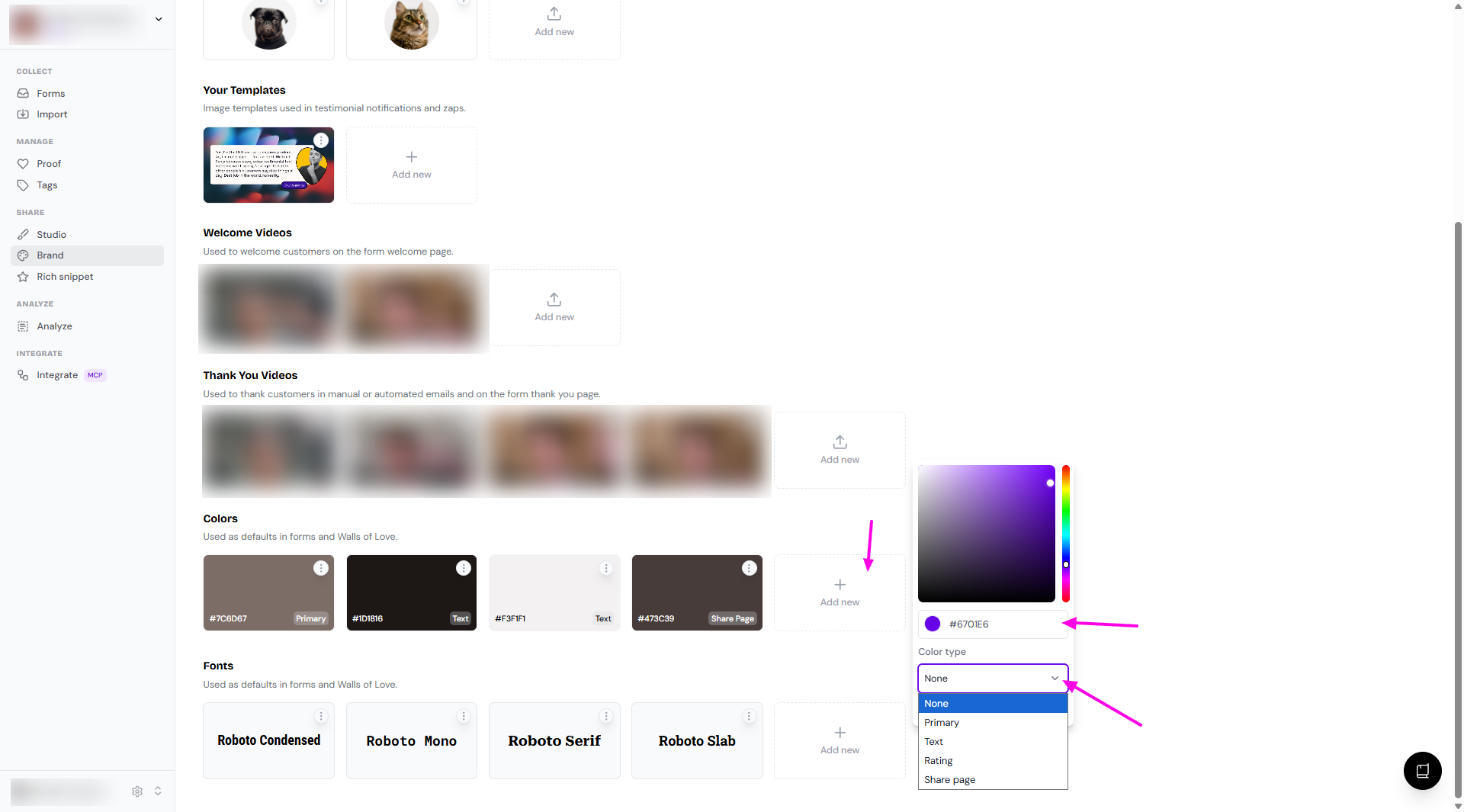
Click Save
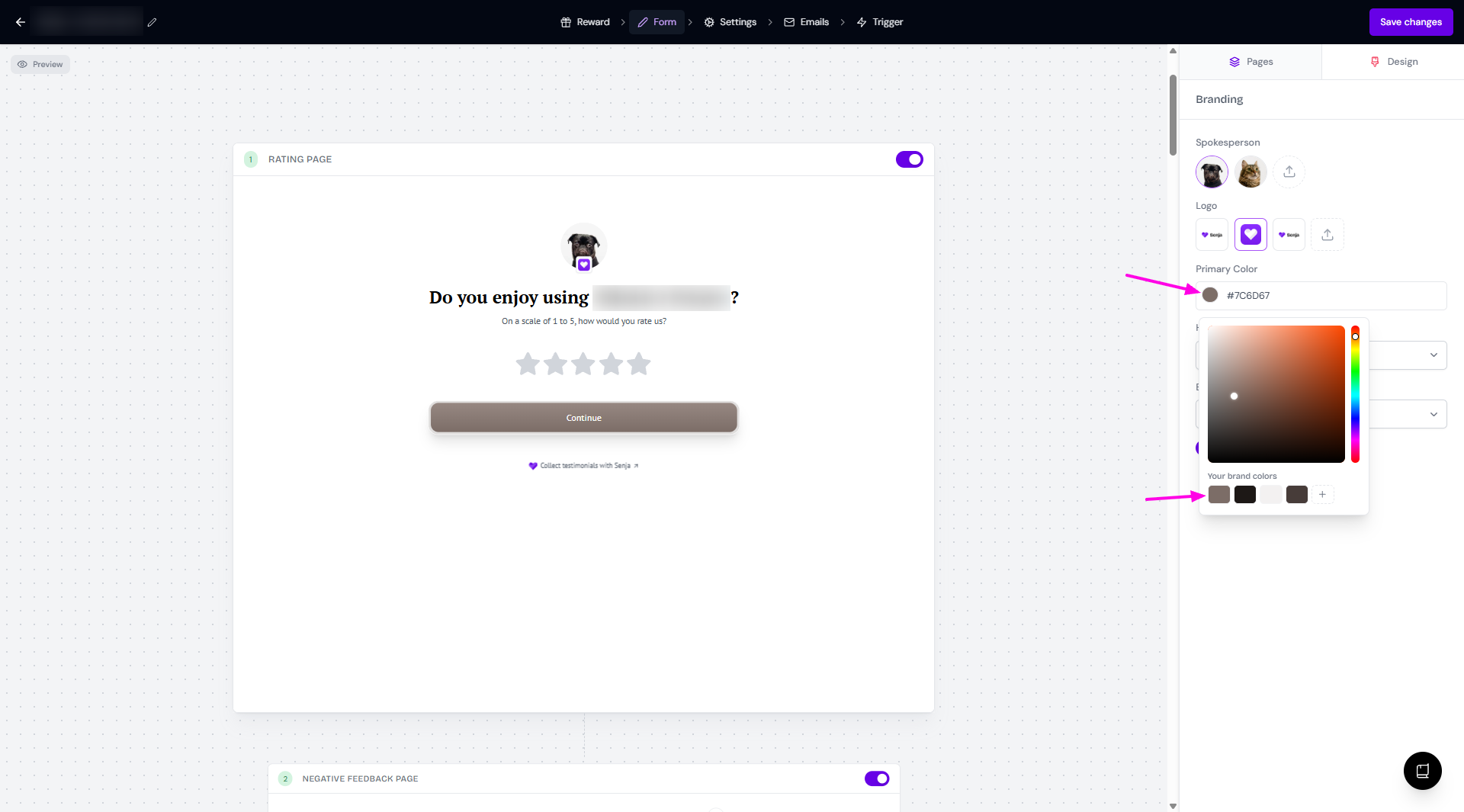
Using brand colors in your form
Open your form and open the Form tab > Design subtab
Click on the color thumbnail
You can choose from the brand colors saved in Brand page
You can use a completely different color
You can add more brand colors from this modal (click the ➕ sign) and you'll be directed to your Brand page
Using brand colors in your widgets
Open your widget
Go to Design
Scroll down until you find the Colors section
Click on the color thumbnail
You can choose from the brand colors saved in Brand page
You can use a completely different color
You can add more brand colors from this modal (click the ➕ sign) and you'll be directed to your Brand page
Using brand colors in your Walls of Love
Open your Wall of Love
Go to Design
Scroll down until you find the Branding section
Click on the color thumbnail
You can choose from the brand colors saved in Brand page
You can use a completely different color
You can add more brand colors from this modal (click the ➕ sign) and you'll be directed to your Brand page