
Import testimonials from LinkedIn
Import LinkedIn posts, comments, and recommendations into Senja.
Before you begin: to import LinkedIn recommendations, use your full profile URL. Links to individual recommendations won't work.
Importing from LinkedIn works on all plans: Free, Starter, and Pro. Auto-import isn't available for LinkedIn.
What you can do
Import a single LinkedIn post
Import LinkedIn comments
Import the recommendations on your profile
How to import from LinkedIn
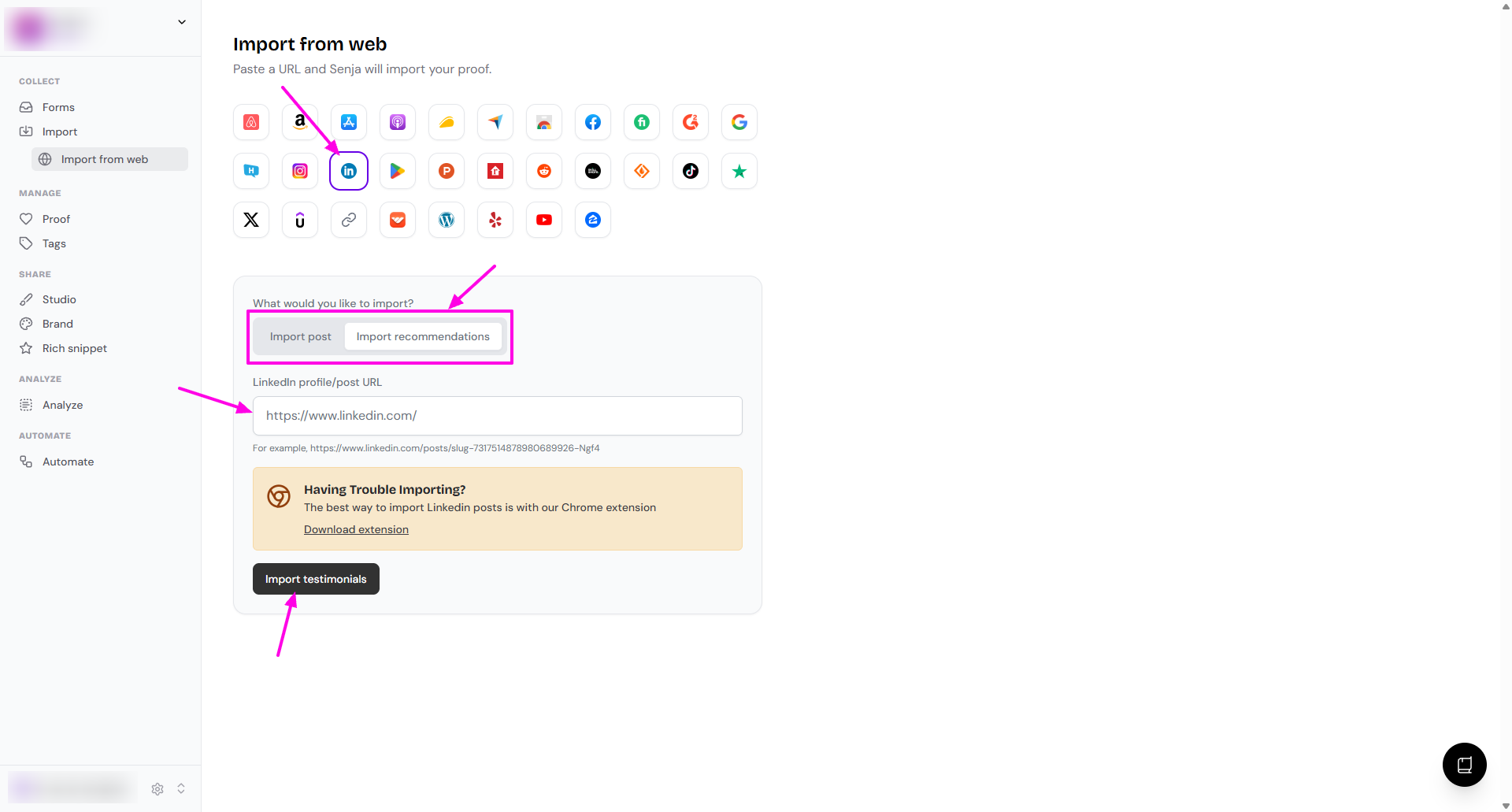
Go to Import → Import from web: https://app.senja.io/import/web
Click the LinkedIn icon
Choose what you want to import: Import post or Import recommendations
Paste your link in the LinkedIn profile/post URL field
Click Import testimonials
Choose which testimonials you want to import, or select all to import everything
Your LinkedIn testimonials are now in Senja and ready to review.
Other methods
Import straight from LinkedIn
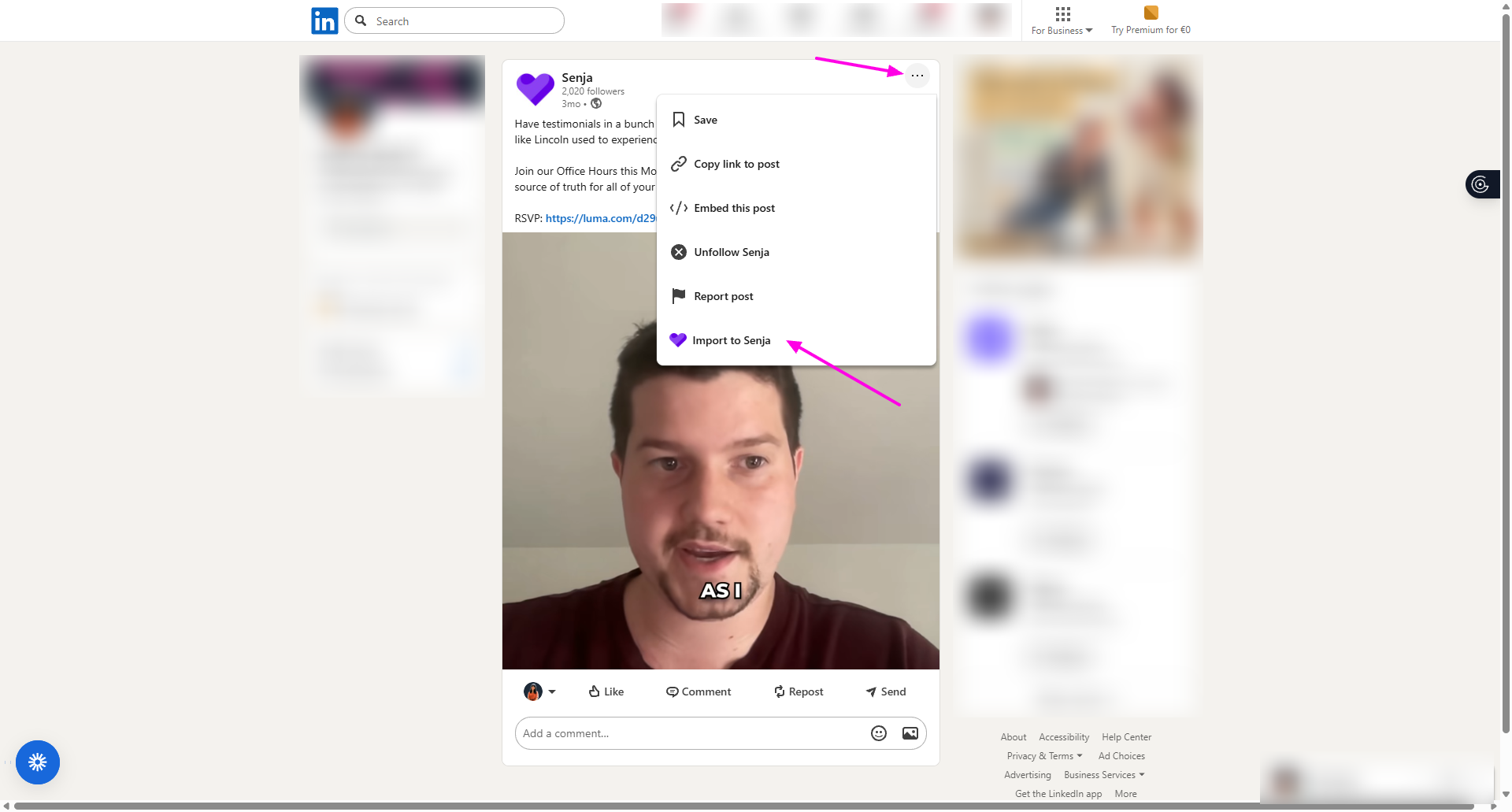
With the Senja Chrome extension installed, you can import a post without leaving LinkedIn:
Open the LinkedIn post you want to import
Click the three dots on the post
Click Import to Senja
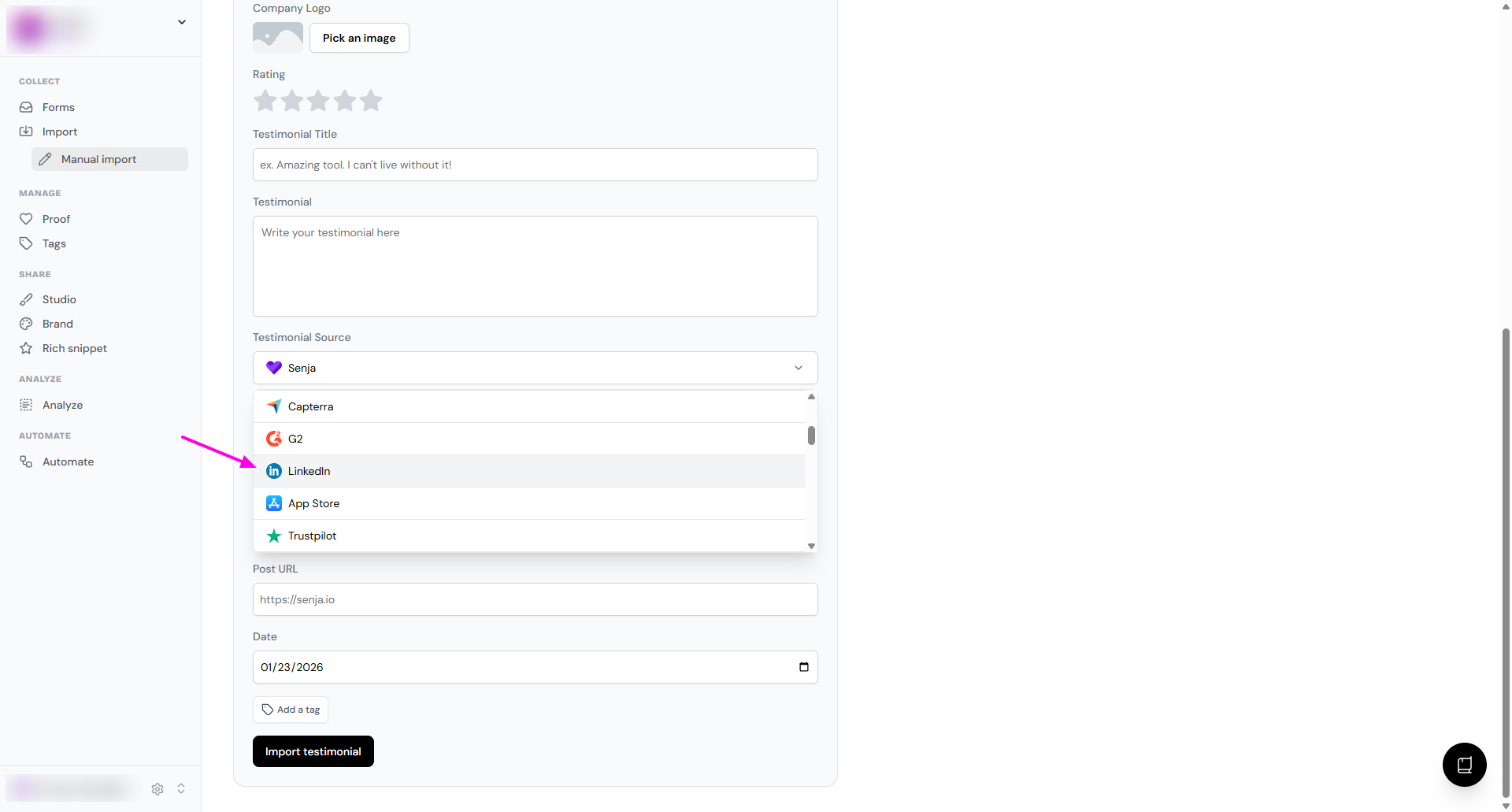
Manual import
Follow How to manually import testimonials
In the Testimonial Source dropdown, choose LinkedIn
Senja Chrome extension
Follow Import testimonials with the Chrome extension
Need help?
Something not working? See Troubleshooting common import errors, or contact Senja Support and we'll help you get set up.