
Import testimonials from YouTube
Import YouTube comments into Senja using Import from web.
Before you begin: Have the public URL of the YouTube video you want to import comments from.
This feature is available for any Senja plans (Free, Starter, and Pro). The auto-sync requires paid plans.
What you can import
Single comment by selecting it during import
All comments from a video
How to import from YouTube
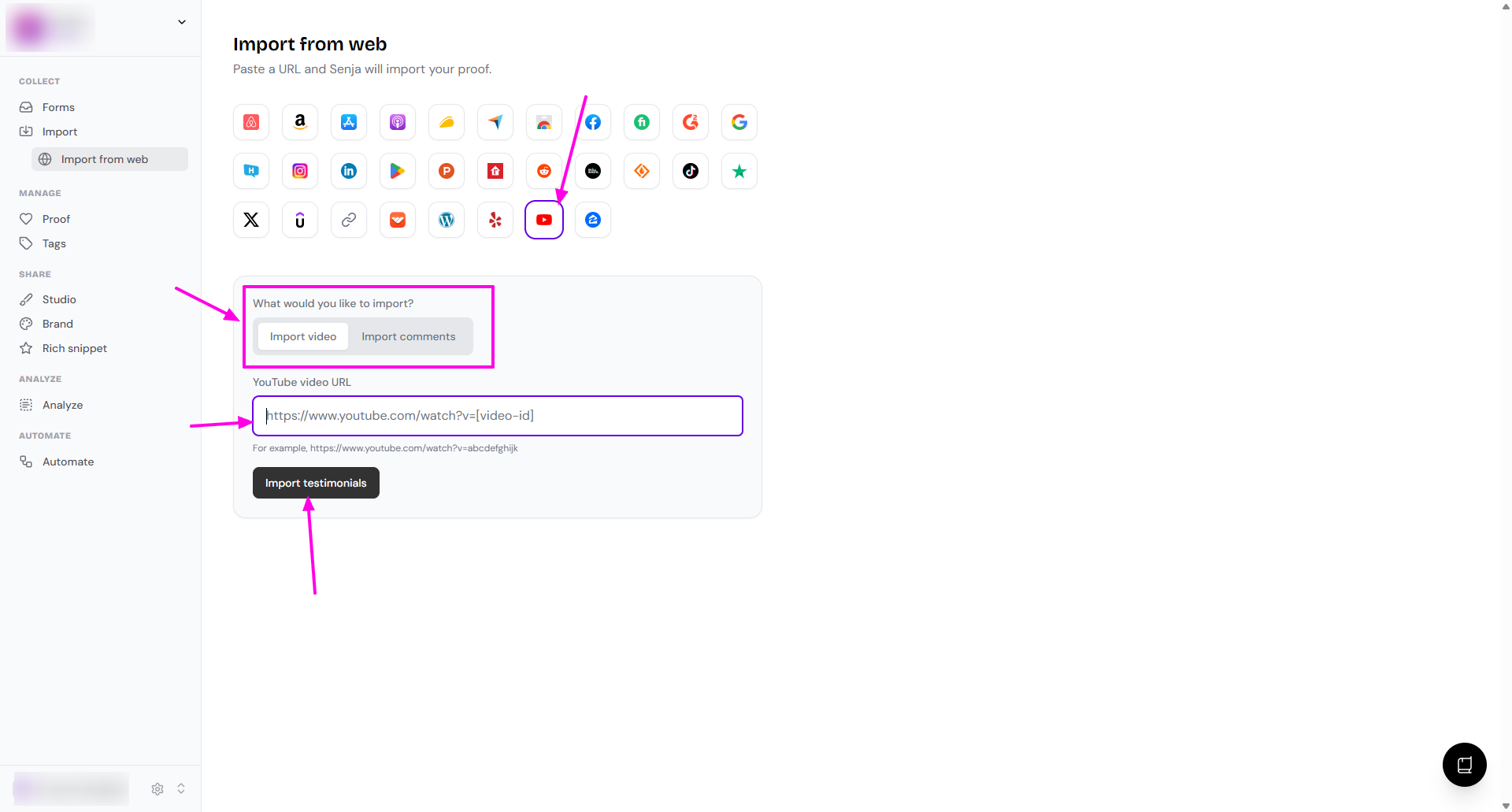
Go to Import > Import from web: https://app.senja.io/import/web
Click the YouTube icon
Choose what you want to import
Import video
Import comments
Paste your link under YouTube video URL
Click Import testimonials
Choose which testimonials you want to import, or select all to import everything
Your YouTube comments are now in Senja and ready to use
Other methods
Manual import
First, download the video from your YouTube playlist
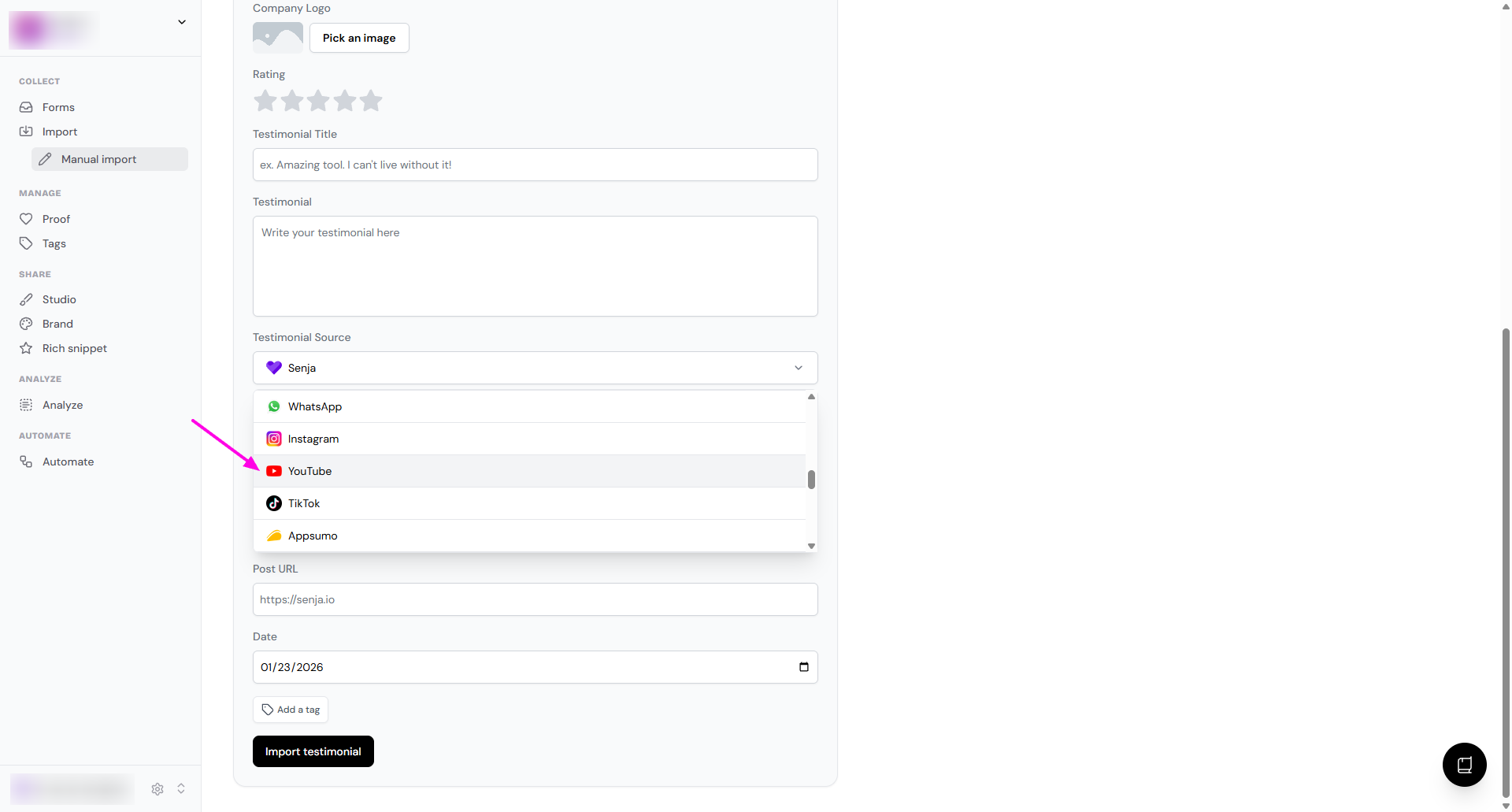
Go to the Manual import page: https://app.senja.io/import/manual
Follow this guide: How can I manually import text testimonials?
In the Testimonial Source dropdown, choose YouTube
Senja Chrome extension
You can use Senja Chrome extension following this: Import testimonials with the Chrome Extension
Need help?
If you run into any issues, contact Senja Support and we'll help you get set up.