
How to migrate from Testimonial.to to Senja
Moving from Testimonial.to? You can bring your testimonials into Senja in a few clicks. There are three ways to do it, depending on which testimonials you want to move.
This feature is available for any Senja plans: Free, Starter, and Pro. On the Free plan, migrated testimonials count toward your 15-testimonial limit. Anything beyond 15 is hidden until you upgrade. See What happens after I collect more than 15 testimonials?
Option 1: Import from your Testimonial.to Wall of Love (recommended)
The fastest way to move both text and video testimonials.
Good to know:
Imports text and video testimonials from a single link
Only imports testimonials that are on your Testimonial.to Wall of Love
Steps
Go to the Migrate page: https://app.senja.io/import/migrate
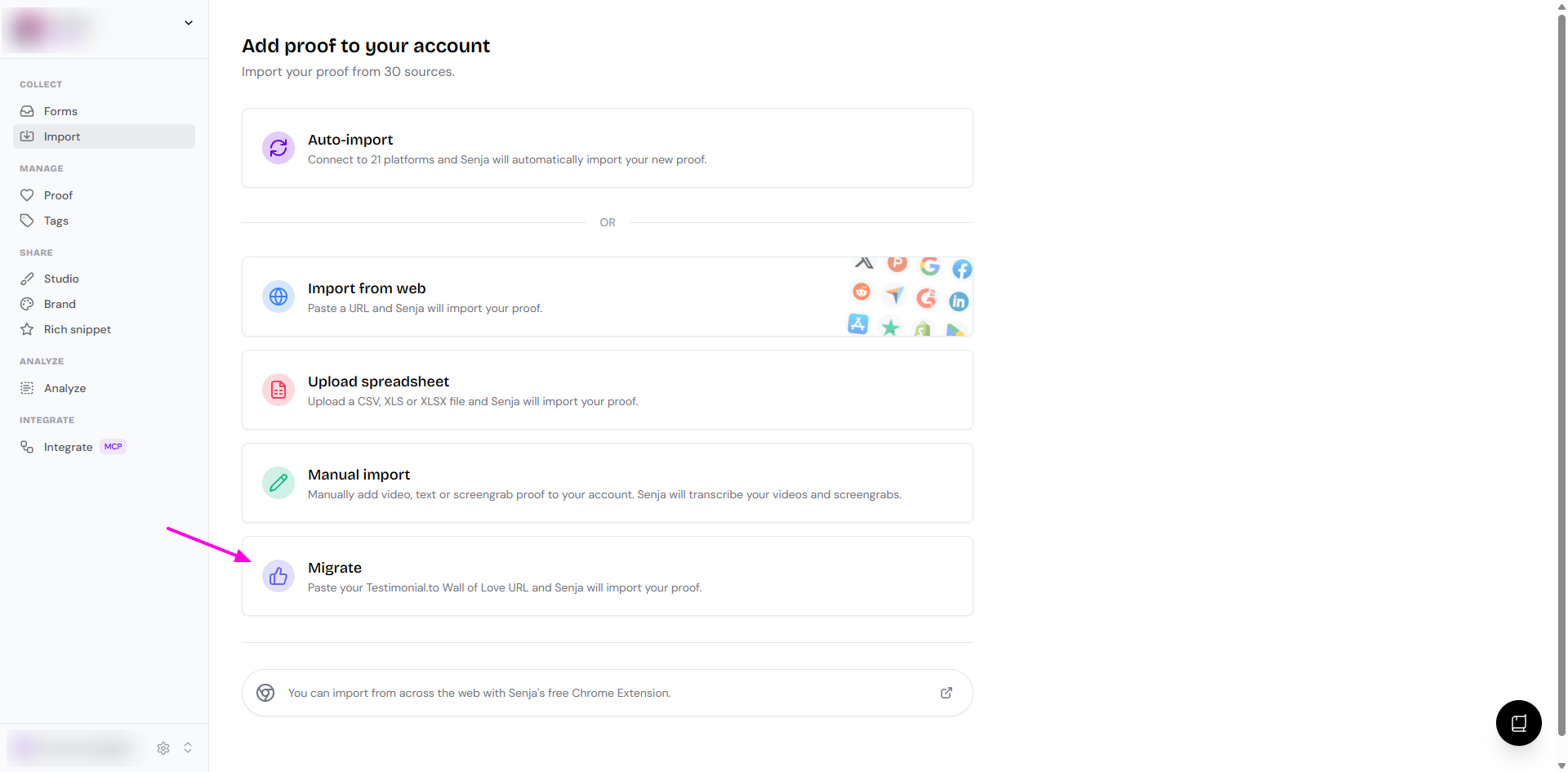
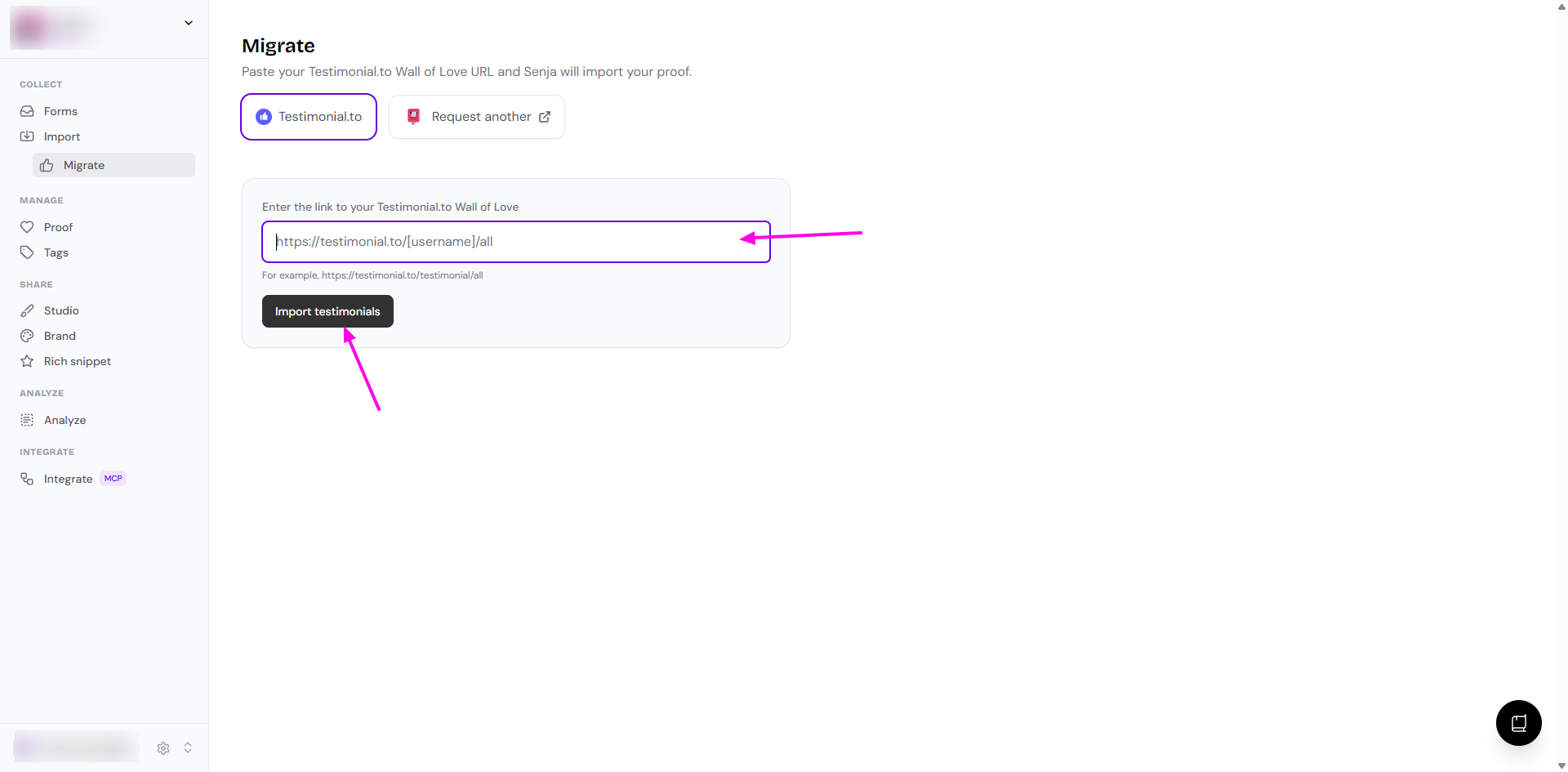
Paste the link to your Testimonial.to Wall of Love in the Enter the link to your Testimonial.to Wall of Love field
Click Import testimonials
On the preview page, select the testimonials you want and click Import testimonials
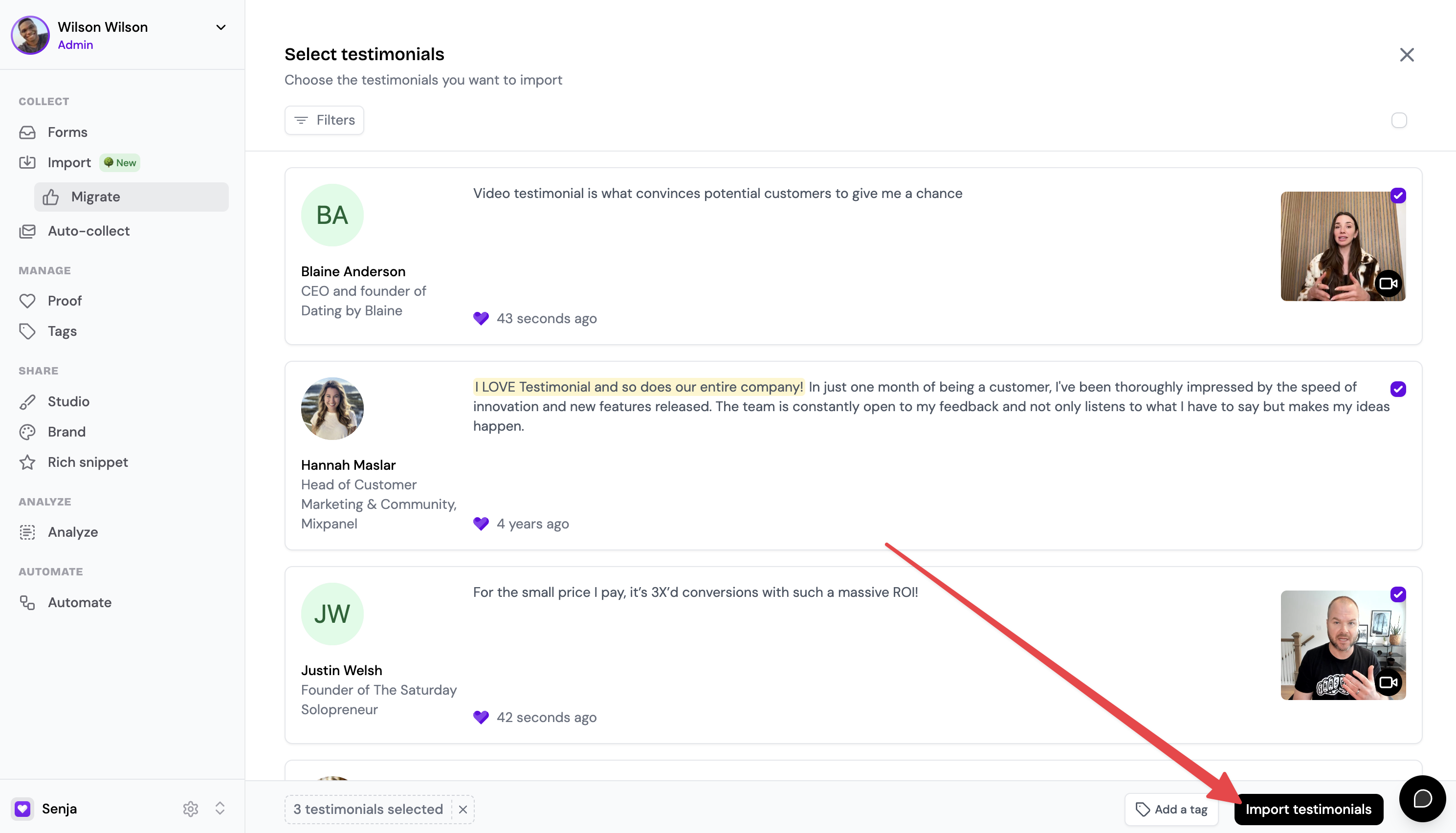
Your testimonials import straight away and appear on your Proof page.
Option 2: Use a CSV export
Use this if you need to move unapproved or private testimonials.
Good to know:
Includes public and unapproved text and video testimonials
Social posts aren't included, because Testimonial.to doesn't export them
Steps
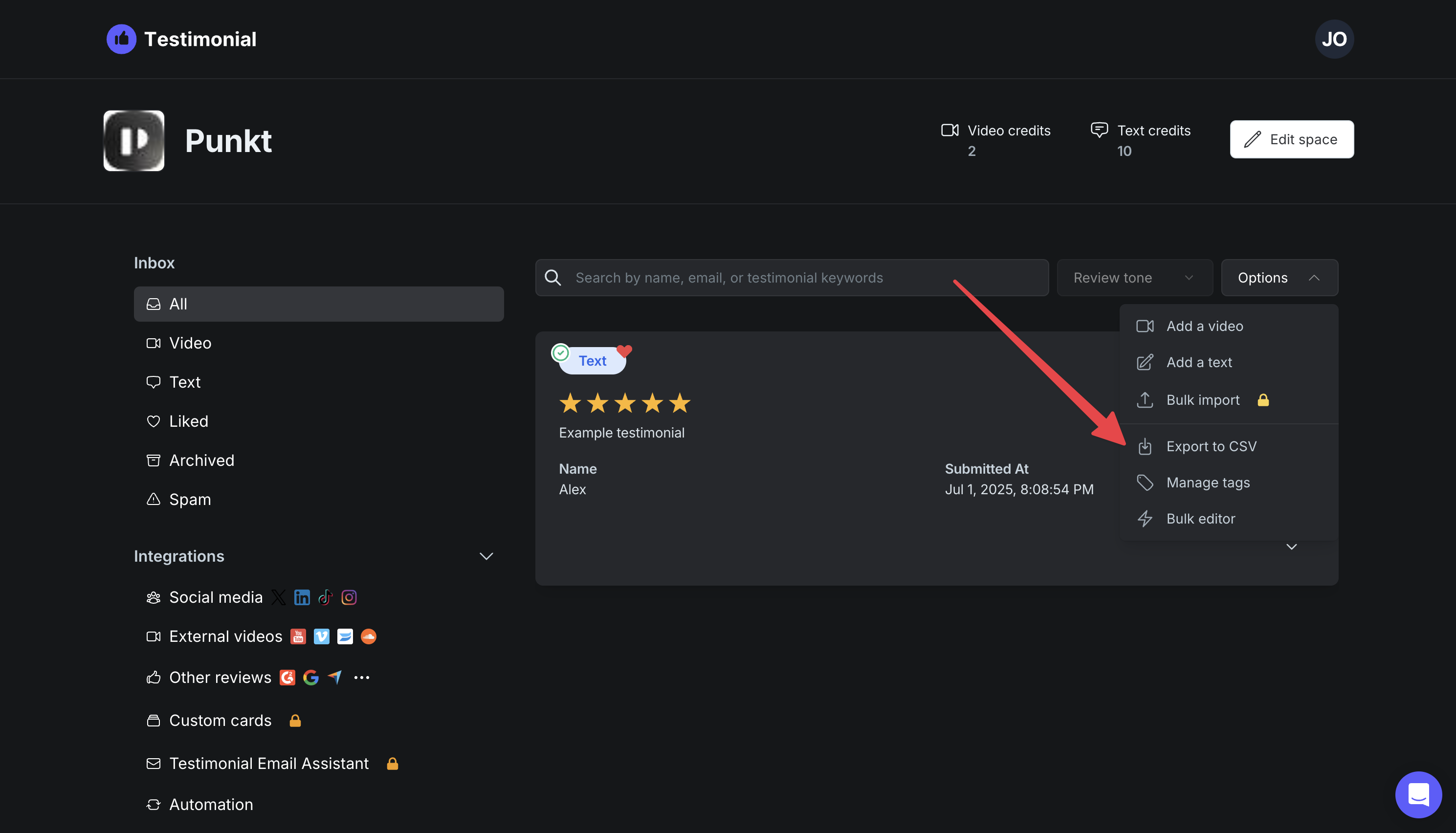
Go to your Testimonial.to dashboard
Before exporting, make sure all the testimonials you want to move are added to your Testimonial.to Wall of Love
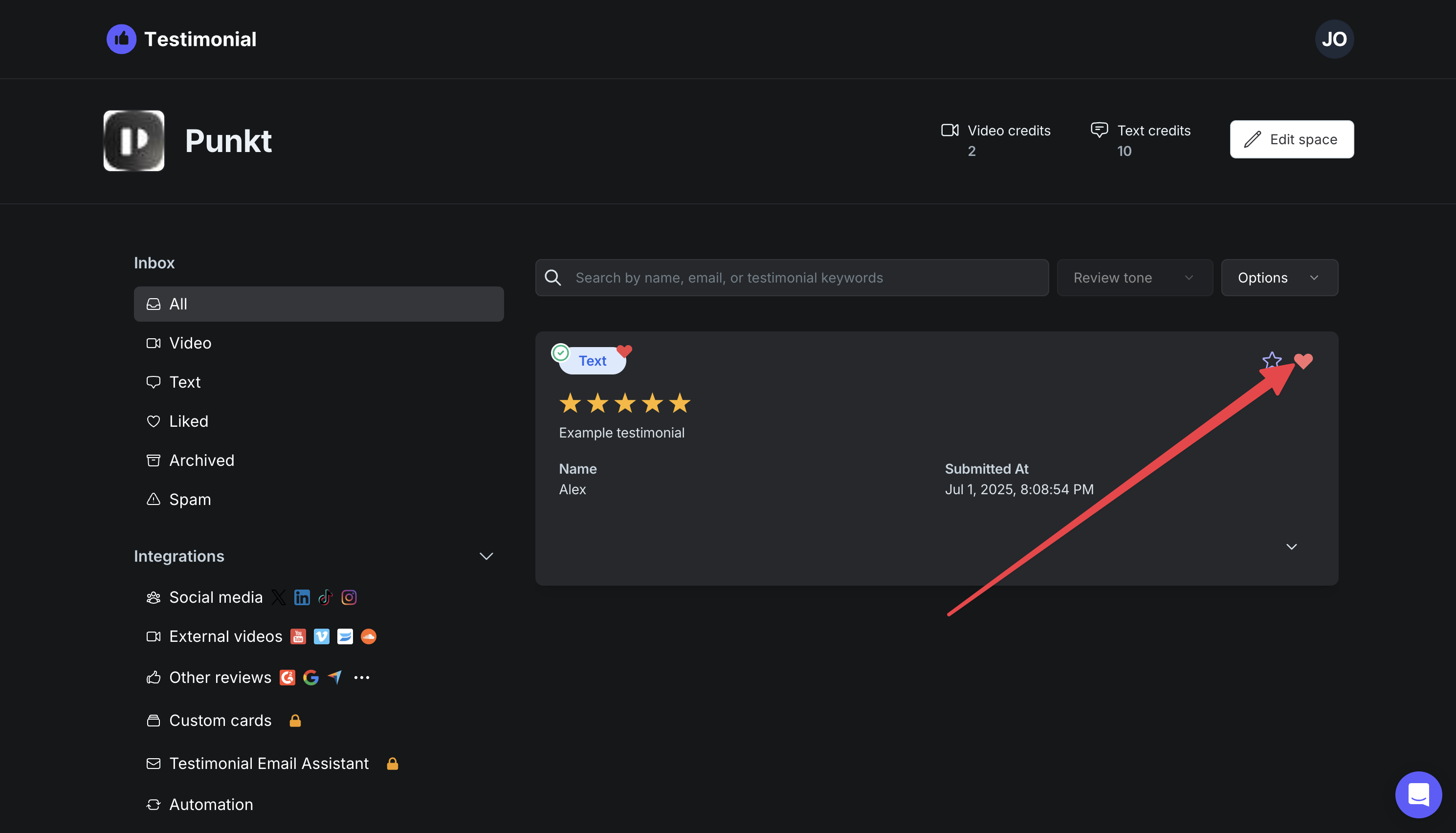
Click Export to CSV to download your testimonials
Follow the steps in How to import testimonials in bulk from a spreadsheet
Option 3: Add testimonials one by one
Prefer to do it yourself and cherry-pick the testimonials? You can add testimonials one by one with Manual import.
After you migrate
Only your testimonials move over. Set up your collection forms and widgets in Senja to start collecting and sharing:
How to import testimonials into Senja, for testimonials from other places