
Import testimonials from Whop
Senja lets you import reviews from your Whop product and keep them in one place.
Importing from Whop works on all plans: Free, Starter, and Pro. Auto-import needs a paid plan: Starter or Pro.
What you can do
Import all reviews from your Whop product at once
Select individual reviews to import only the ones you want
Auto-import new reviews automatically (Starter and Pro)
How to import from Whop
Go to Import → Import from web: https://app.senja.io/import/web
Click the Whop icon
Paste your link in the Whop product URL field
Click Import testimonials
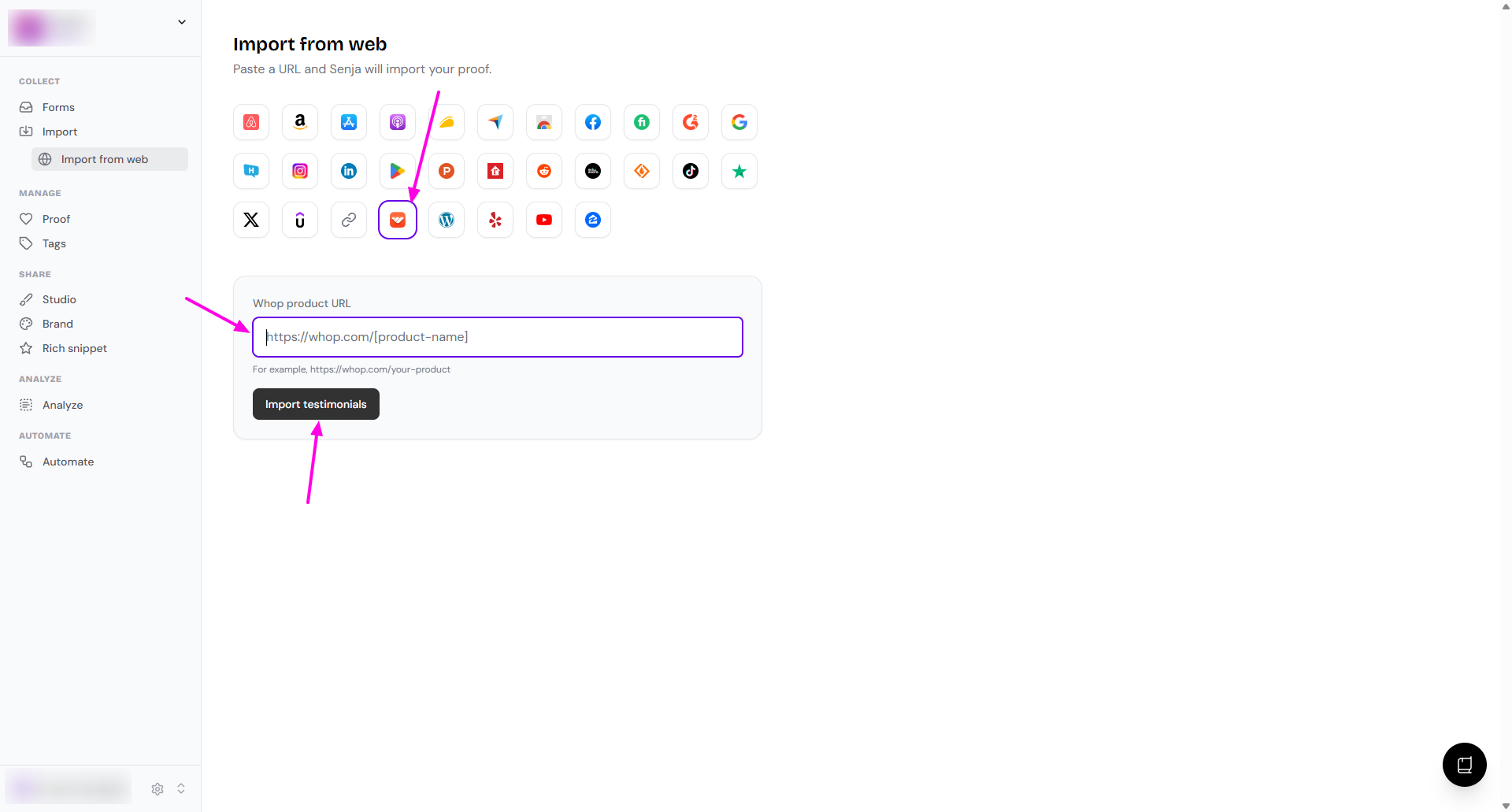
Choose which reviews you want to import, or select all to import everything
Your Whop reviews are now in Senja and ready to share on your website.
Other methods
Auto-import
Bring in new Whop reviews automatically: How to auto-import testimonials from other platforms
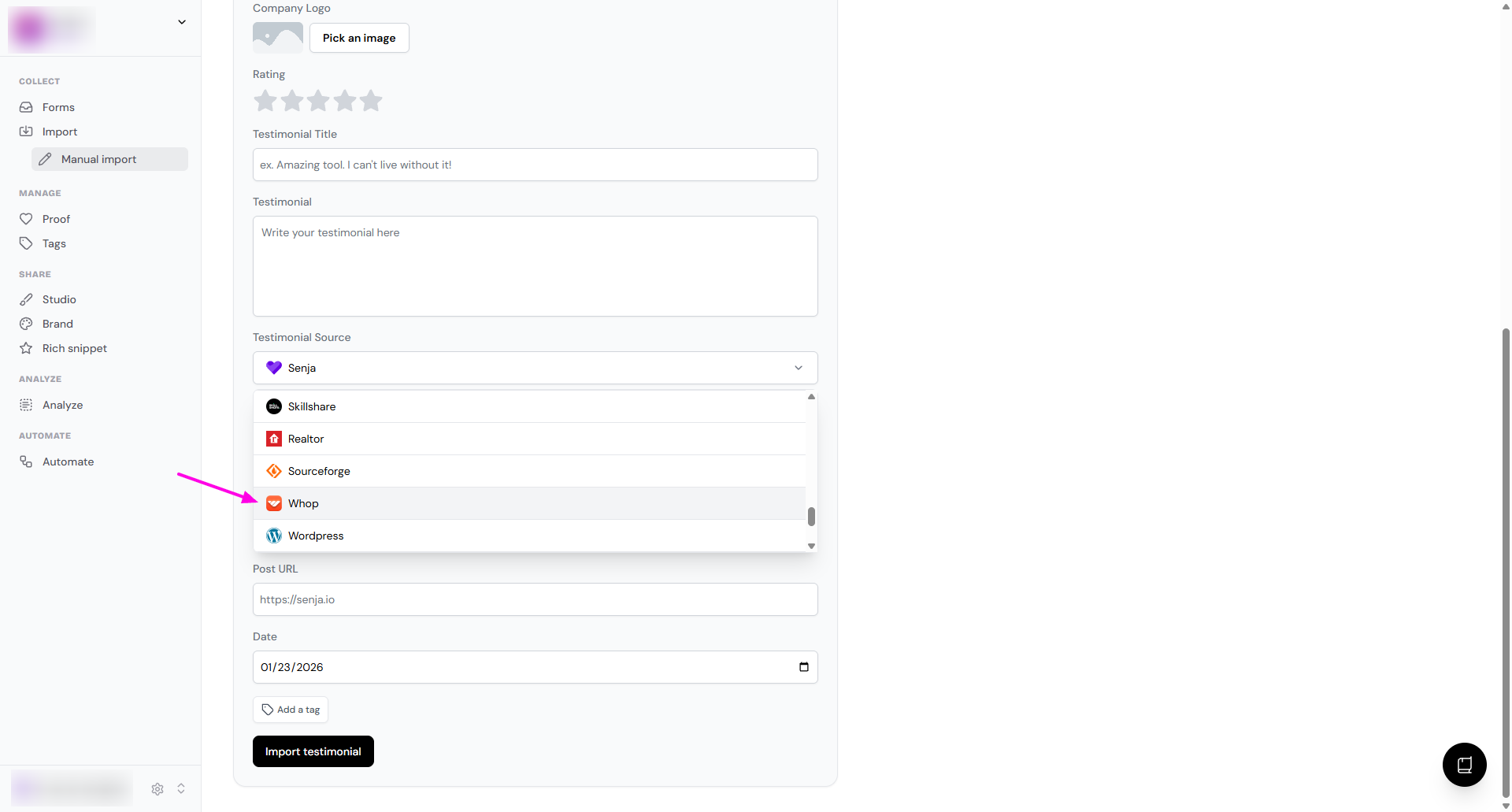
Manual import
Follow How to manually import testimonials
In the Testimonial Source dropdown, choose Whop
Senja Chrome extension
Follow Import testimonials with the Chrome extension
Need help?
Something not working? See Troubleshooting common import errors, or contact Senja Support and we'll help you get set up.