
How to show testimonials in other languages in my widget
Show your testimonials in the language your visitors read. You can build a widget for one language, or let your widget switch to each visitor's language automatically.
Choosing testimonials by language is available on all Senja plans: Free, Starter and Pro. Automatic translation for visitors needs the Pro plan.
Which option to use
One language per widget: you have a separate page for each language, like a German version of your website
Your visitor's language: one page is seen by visitors from different countries, and you want each of them to read your testimonials in their own language
Show testimonials in one language
First, make sure that you already have some testimonials in the language that you want, or translated to the language that you want
Go to your Studio page and open your widget, or create a new one
Click Select Testimonials
In Filters, click Language and choose a language
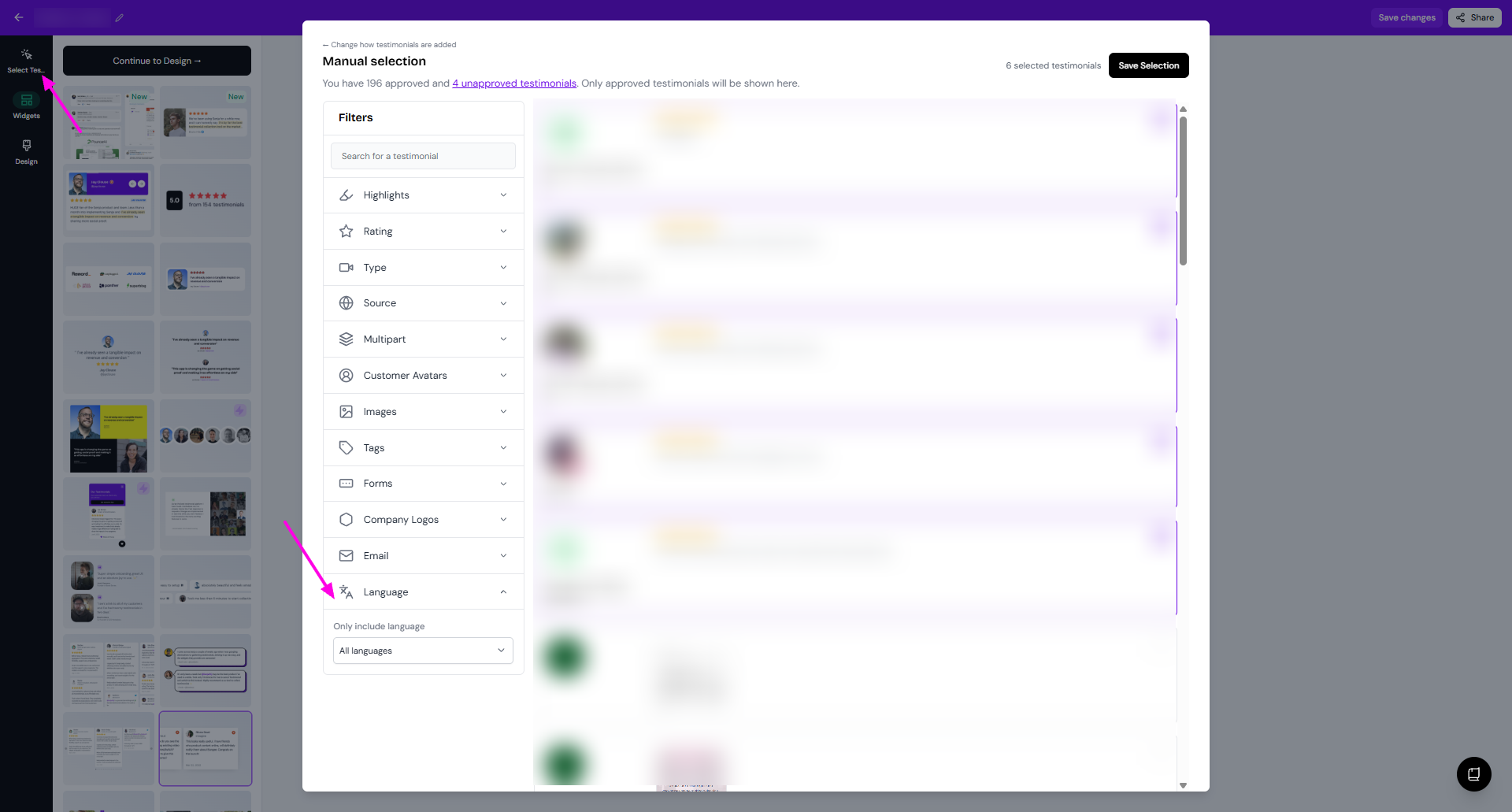
Click Save Filters for Auto-add, or tick your testimonials and click Save Selection for Manual selection
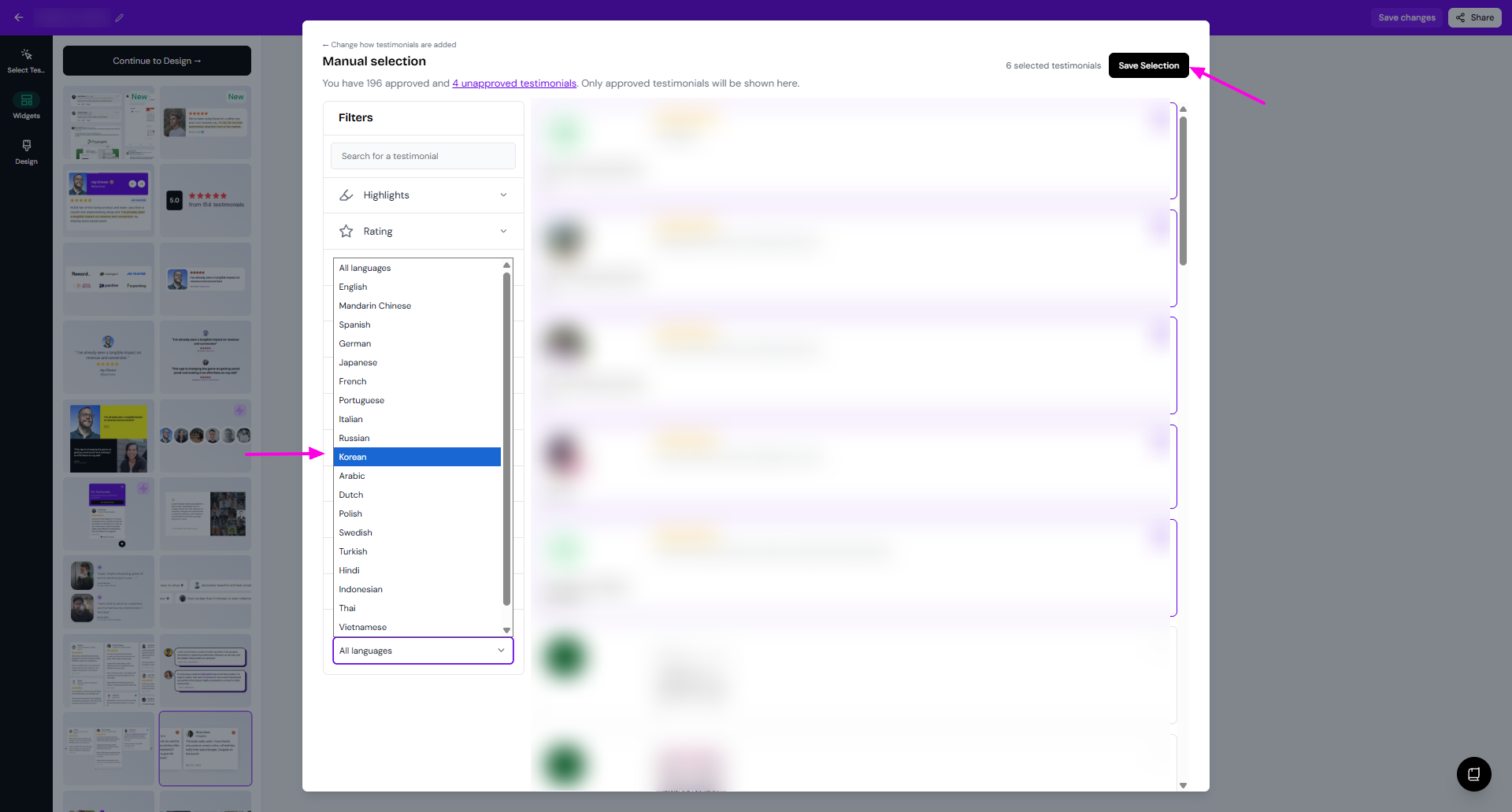
The list of testimonials shows them in their original language. Once they're in your widget, the preview shows them in the language you picked.
You can only choose one language per widget. For more filters, see How to select testimonials for your widget.
Show testimonials in your visitor's language
Senja reads each visitor's browser language and shows your testimonials in it automatically.
Go to your Studio page and open your widget
Click Design
Turn on Automatically show testimonials in the visitors language
Choose a default language: English, German, French or Indonesian
Click Save changes
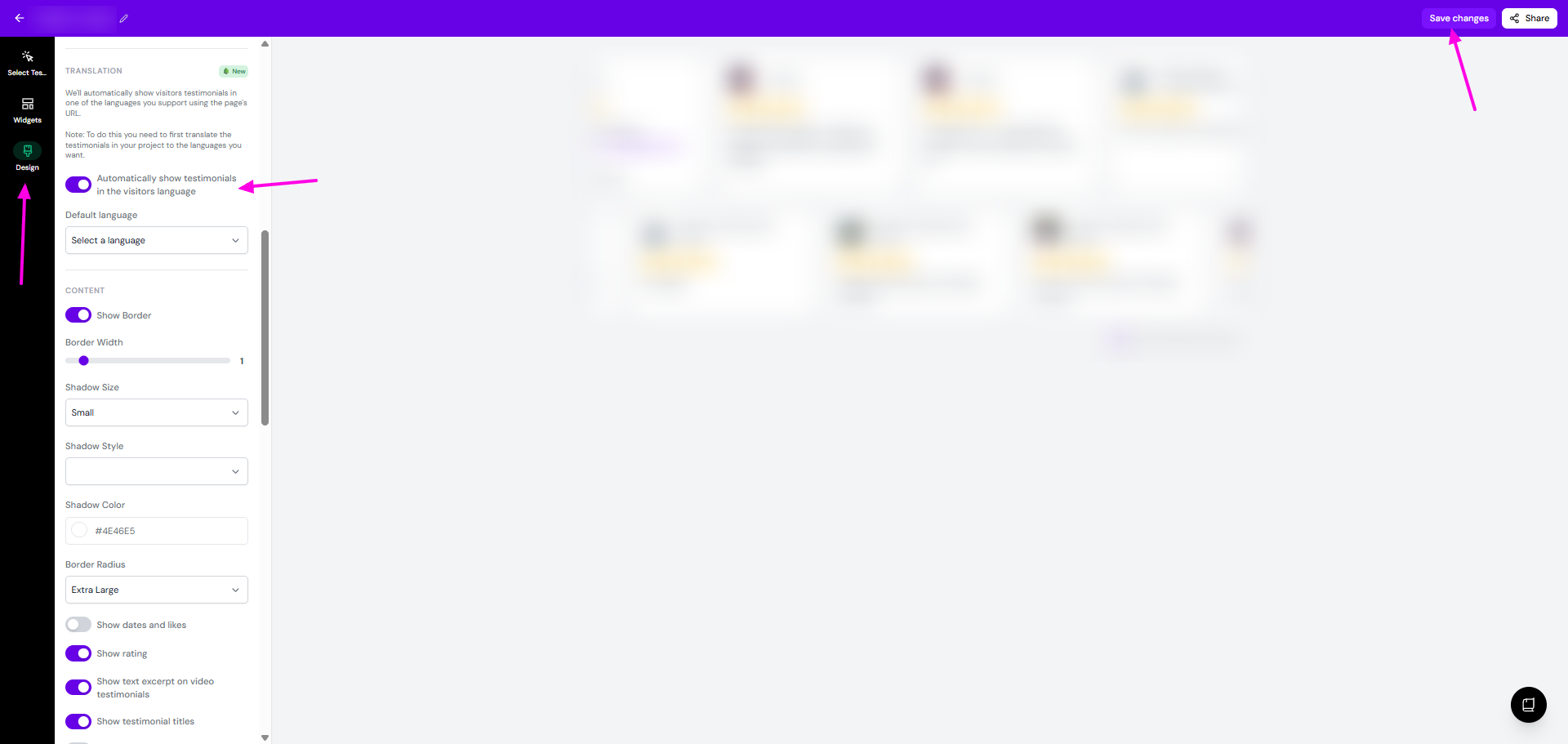
Visitors whose browser language isn't supported see your default language.
Supported languages: English, Spanish, Japanese, Mandarin Chinese, German, French, Portuguese, Italian, Russian, Korean, Arabic, Dutch, Polish, Swedish, Turkish, Hindi, Indonesian, Thai, Vietnamese and Czech.
Need another language? Suggest it on our feedback board.