
How to customize my widget with CSS
Use custom CSS to change anything the widget's design settings don't cover, like hiding source icons or showing fewer testimonials on mobile.
Custom CSS is available on paid plans: Starter and Pro.
Add custom CSS to your widget
Go to your Studio page and open your widget
Click Design and scroll down to Advanced → Custom CSS
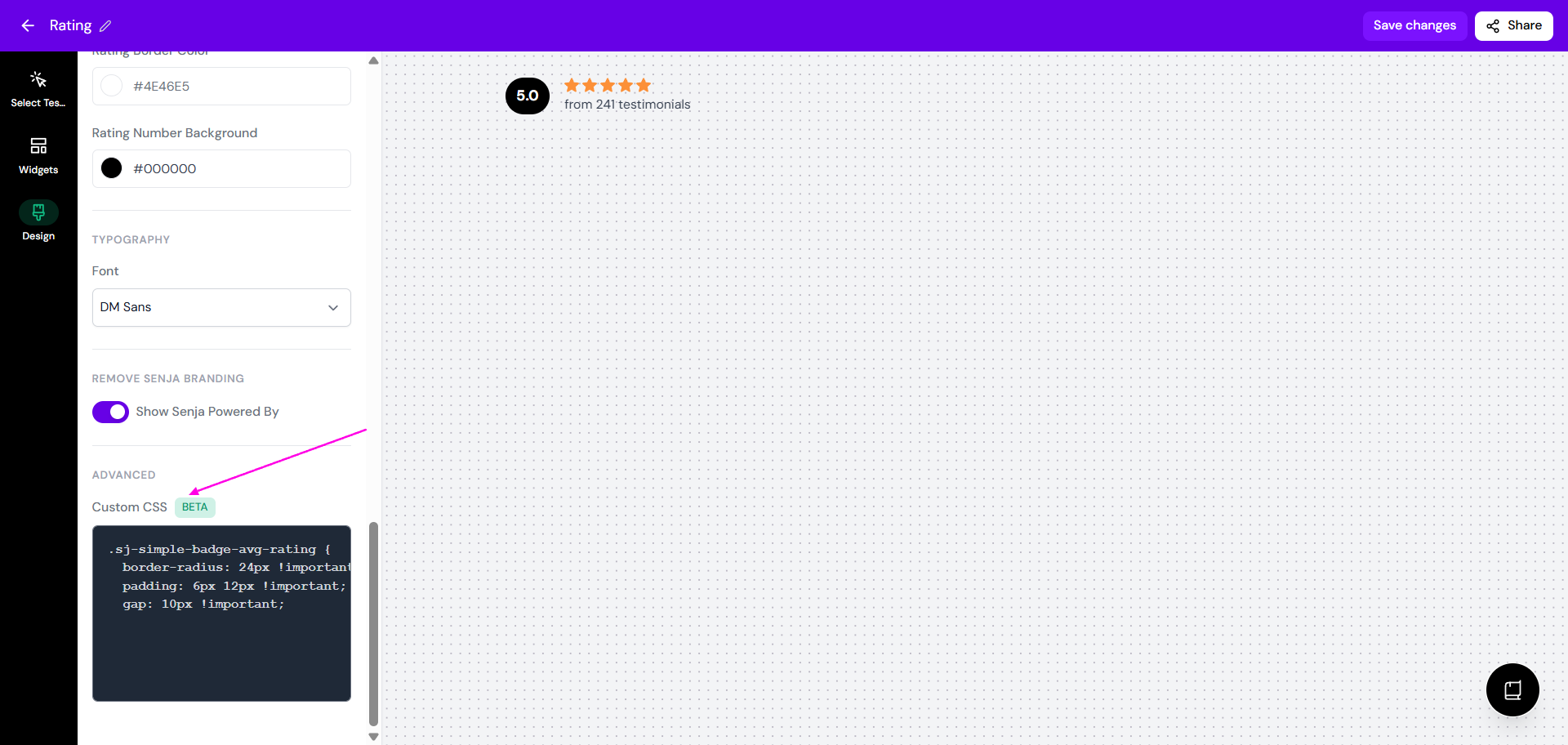
Add your CSS in the editor
Click Save changes
Your CSS only applies to this widget. Check the preview on both desktop and mobile before you save.
Only change classes that start with sj-. Changing other parts of the widget can break it in unexpected ways.
Find the class to style
Open the page with your widget in Chrome, right-click the widget and click Inspect
Click the element selector icon at the top left of DevTools, then click the part of the widget you want to change
In the Elements tab, find a class that starts with
sj-. If there isn't one, check the elements around it
Use that class in your custom CSS. If your change doesn't show, add
!important
Common fixes
Hide the source icons
Hide the platform icons on your testimonials, like Google, Facebook or X:
.sj-integration-fixed-icon {
  display: none !important;
}
Show fewer testimonials on mobile
Keep all your testimonials on desktop, but show only the first few on smaller screens. This example shows 3 testimonials on screens up to 600px wide:
@media only screen and (max-width: 600px) {
  .senja-embed > *:nth-child(n+4) {
    display: none;
  }
}
To change how many show, change the number in
nth-childto one more than you want:n+3shows 2,n+4shows 3,n+6shows 5To change which screens it applies to, change
600px. Common sizes are480pxfor small phones and768pxfor tablets.senja-embedworks for most widgets. If it doesn't, use your widget's own class, like.sj-hero-quotes,.sj-grid,.sj-carouselor.sj-list
To limit testimonials on every screen size, you don't need CSS, see How to order, pin and limit testimonials in your widget.
Stop text from squeezing on mobile
If your widget's text looks cramped on phones, the padding is usually too wide for small screens. Remove it on mobile, replacing .sj-your-class with the class you found with Inspect:
@media (max-width: 768px) {
  .sj-your-class {
    padding: 0 !important;
  }
}
Want to change your widget's width instead? You can do that in the embed code, see How to share or embed your widget.