
How do I edit my tags?
You can edit your tags to rename them, update descriptions, or change categories. When you edit a tag, the changes apply across all testimonials using that tag.
This feature is available on any Senja plans: Free, Starter, and Pro.
Edit a tag
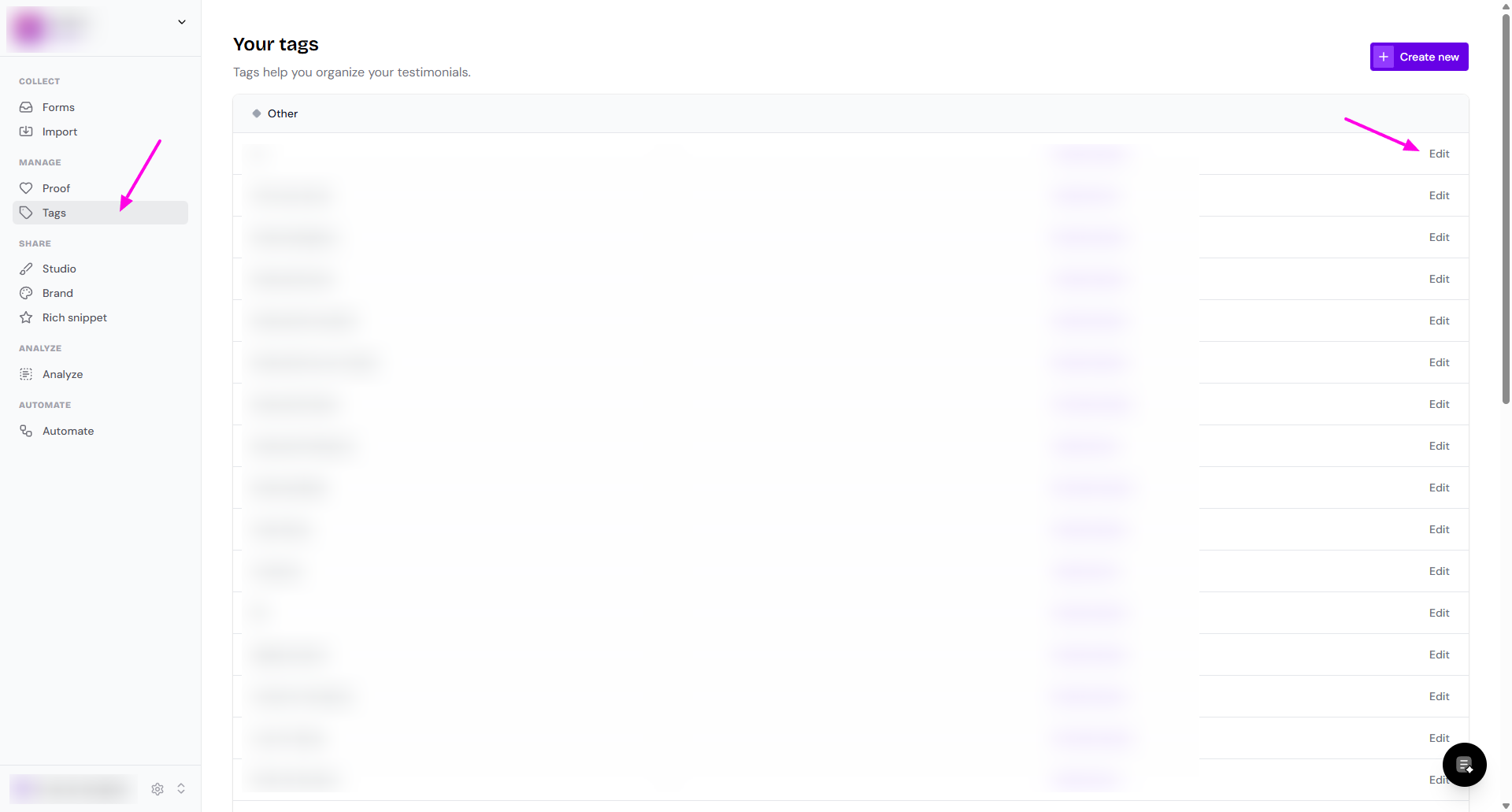
Go to your Tags page: https://app.senja.io/tags
Find the tag you want to edit
Click Edit next to the tag
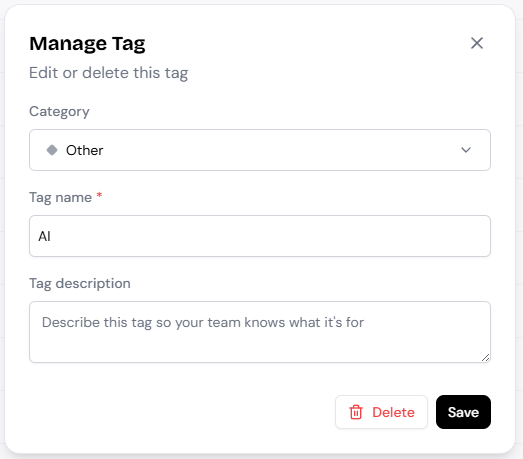
In the Manage Tag modal, update any of these fields:
Change Category to organize your tags into groups
Tag name (required)
Tag description (optional)
Click Save
Renaming a tag automatically updates it across all testimonials that use it
Delete a tag
If you no longer need a tag, you can delete it from the same modal:
Go to your Tags page: https://app.senja.io/tags
Click Edit next to the tag you want to delete
Click Delete to remove the tag
Deleting a tag removes it from all testimonials, but your testimonials themselves are not affected