
Can I migrate to Senja from Testimonial.to?
You can migrate from Testimonial.to to Senja with one click. We offer three migration methods depending on what testimonials you want to import.
This feature is available for any Senja plans: Free, Starter, and Pro.
Option 1: Import from Wall of Love (recommended)
This is the fastest method for importing both text and video testimonials.
Benefits:
Import text and video testimonials with a single URL
One-click process
Drawback:
Only imports testimonials that are on your Testimonial.to Wall of Love
Steps
Go to your Import page: https://app.senja.io/import
Click Migrate
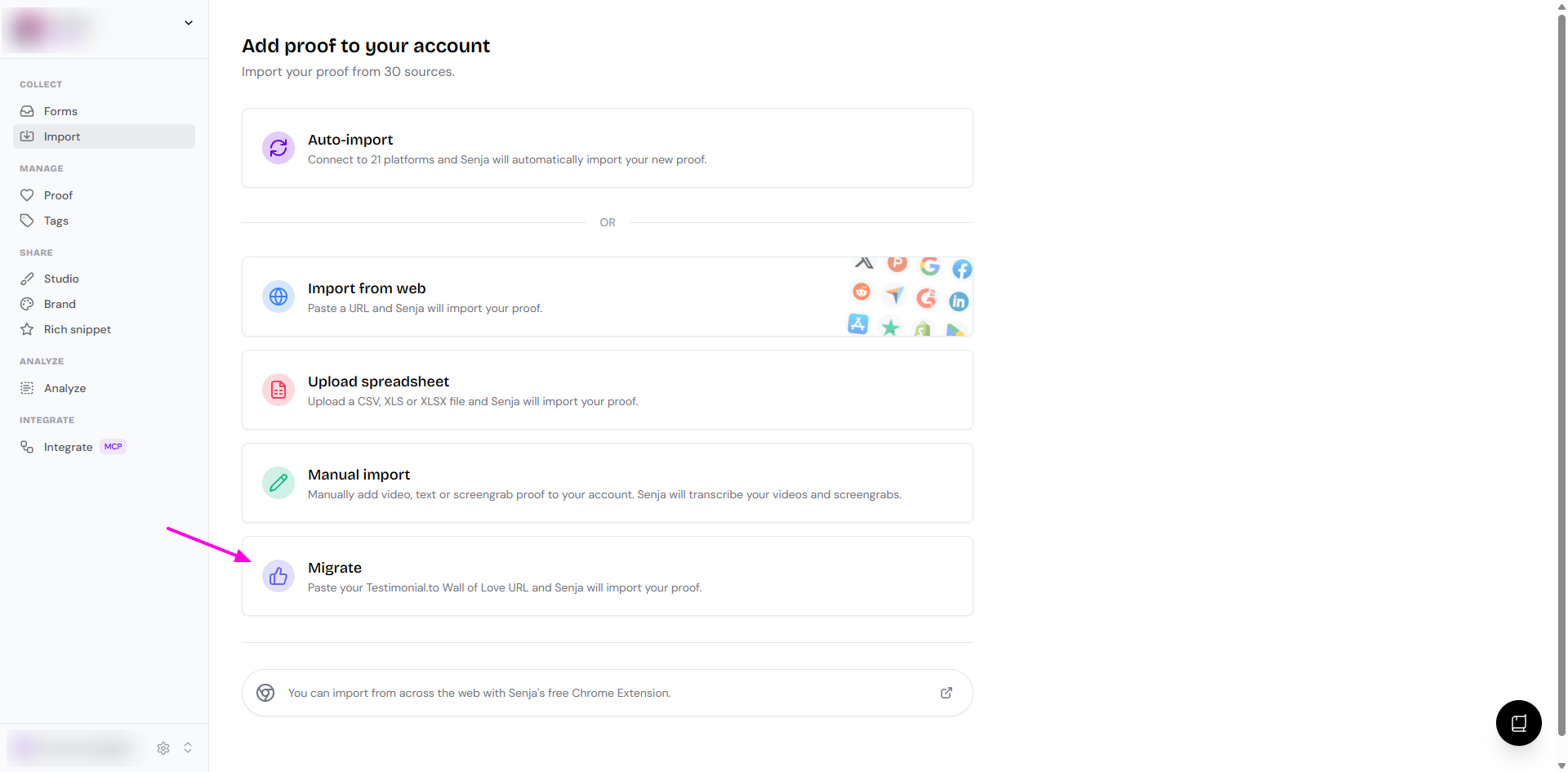
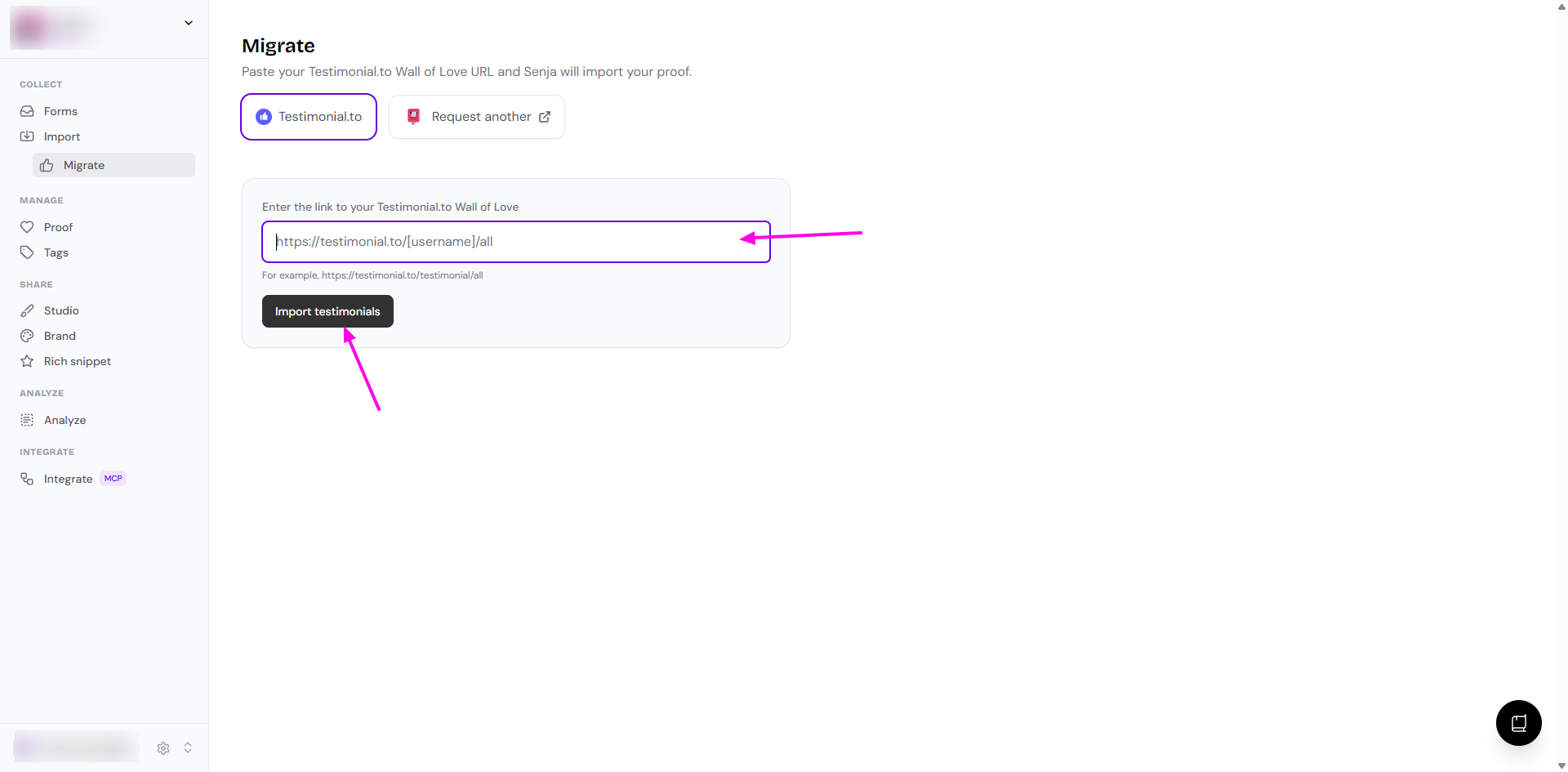
Paste your Testimonial.to Wall of Love URL on the Enter the link to your Testimonial.to Wall of Love field
Click Import testimonials
On the preview page, select everything and click Import testimonials
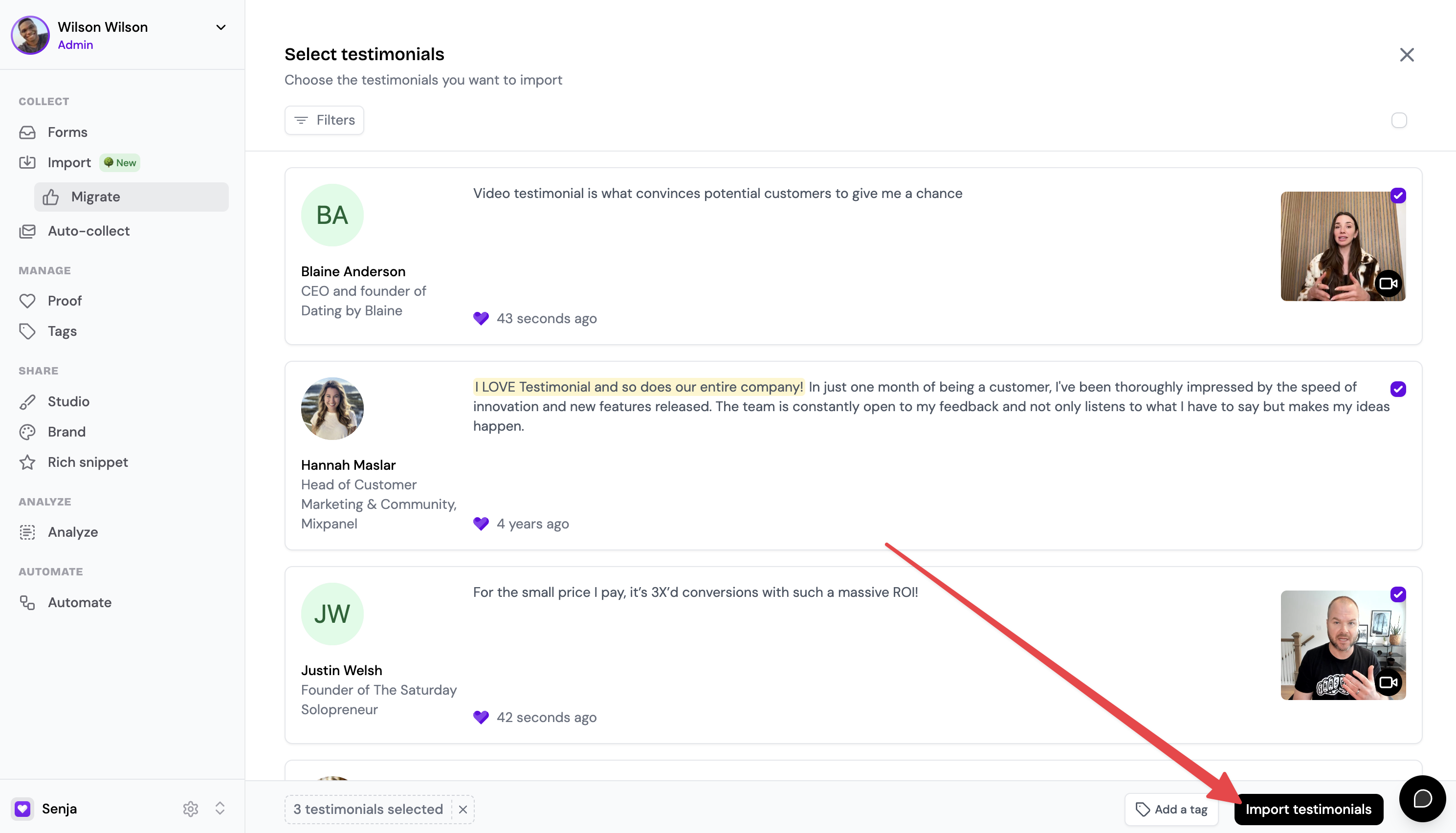
Your testimonials will import immediately and appear in your Senja dashboard
Option 2: Import using CSV export
Use this method if you need to import unapproved or private testimonials.
Benefits:
Import public and unapproved text and video testimonials
Drawback:
Social posts won't be included (Testimonial.to doesn't export them)
Steps
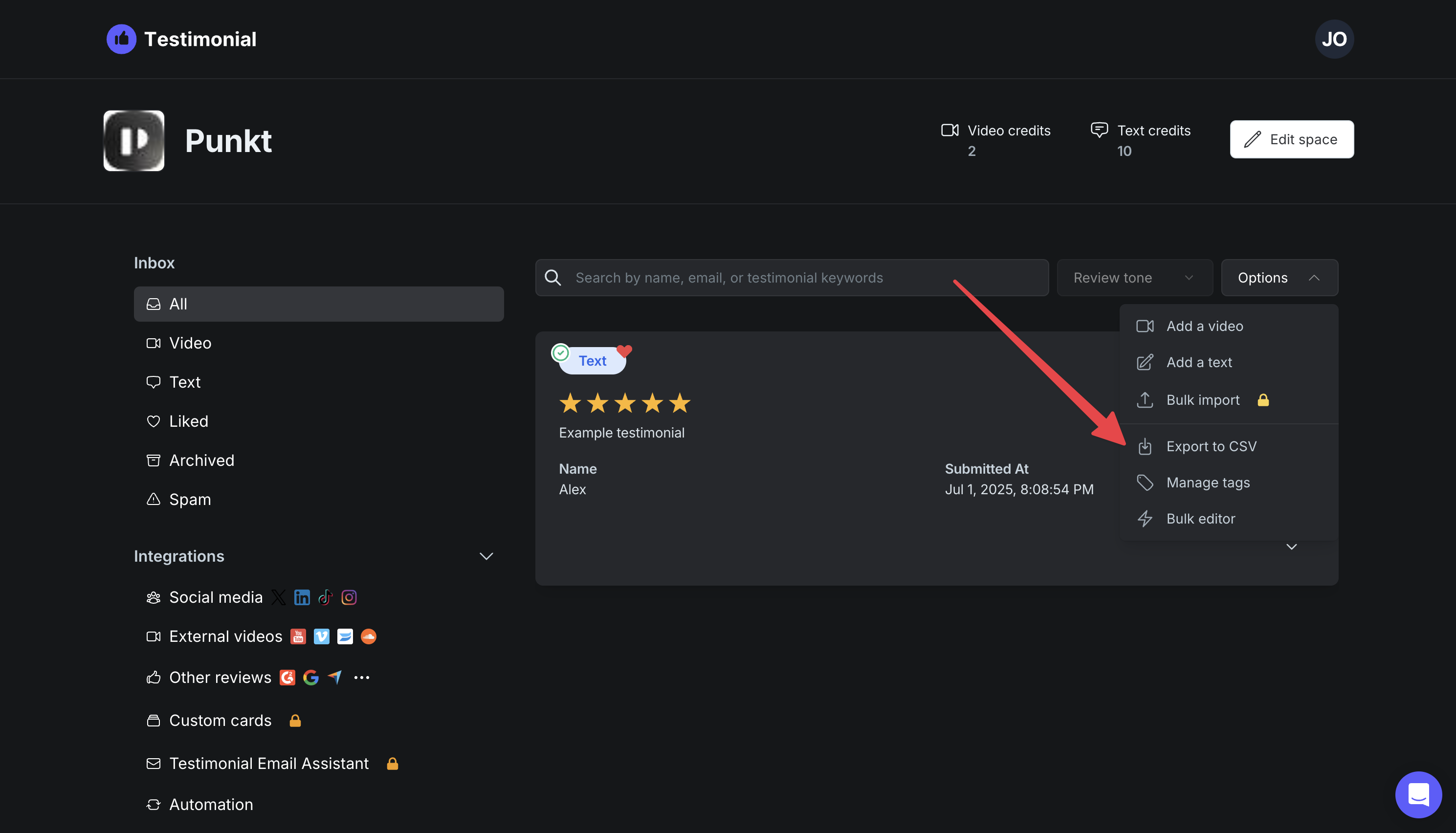
Go to your Testimonial.to dashboard
Before exporting, make sure all the testimonials you want to migrate are added to your Wall of Love in Testimonial.to
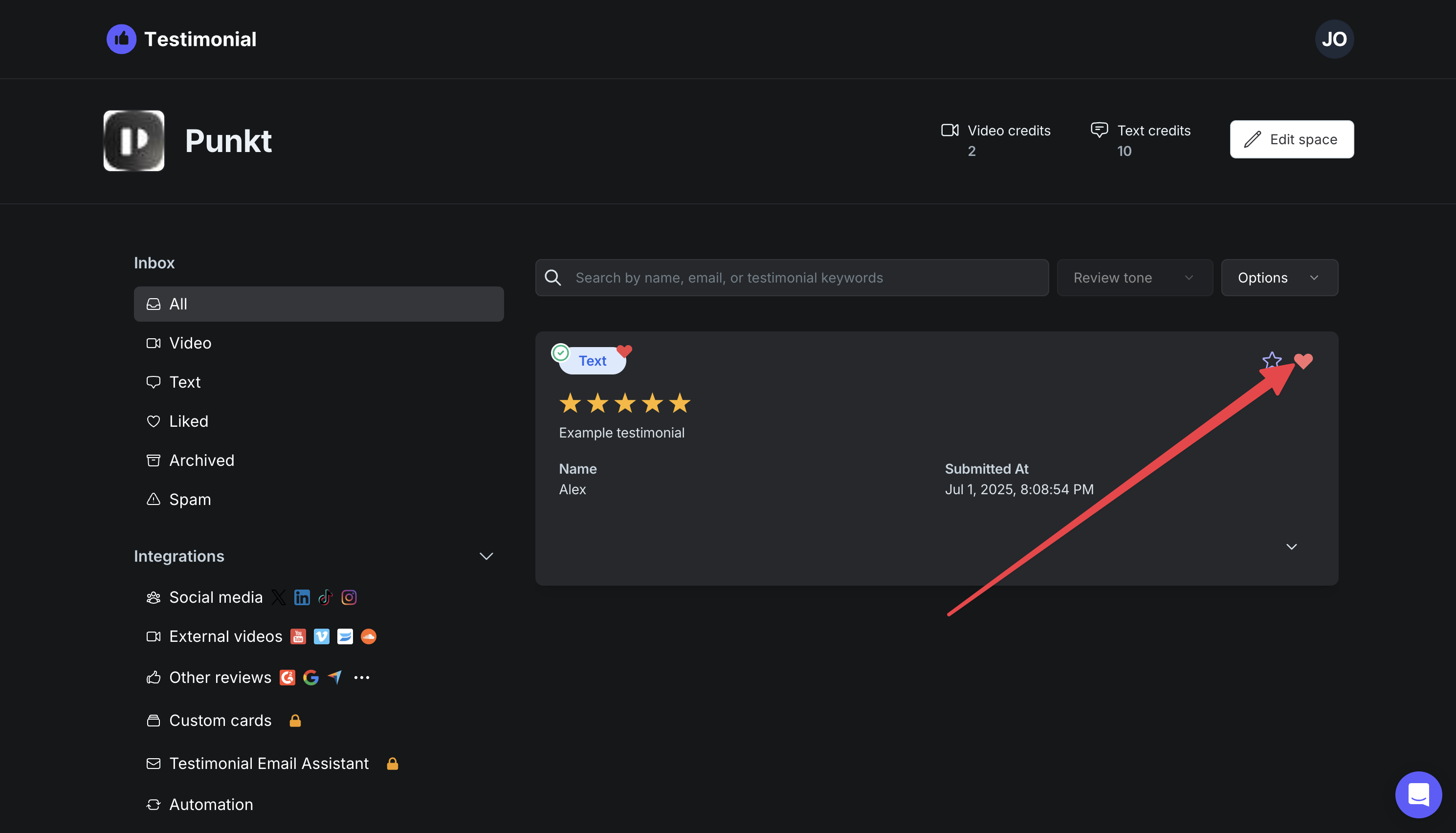
Click Export to CSV to download all your testimonials as a CSV
Contact Senja Support and provide:
Your Senja account email
Your exported CSV file attached
We will complete your CSV imports within 24 hours
Option 3: Manual import
If you prefer to import testimonials manually, navigate to Import in your Senja dashboard.
You can add testimonials individually or use bulk import. Learn more about bulk imports here.