
How can I manually import text testimonials?
If you have text testimonials from your customers, sent by email or other platforms, you can add the testimonials to your Senja dashboard using the Manual import.
This is applicable for any Senja plans: Free, Starter, and Pro.
Manually import text testimonials
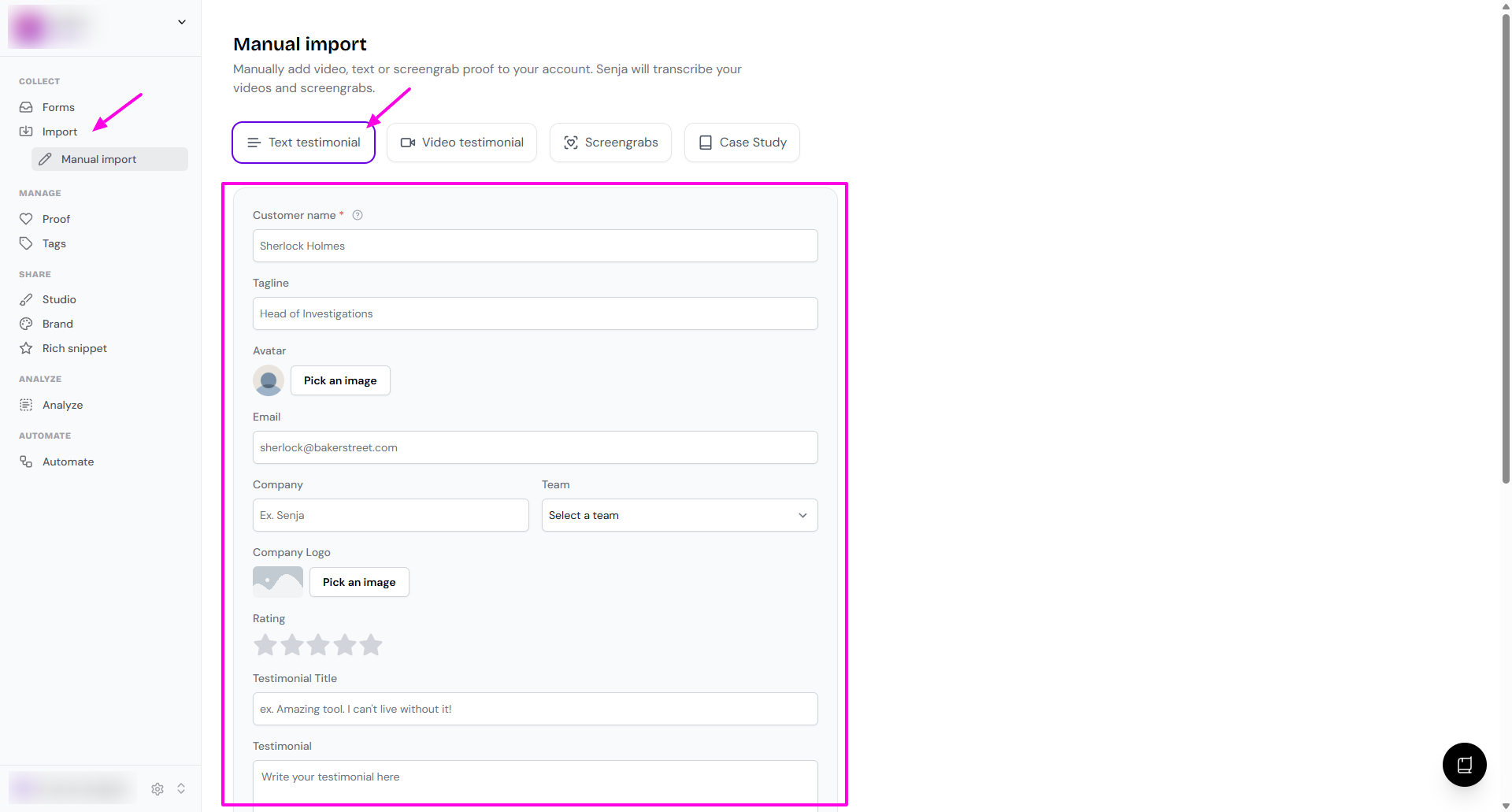
Go to Import > Manual import page: https://app.senja.io/import/manual
Choose Text testimonial
Complete the details
Customer name (mandatory)
Tagline (you can put your customer's job title here)
Avatar
Email
Company
Team
Company Logo
Rating
Testimonial Title
Testimonial (here's where you put the text testimonial)
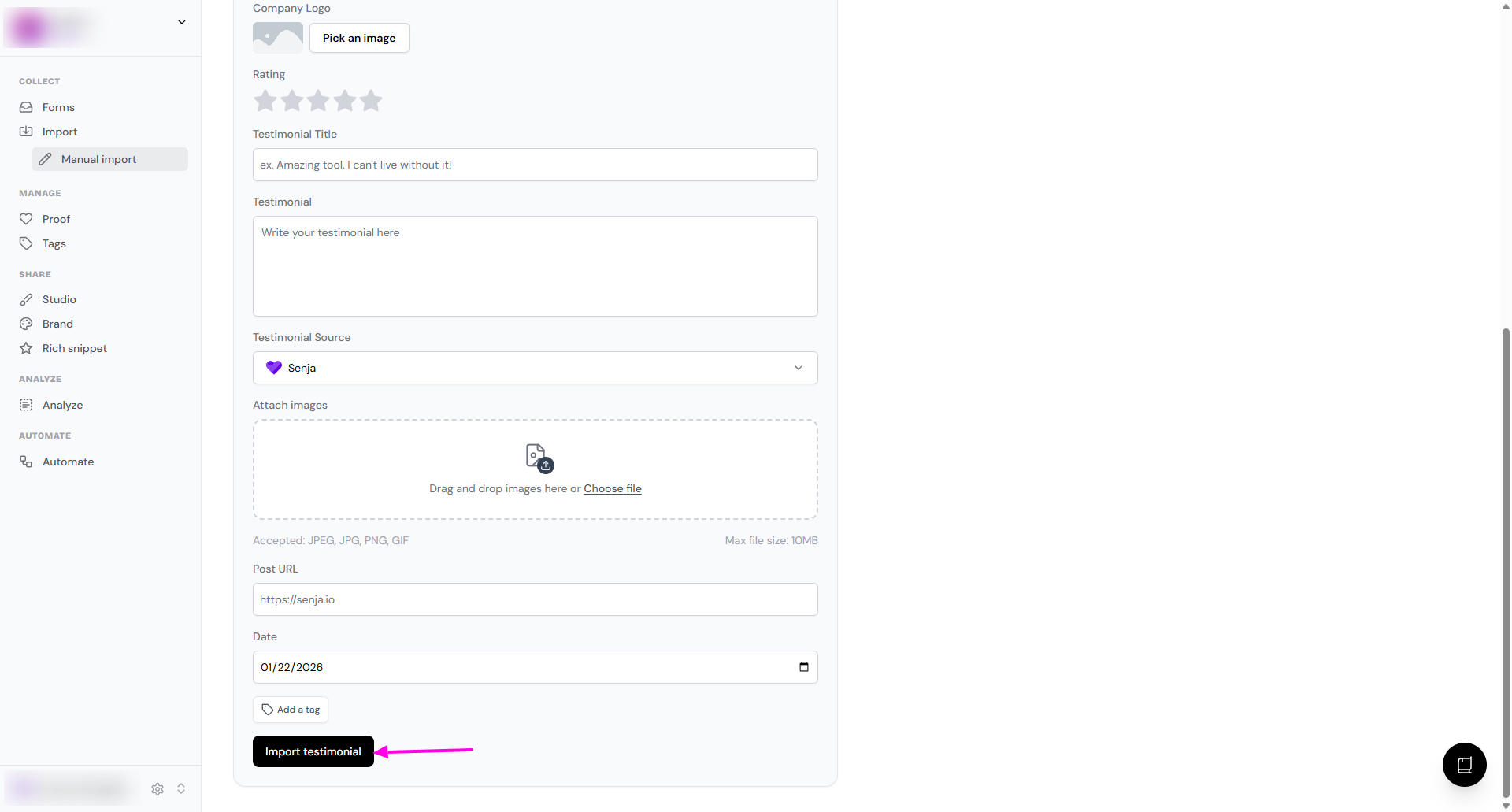
Testimonial Source
Attach images
Post URL
Date (add the date when you receive the testimonial the first time)
Add a tag
Once you're done, click Import testimonial
Was this helpful?
Was this helpful?