
How to disable Senja's automatic thank you email
Senja sends an automatic thank you email to individuals who submit testimonials. This email is a standard feature included with the free plan. It serves to acknowledge the submission of a testimonial.
Upgrade your plan
To stop these automatic thank you emails, you need to upgrade to any of Senja's paid plans. Once you are on a paid plan, you can choose to enable or disable the thank you email.
How do I disable the automatic thank you email?
Go to your Forms page: https://app.senja.io/forms
Edit the form
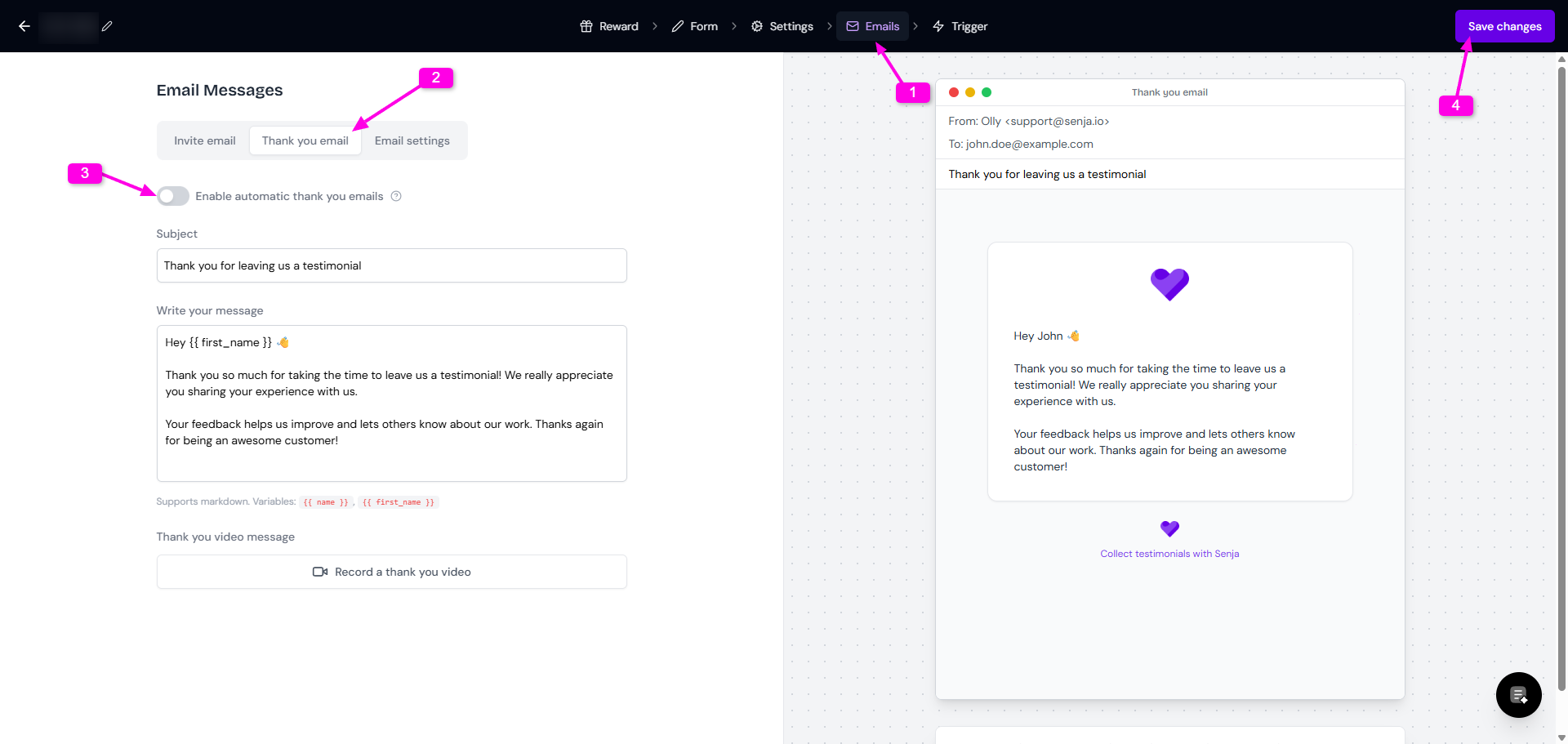
Go to Emails tab
Select Thank you email
Turn the toggle off in Enable automatic thank you emails
Click Save changes
Edit the thank you email
You can change the copy of the thank you email from your Forms modal.
Follow the guide How do I edit the thank you email?
Send a thank you note at anytime
If you disable the thank you email, you can still send a thank you note to your customers.
Read the full guide in How do I send a thank you note?