
Can customers submit both video and text reviews together?
When you enable both video and text in your collection form, customers see Video OR Text and can only submit one format per question, not both.
Current collection options
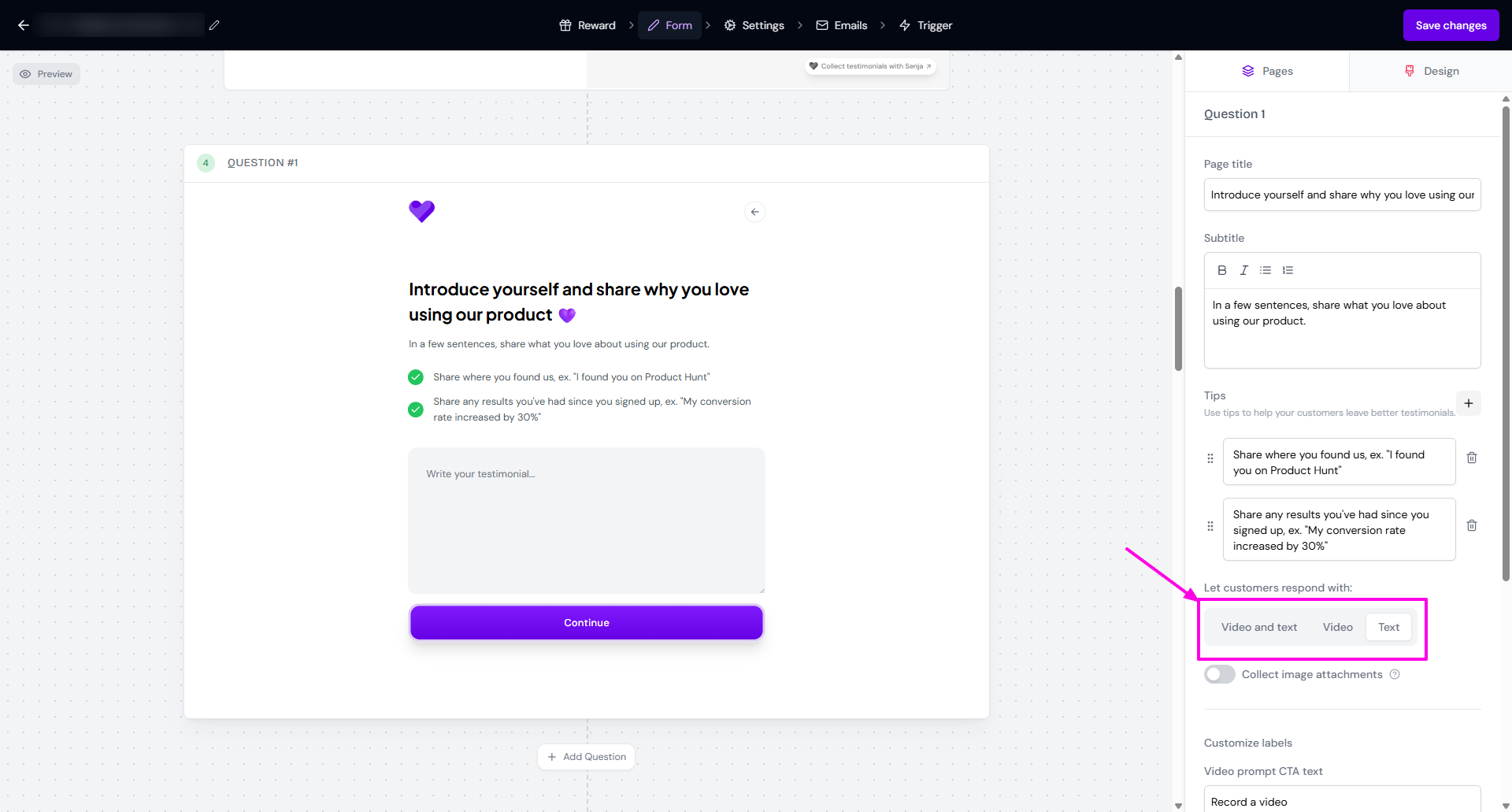
The form builder shows Video AND Text options, but your live form displays Video OR Text to customers. This means:
Form builder:
You enable both video and text options
You can configure your forms to collect video testimonials only or text testimonials only
Customer experience: When both options are enabled, customers see both options but must select one format to proceed
Result: One type of testimonial per question, not both
How forms currently work
When you create a collection form, you can configure whether customers can submit:
Both video and text options available: Customers see both buttons but must choose one format
Video-only forms: Only video submission is available
Text-only forms: Only text submission is available
Why this design works better
Higher completion rates: Asking for both formats would take much longer and reduce submissions
More flexibility: Some customers prefer video, others prefer writing
Better user experience: Customers can choose what works for their device and situation
Video testimonials are automatically transcribed, so you get text versions without asking customers for both formats.
Potential workarounds
While you can't collect both formats in a single question, here are some alternatives to consider:
Use Forms 2.0
In Classic Form, there's only 1 question, so the customers complete one type of testimonial per form submission.
In Forms 2.0, you can set multiple questions:
You can set different testimonial type per question: video, text, or both are allowed
When you allow video or text, the customer can only submit a video or submit a text, not both on 1 question
Create multiple forms
You can create multiple forms for different purposes:
One form for video testimonials
Another form for text reviews
Send both links to customers, letting them choose their preferred format
Use auto-transcription
Collect video only
Video testimonials are automatically transcribed to text
Use the transcription later on when you need it in text
Follow-up Strategy
After collecting one type of testimonial, you could:
Follow up with high-value customers to request the additional format
Use different forms for different customer segments based on their comfort level
Future development
We're always working to improve Senja based on customer feedback. Combined video and text submission functionality is something we're aware customers want, and we're considering it for future development.
If this feature is important to your business, share your idea in our public board. Customer feedback helps us prioritize development efforts.
Getting the most from current features
Use strategic timing when asking for testimonials
Be clear upfront: When requesting testimonials, explain that customers can choose their preferred format
Offer both video and text options to accommodate different customer preferences
Test both options to see which format gets better responses from your audience
Consider your audience: Different customer segments may prefer different formats
For questions about form setup or alternative approaches, our Support team is here to help you make the most of Senja's current capabilities.