
Setting up questions in my form
The questions you ask in your form directly impact the quality of testimonials you receive from customers.
What questions should I ask in my form?
Senja forms provide an OG template that can be edited:
Page title: question header
Subtitle: question subheader
Placeholder: an example text that your customer will see in the answer box
Call to action: the text on the button
And more (different on each slide)
You can also hide or delete some questions/sections, except for the Primary question and the About you page.
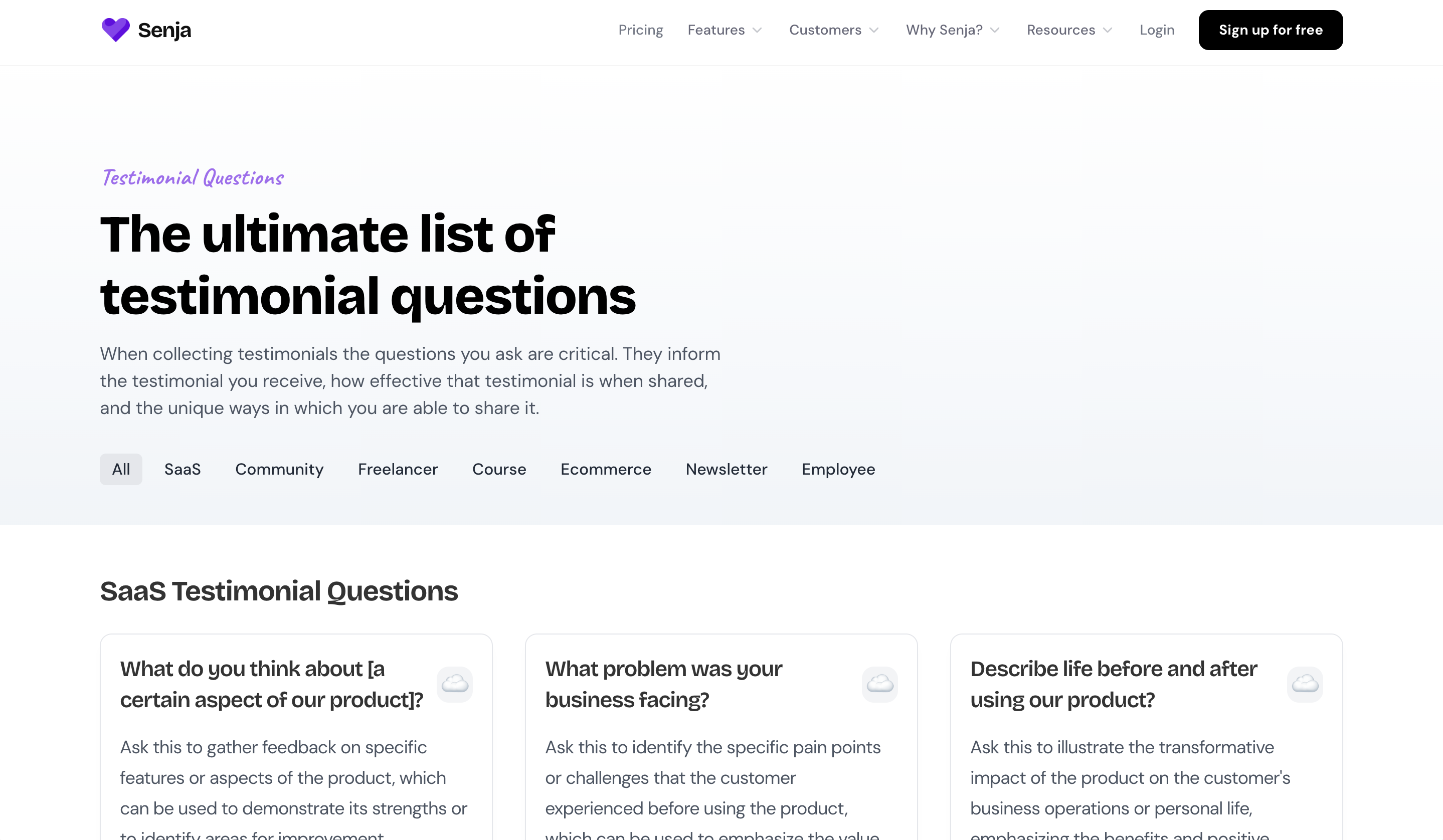
In Forms 2.0, Senja provides a directory of over 50 proven testimonial questions to help you collect better responses. You can search questions by business type to find the most relevant ones for your needs.
View testimonial questions directory.
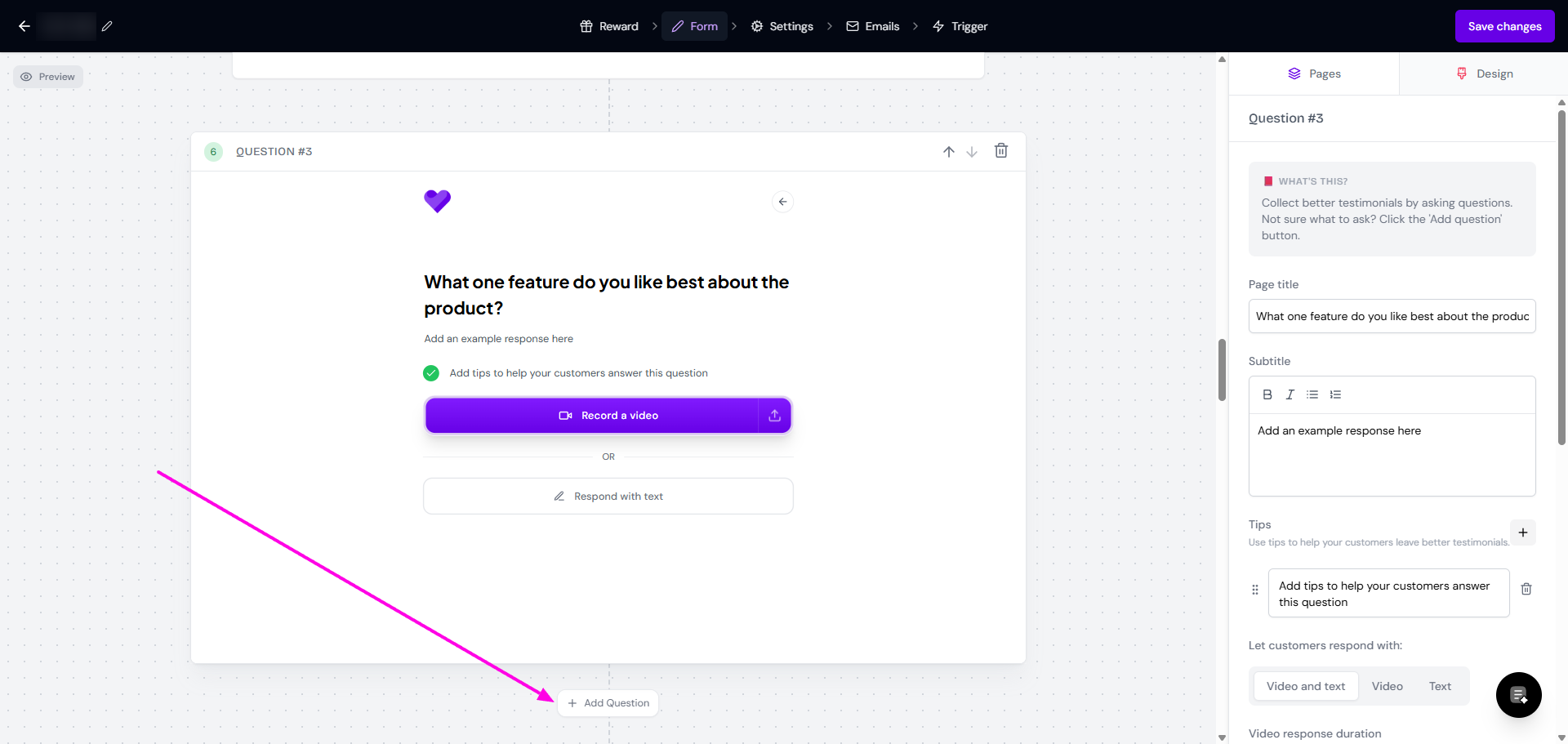
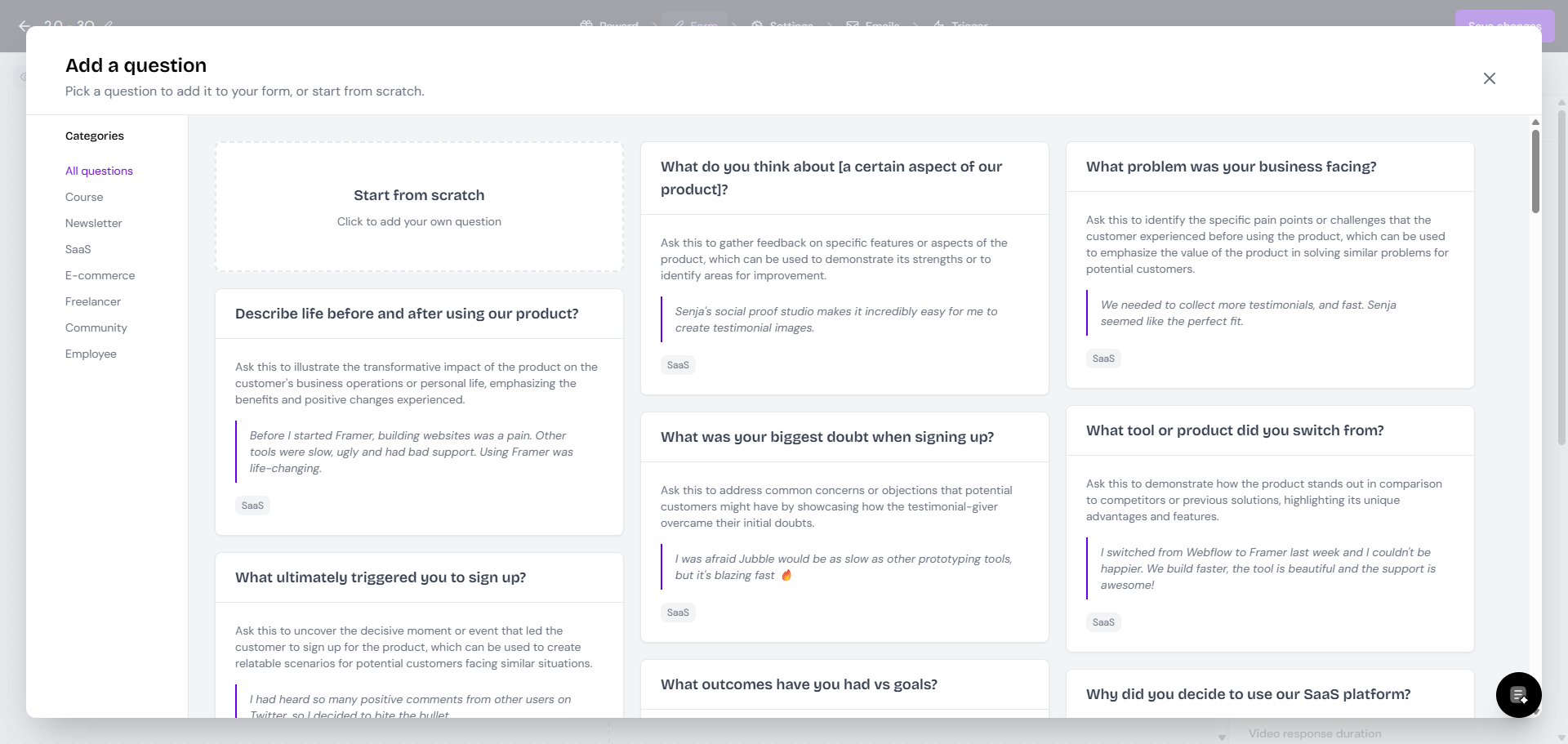
When editing your Form 2.0, you can click Add Question and choose the questions from the list.
What happens when I edit a form question?
When you edit a question on a form, these changes apply universally. This means all past and future responses will reflect the updated question. This design ensures simplicity and scalability within the system.
If you need to change questions for future reviews without altering past ones:
Create a new question, do not edit the existing question to ensure your historical data remains unchanged
Create new form if the changes that you want are to reflect different product/services
Can you set questions as optional?
In general:
The questions that you choose to show has to be filled by your customers
Your customers cannot skip/opt-out from the question
There's no option to make some/all questions optional
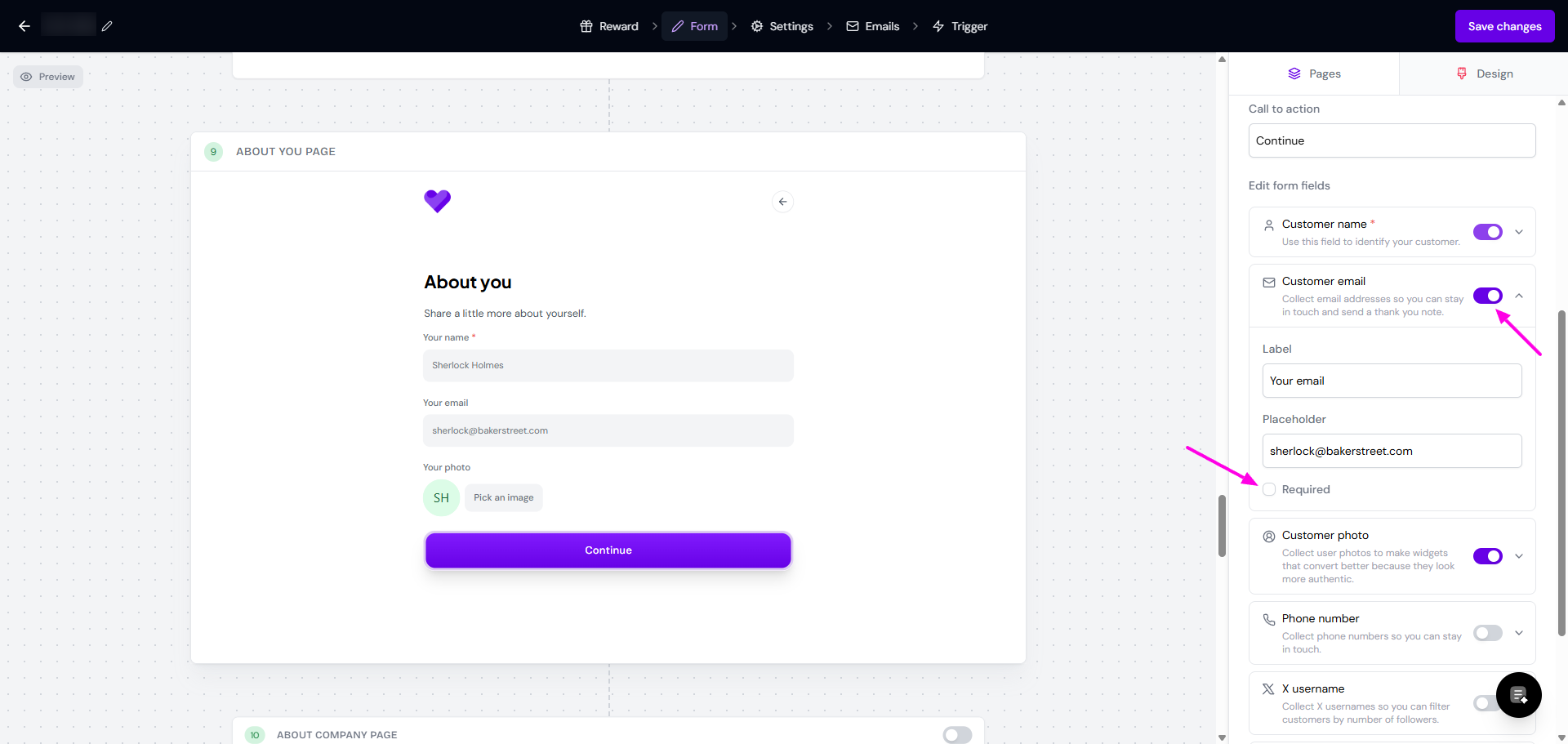
The only place you can set the answer as required/not is in the About you page.
Your name is mandatory
Other details can be enabled/disabled
When you enable the field and click the down arrow, you have option to set it as required/not
We are always working to improve Senja based on customer feedback. If you would like to see this feature, please add your idea to our feedback portal.
Adding your idea allows other users to upvote it. You will also receive notifications when we add this feature.