
How to set form invitation reminder
Form invitation reminders automatically follow up with customers who haven't responded to your initial invite. Senja sends three reminder emails at 1, 3, and 7 days after the original invitation to increase your response rate.
This is applicable on all Senja plans: Free, Starter, and Pro.
Setting up the email reminders
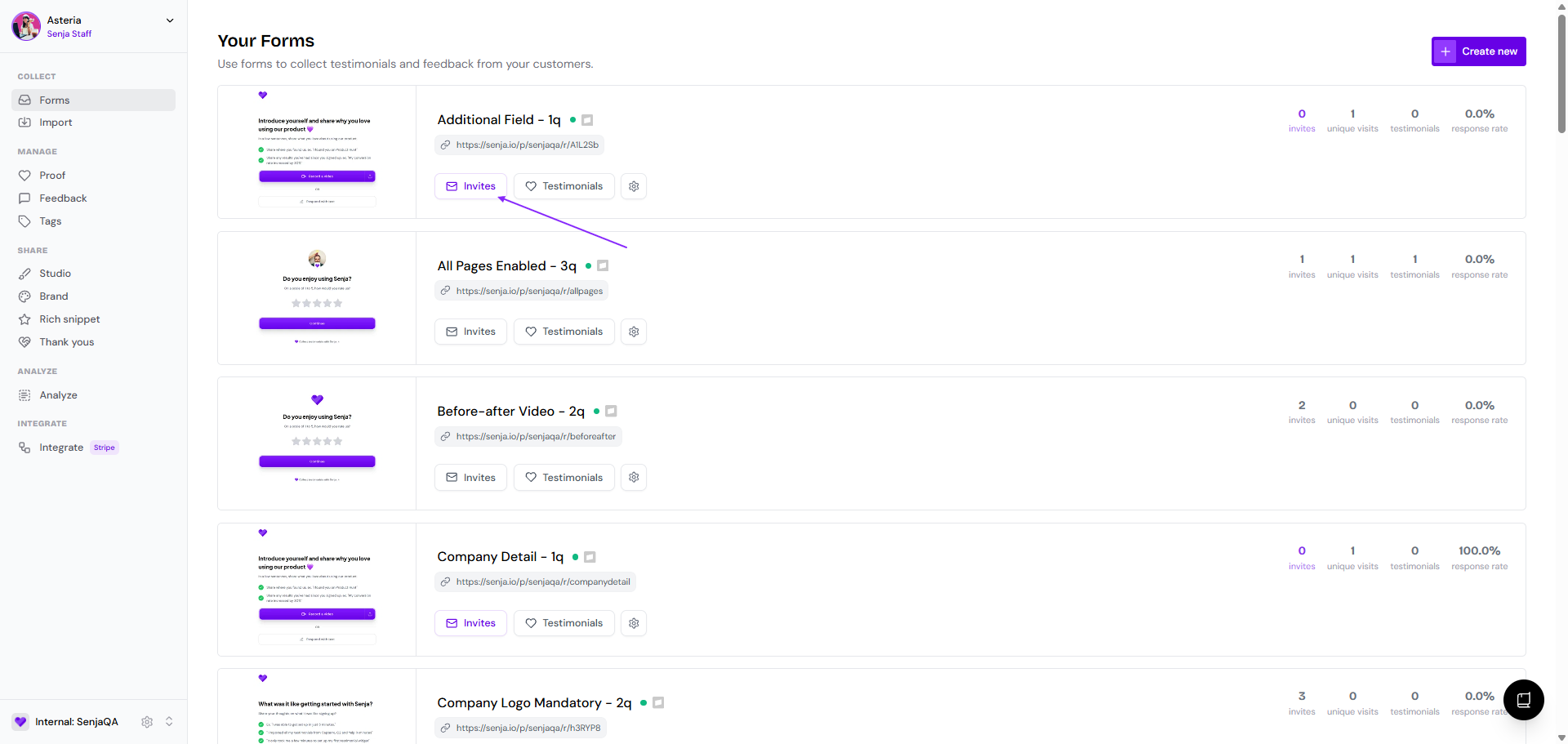
Go to your Forms page: https://app.senja.io/forms
Choose the form that you want, click Invites
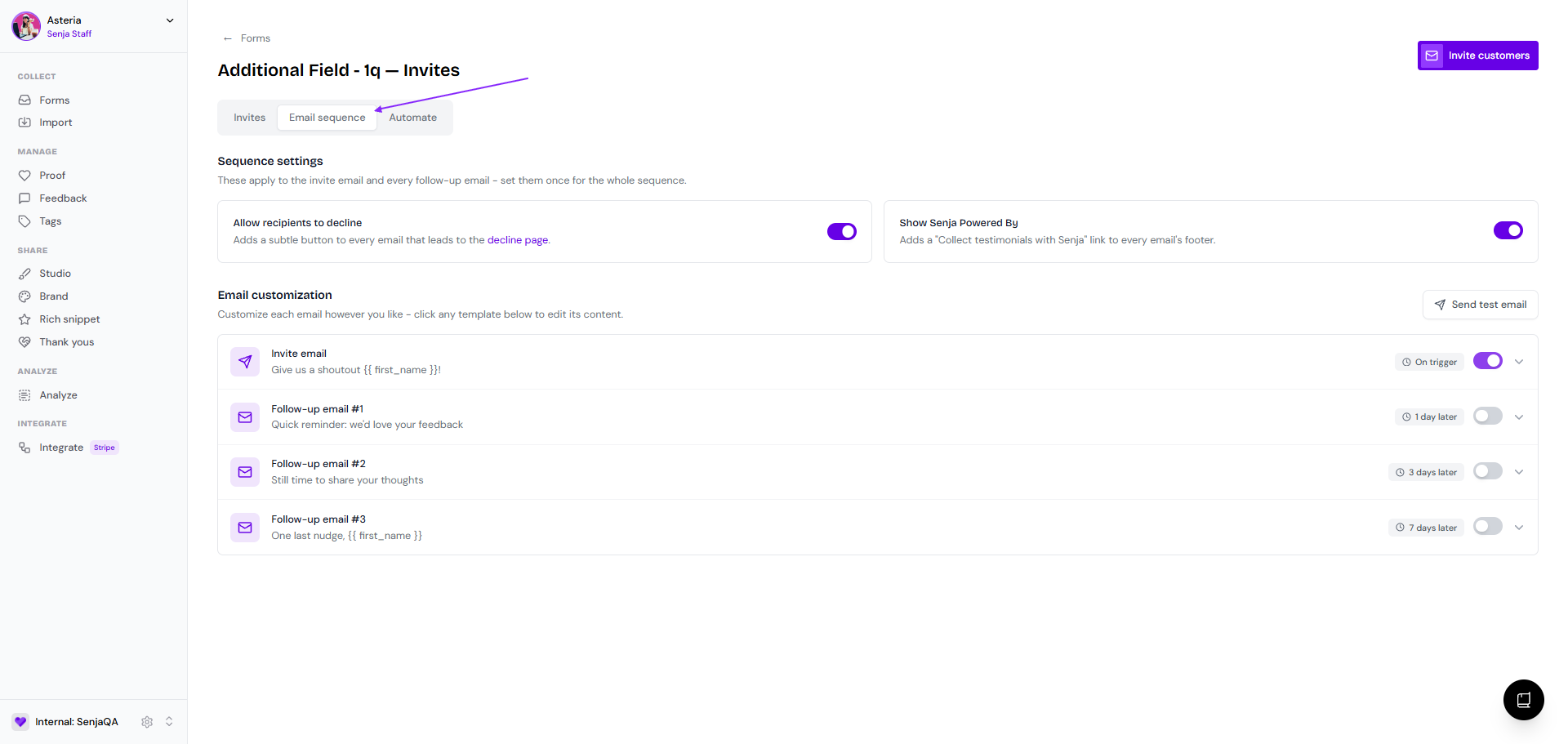
Go to Email sequence tab
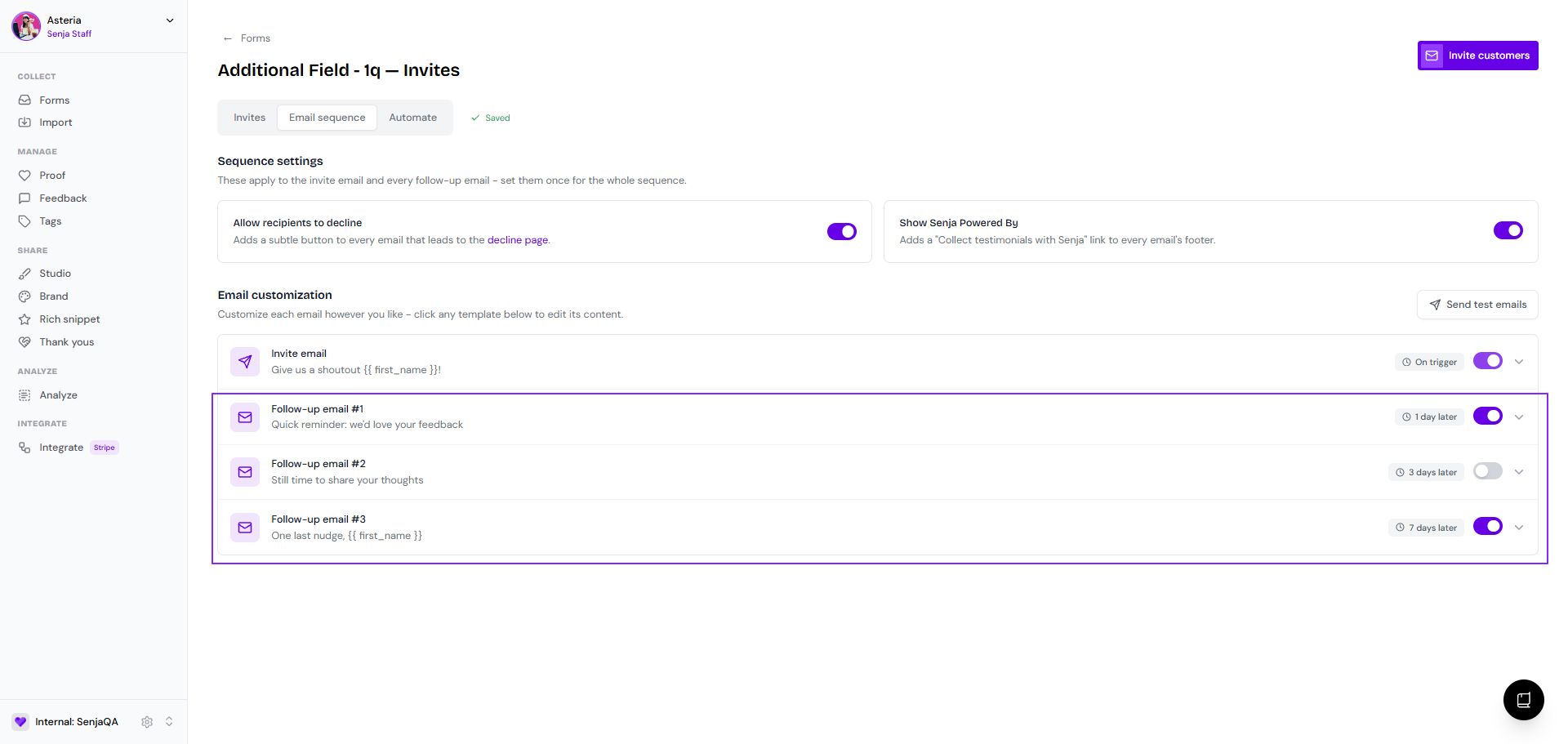
Put the toggle on for the reminders' timestamp(s) that you want
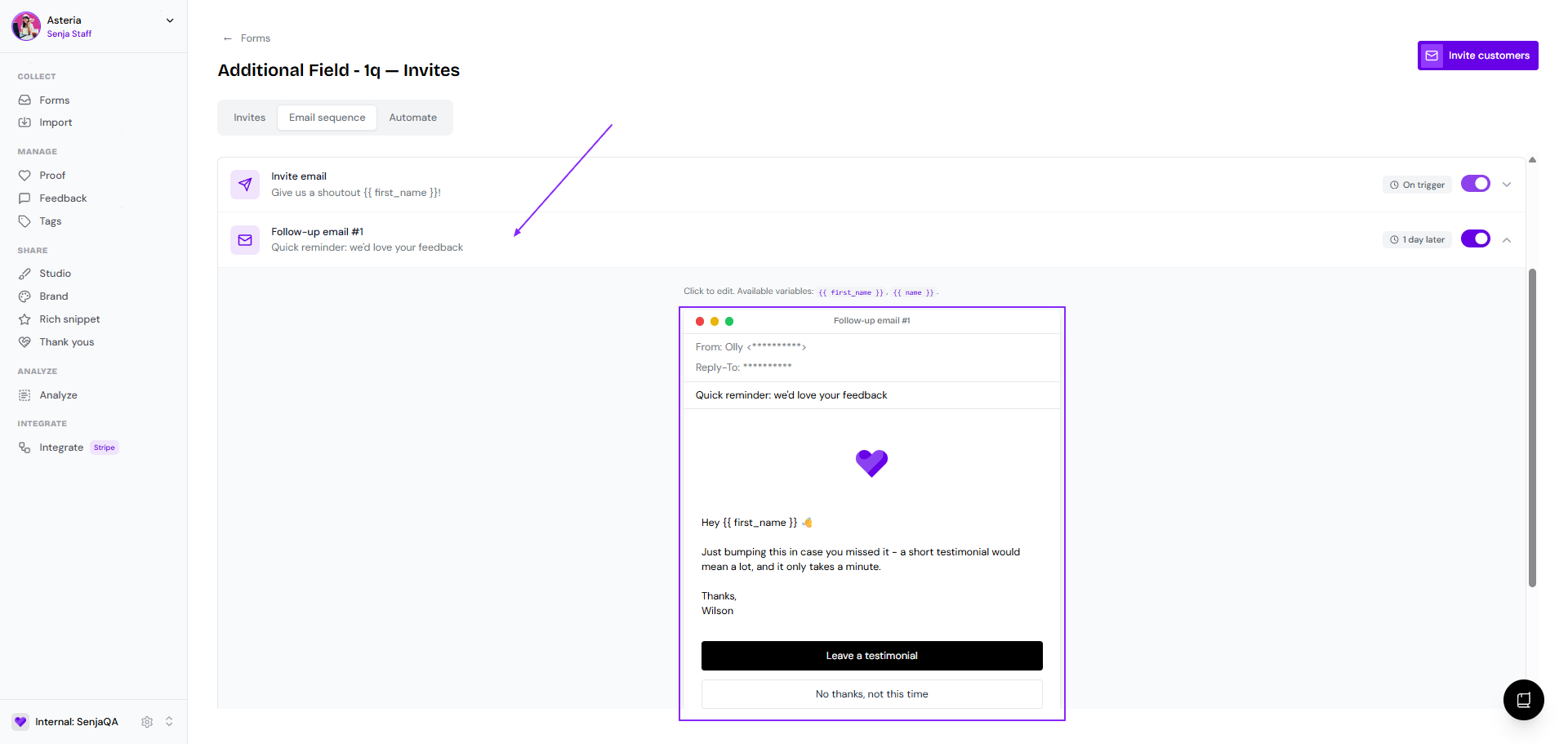
Click on each block to open the email editing modal
Modify the email as you like
From name is following the Invite email setup
From email address can't be changed
Reply-To email is following the Invite email setup
Email subject can be updated
Spokesperson and logo setup is following the Invite email setup
Email body can be modified
The labels of the CTA buttons can be modified
The update will be saved automatically
A reminder email would work on the next invites (it's not retroactive). If you setup a reminder after sending invites to some customers, those pre-setup customers will not receive any reminders.
Pausing the email reminder
Let's say you've sent an invite to a customer from a form-invite with reminders on, but you don't want them to receive any reminder.
You can actually pause the email reminder to that specific customer only.
Go to your Forms page: https://app.senja.io/forms
Choose the form that you want, click Invites
Stay at the Invites tab
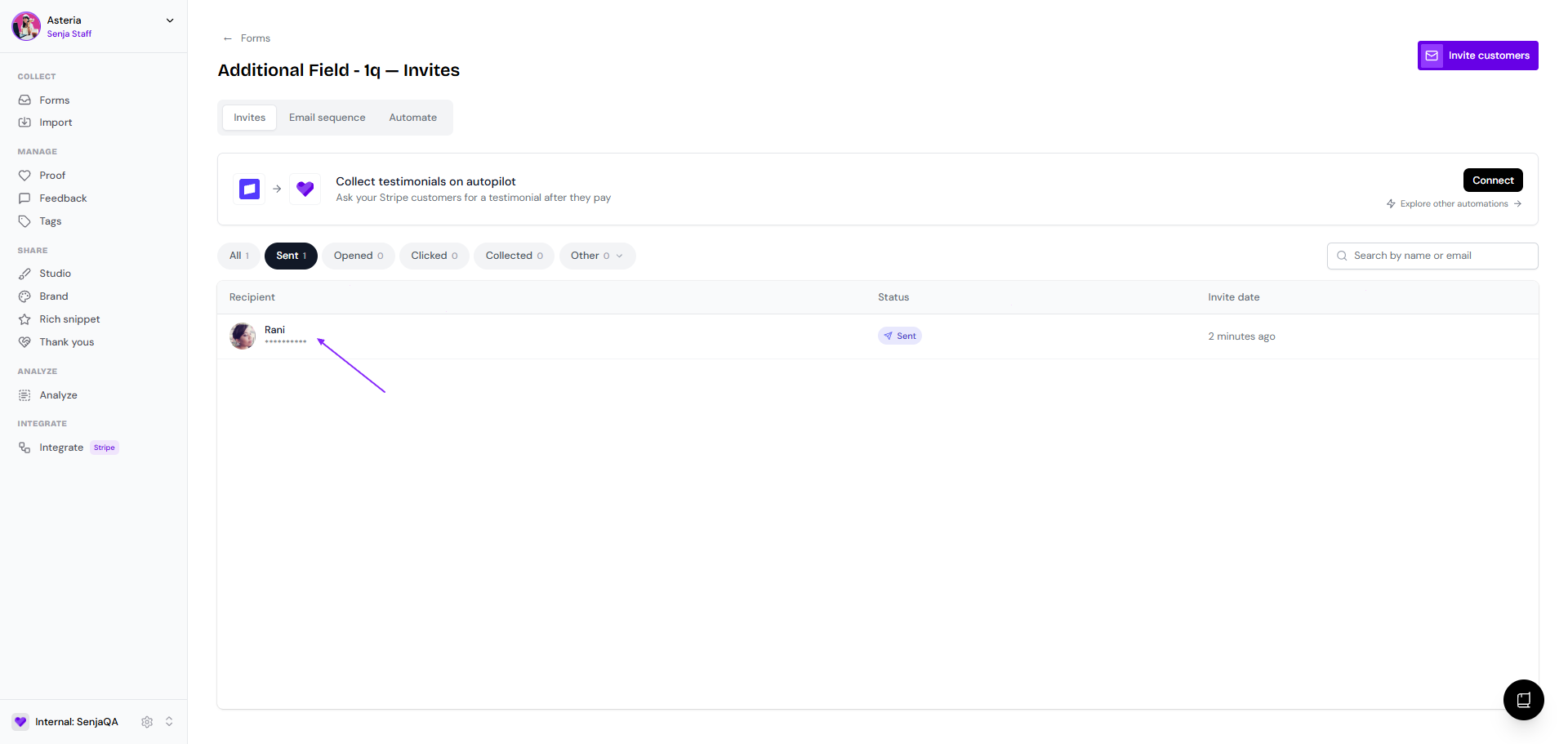
Click on the customer's block
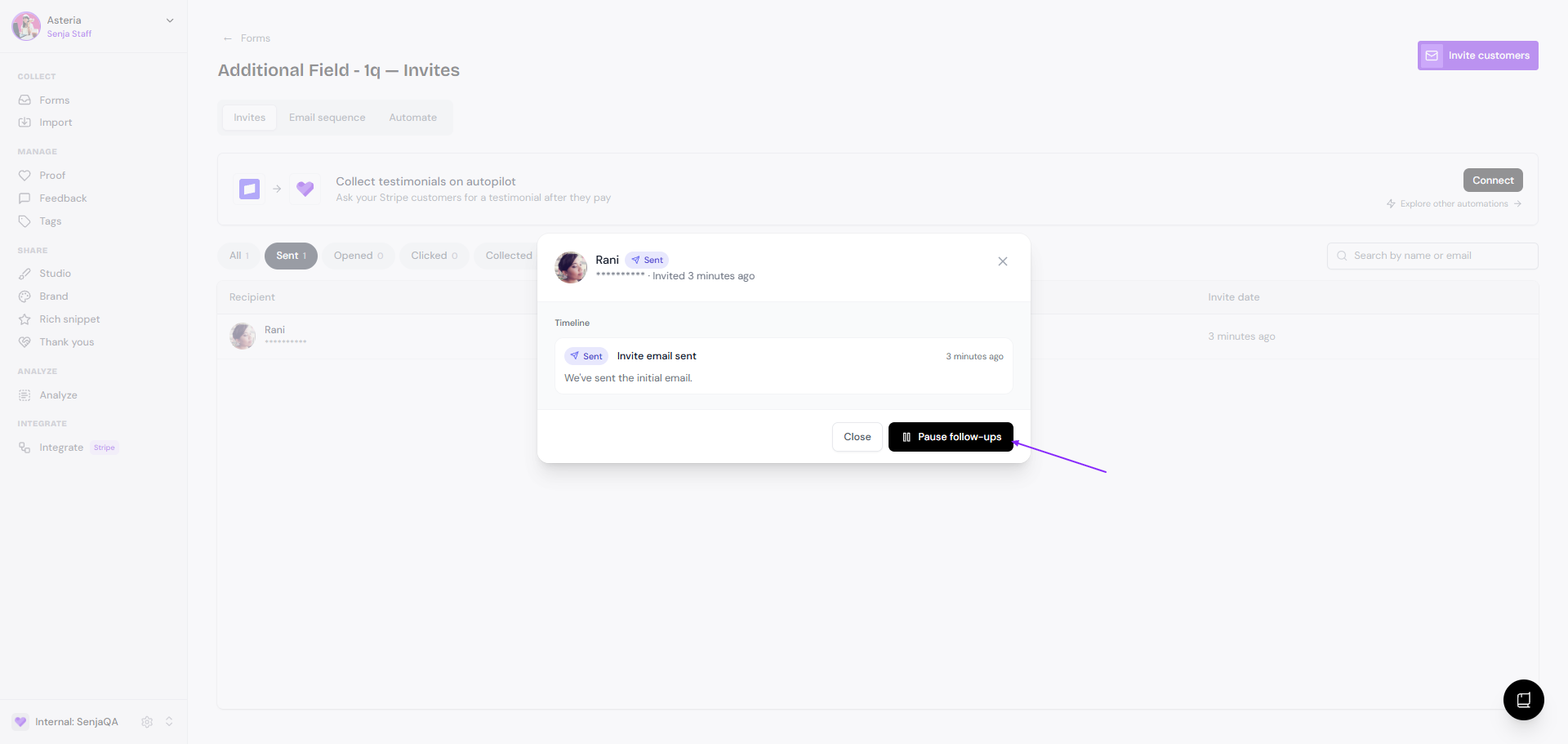
Click Pause follow-ups
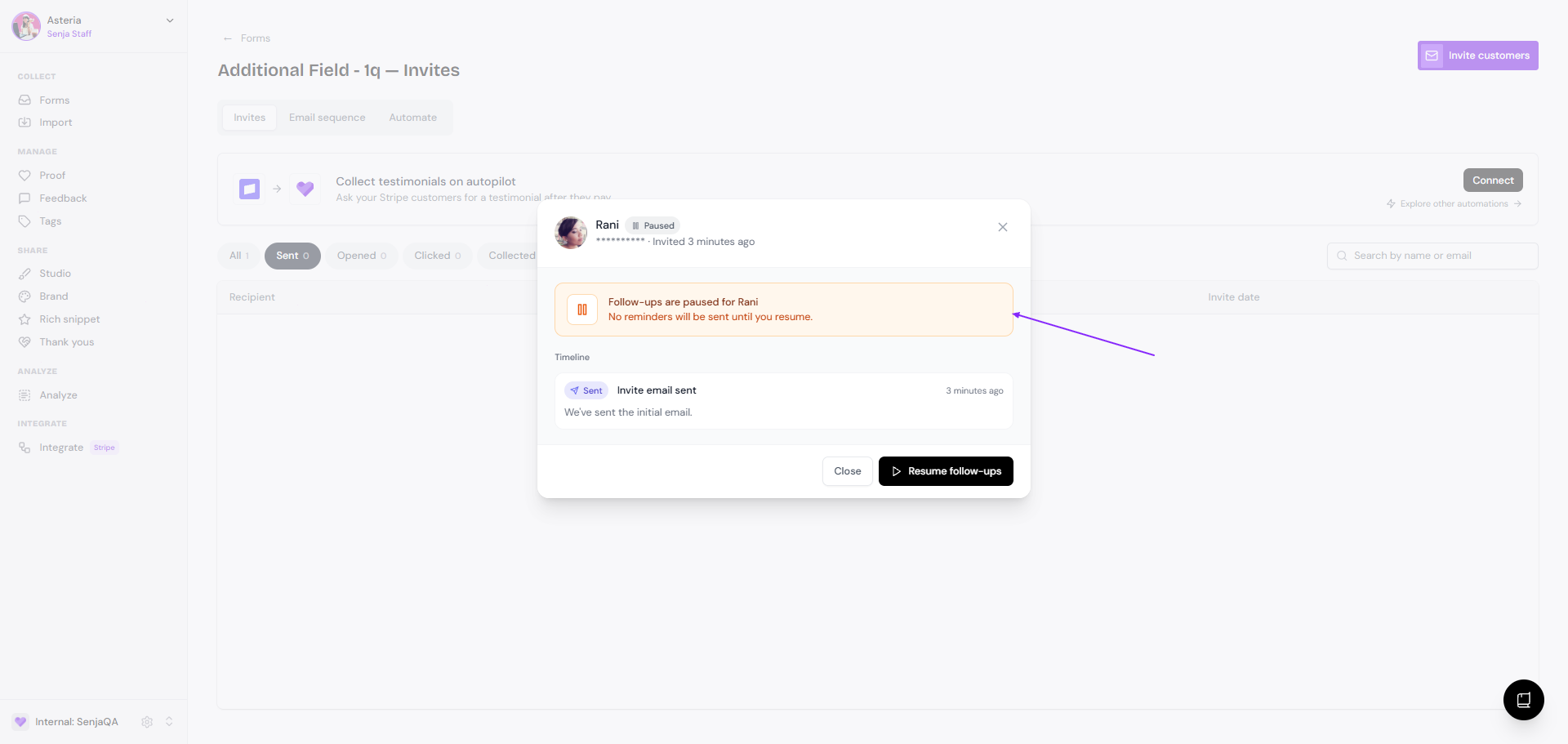
It will show like this on the pop-up
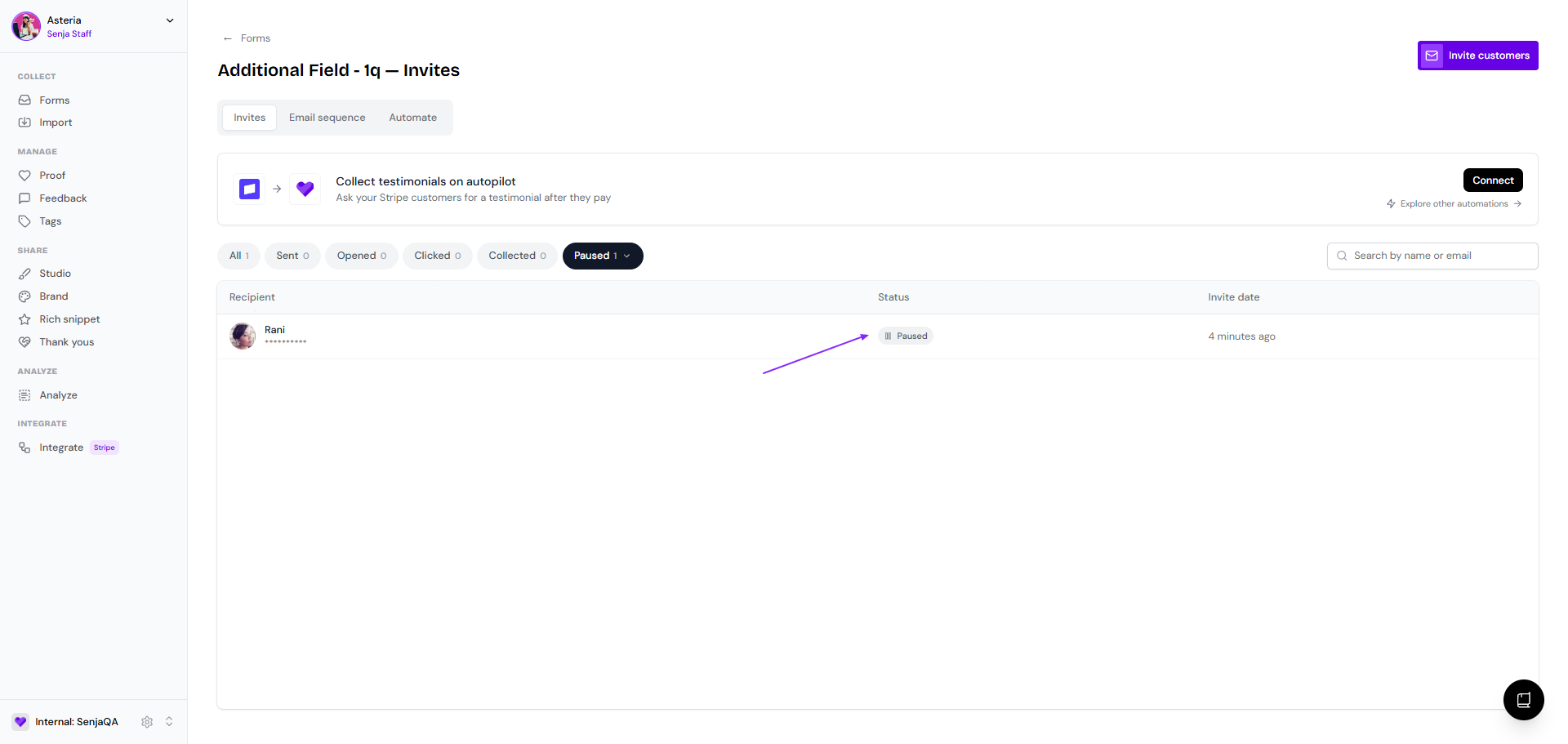
The status is now moved to Other → Paused
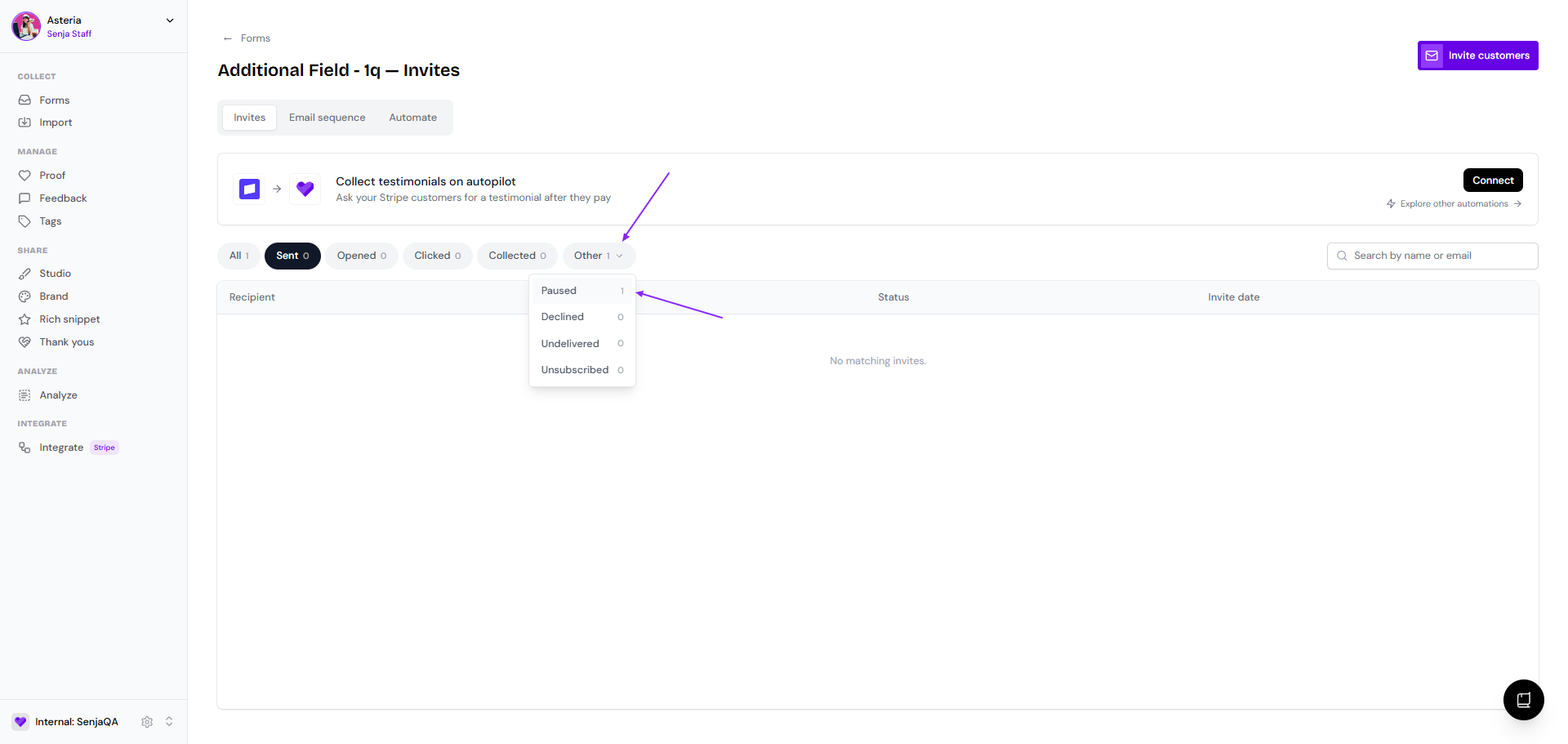
This is how it look on the list
Once the customer is submitting their testimonial, it will move to Collected