
Import testimonials from Slack, Discord, WhatsApp, Telegram and Shopify
Got great feedback in Slack, Discord, WhatsApp, Telegram, or your Shopify store? There's no direct import for these platforms, but you can still bring testimonials into Senja in two ways.
This is applicable for any Senja plans: Free, Starter, and Pro.
Option 1: Grab them with the Chrome extension
The fastest way, especially if you have several to bring in. Open the platform in Chrome, then use the extension's grabber tool to pick up each message or review. See Import testimonials with the Chrome extension.
Option 2: Add them with Manual import
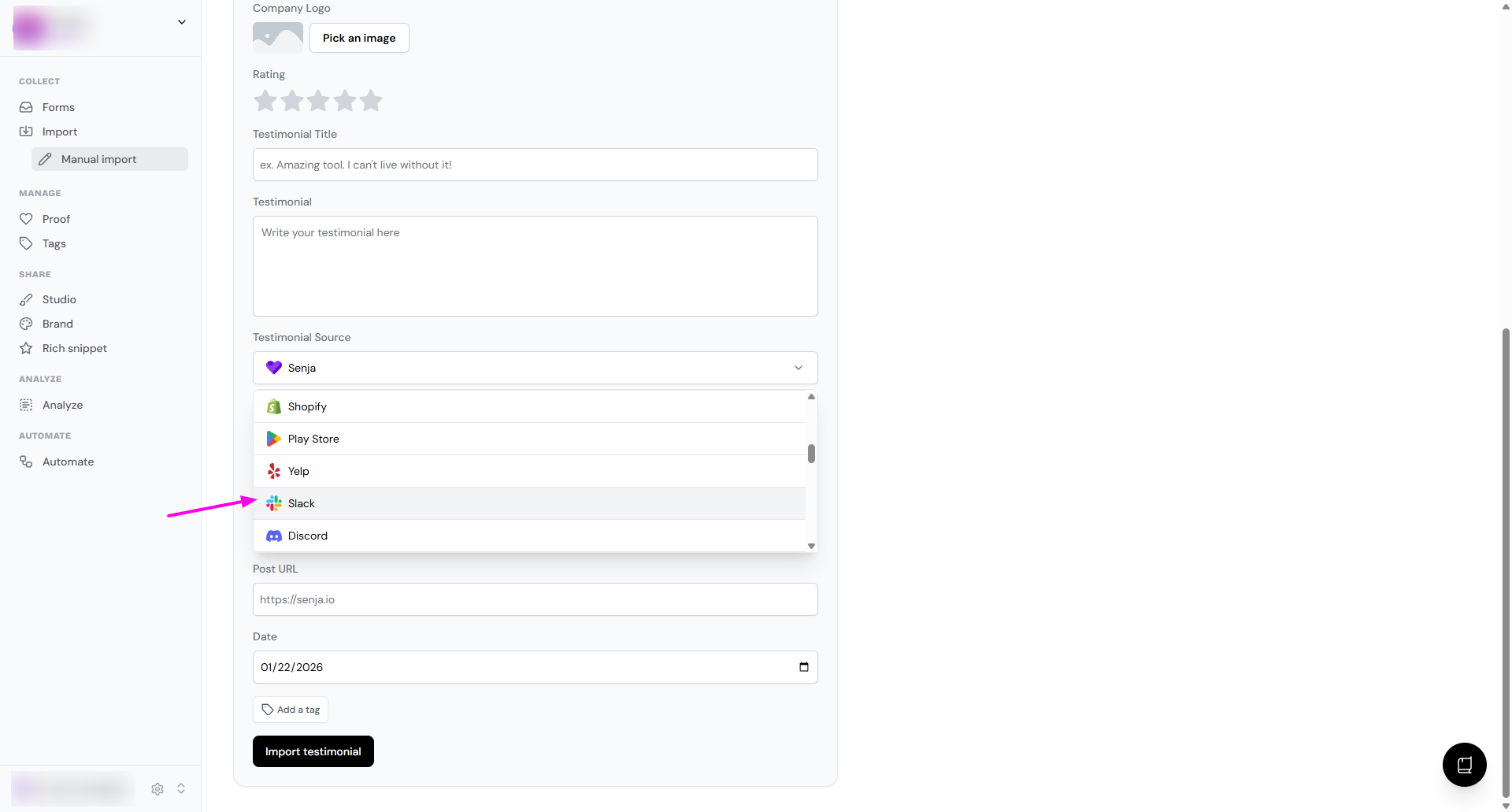
Copy the testimonial and add it yourself, following How to manually import testimonials. In the Testimonial Source dropdown, choose the platform it came from, so the right logo shows with it.
Have a screenshot instead? Import it as a screengrab and Senja reads the text for you.
Tips for each platform
Platform | What you can import | Tip |
|---|---|---|
Slack | Messages | Open Slack in Chrome to use the extension |
Discord | Messages and posts | Open Discord in Chrome to use the extension |
Messages | Use WhatsApp Web to grab messages with the extension | |
Telegram | Messages and posts | Use Telegram Web to grab messages with the extension |
Shopify | Product reviews | Open your product pages in Chrome to grab several reviews at once |
Need help?
Something not working? See Troubleshooting common import errors, or contact Senja Support and we'll help you get set up.