
How do I resize my testimonial images?
You can resize your images to fit different platforms and dimensions.
This is applicable to any Senja plans: Free, Starter, and Pro.
Resize your image or image template
Go to Studio in your sidebar: https://app.senja.io/studio
Choose your saved image template
Click Resize on the top right section
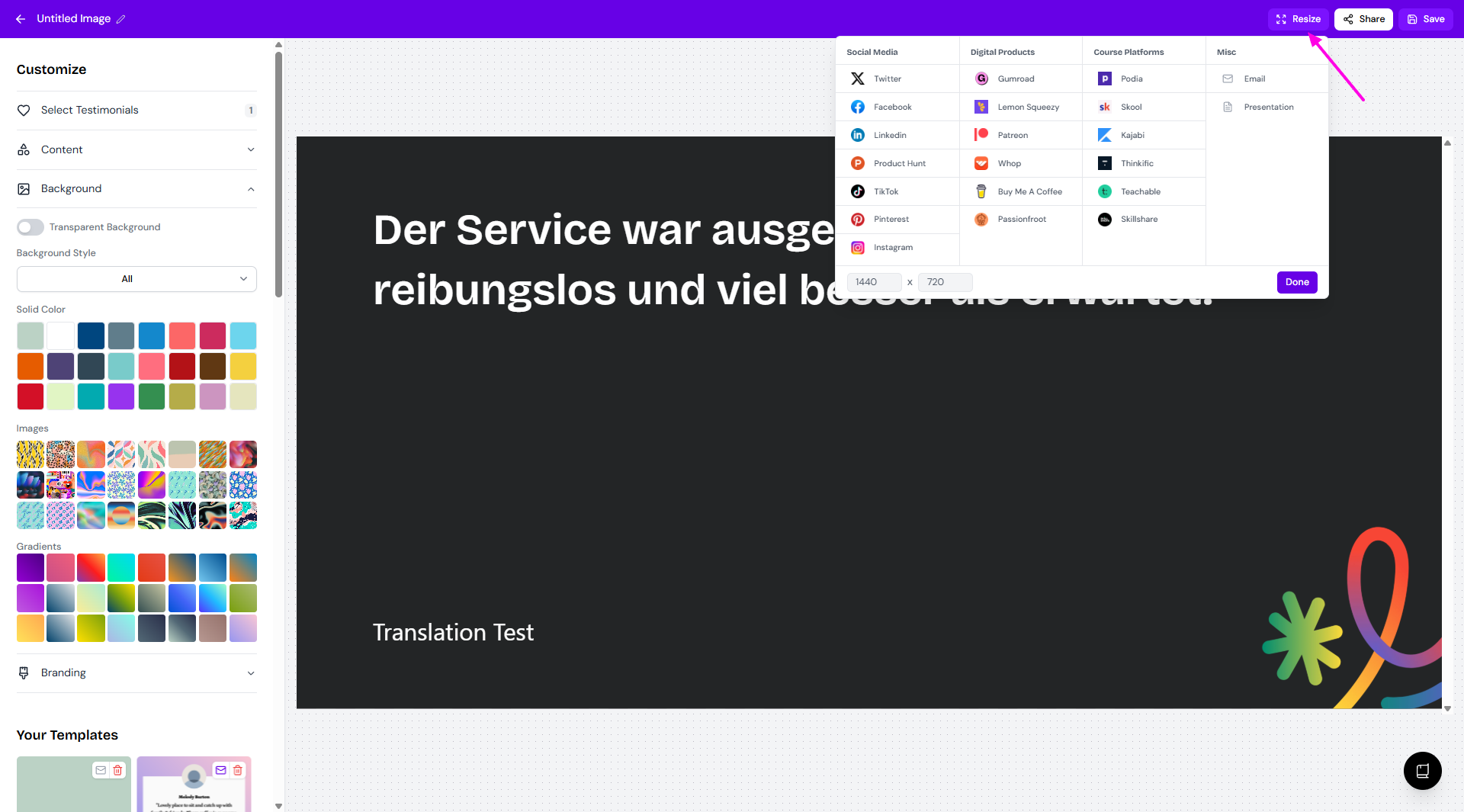
A menu will load with options for resizing
Choose how you want to resize:
By dimensions — enter a custom width and height
By platform — pick from a list of preset sizes for popular platforms
Was this helpful?
Was this helpful?