
How do I change my Senja plan?
You can change your Senja plan any time, without waiting for your billing period to end. Stripe works out the difference automatically, so you never lose what you've already paid for.
This is applicable to any Senja plan: Free, Starter, and Pro.
How unused time is handled
Whenever you change your plan, the unused part of your current plan turns into a balance in Stripe. That balance is used automatically on your next purchase or renewal.
This applies to every kind of change:
Upgrading, like Starter to Pro
Downgrading, like Pro to Starter
Changing billing period, like yearly to monthly
Moving to the Free plan
For example, 1 month left on a yearly Starter plan is worth a $24.20 balance, which is taken off your next bill.
Upgrade from Free to a paid plan
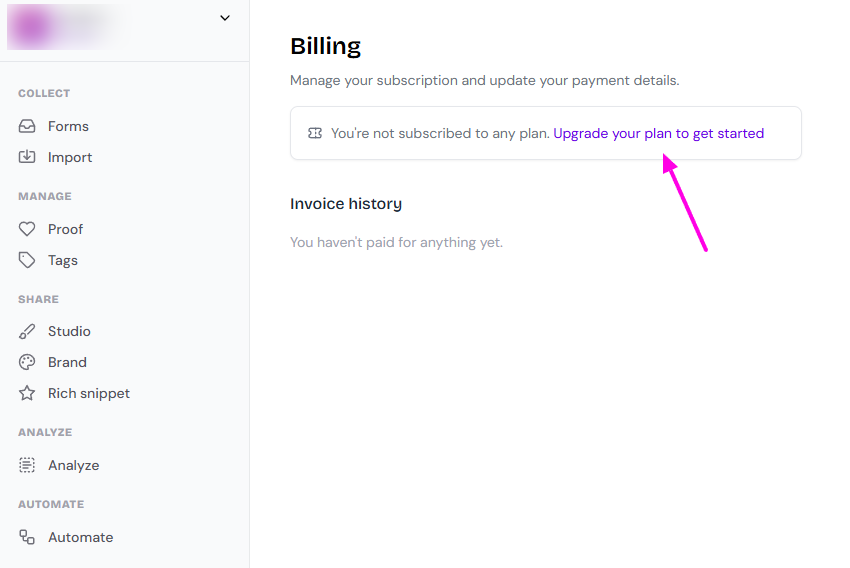
Go to your Billing page: https://app.senja.io/billing
Click Upgrade your plan to get started
On the Upgrade your plan page, choose Monthly or Yearly
Click Upgrade now on Starter or Pro
On the checkout page, enter a promotion code if you have one, then click Pay and subscribe
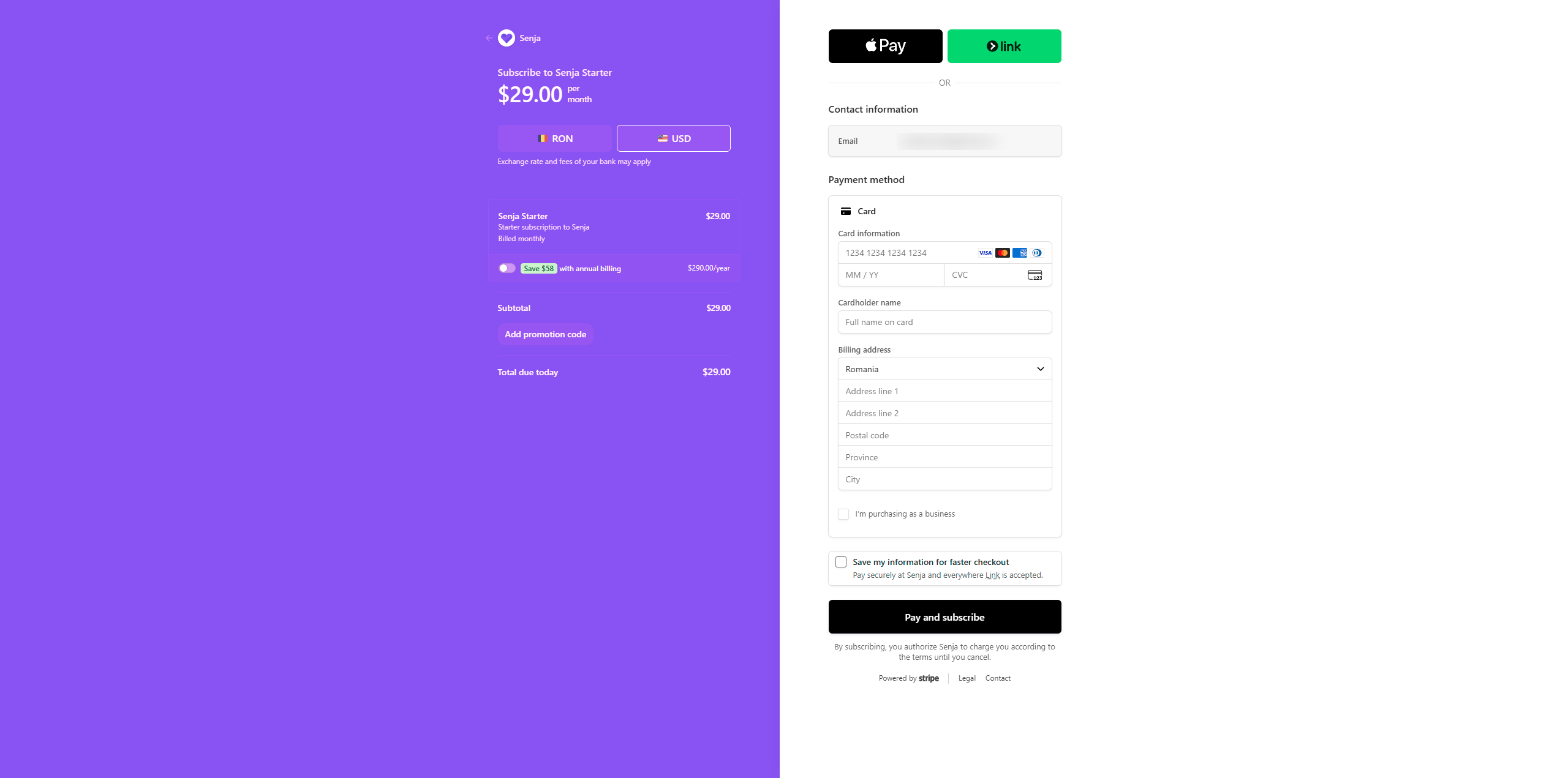
Always choose USD on the checkout page, to make sure that your bank charge you in the actual amount billed by Senja instead of converting it to your local currency.
Change between paid plans
Use this to move between Starter and Pro, or between Monthly and Yearly.
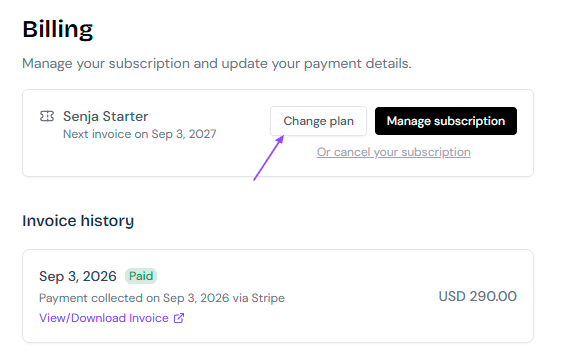
Go to your Billing page: https://app.senja.io/billing
Click Change plan
On the Upgrade your plan page, choose Monthly or Yearly
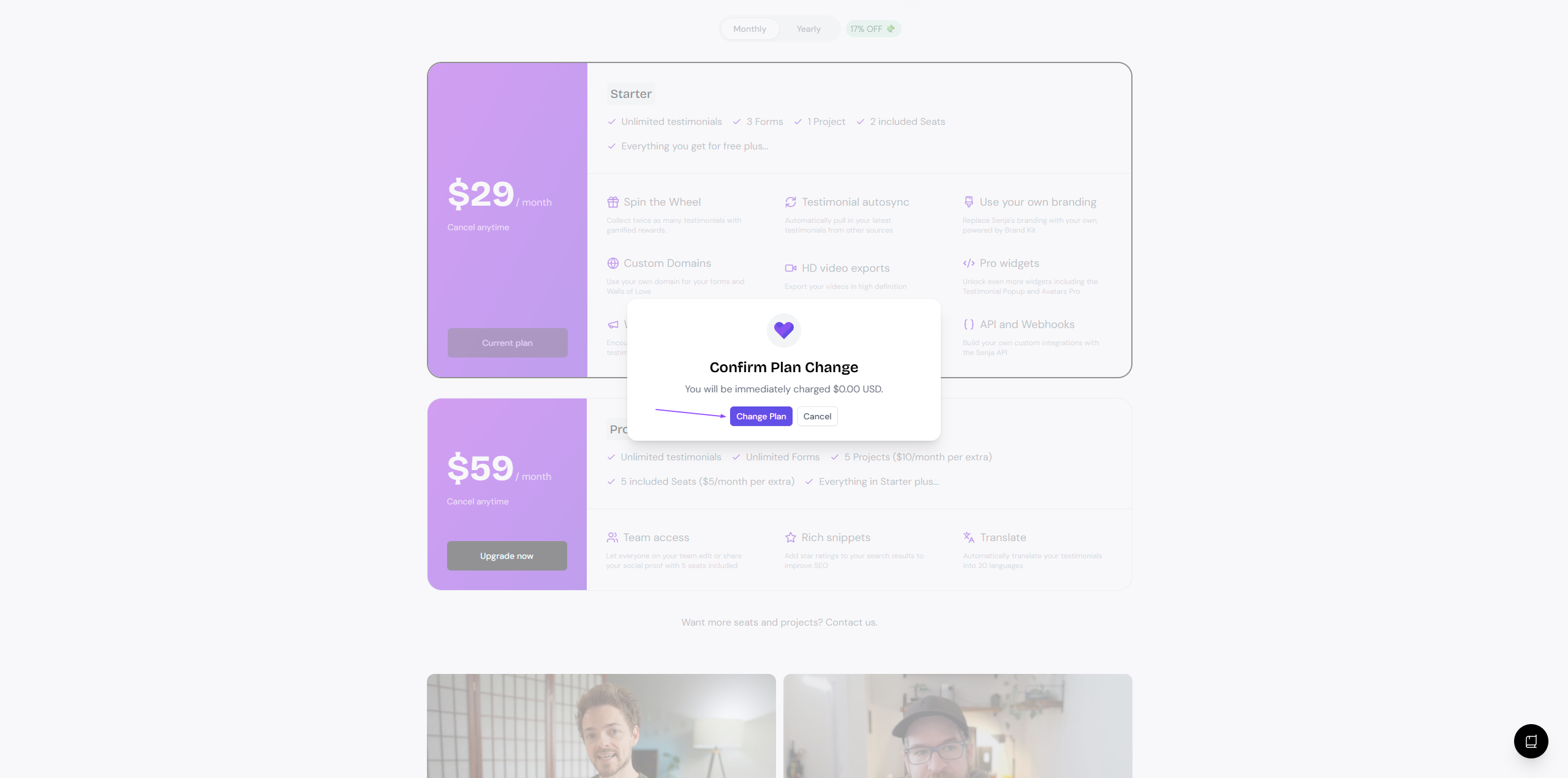
Click the button on the plan you want
In the pop-up, check the amount and click Change Plan
Switch from yearly to monthly
Follow the steps above and click the Monthly tab. On your current plan, the button says Switch to monthly billing. If you pick a different plan, it says Upgrade now. The pop-up shows what you'll be charged before you confirm.
Another way: Manage subscription
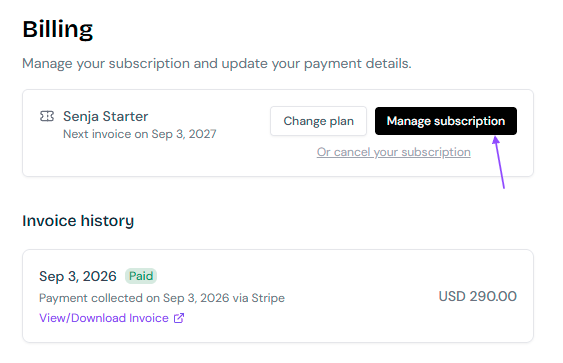
On your Billing page, click Manage subscription
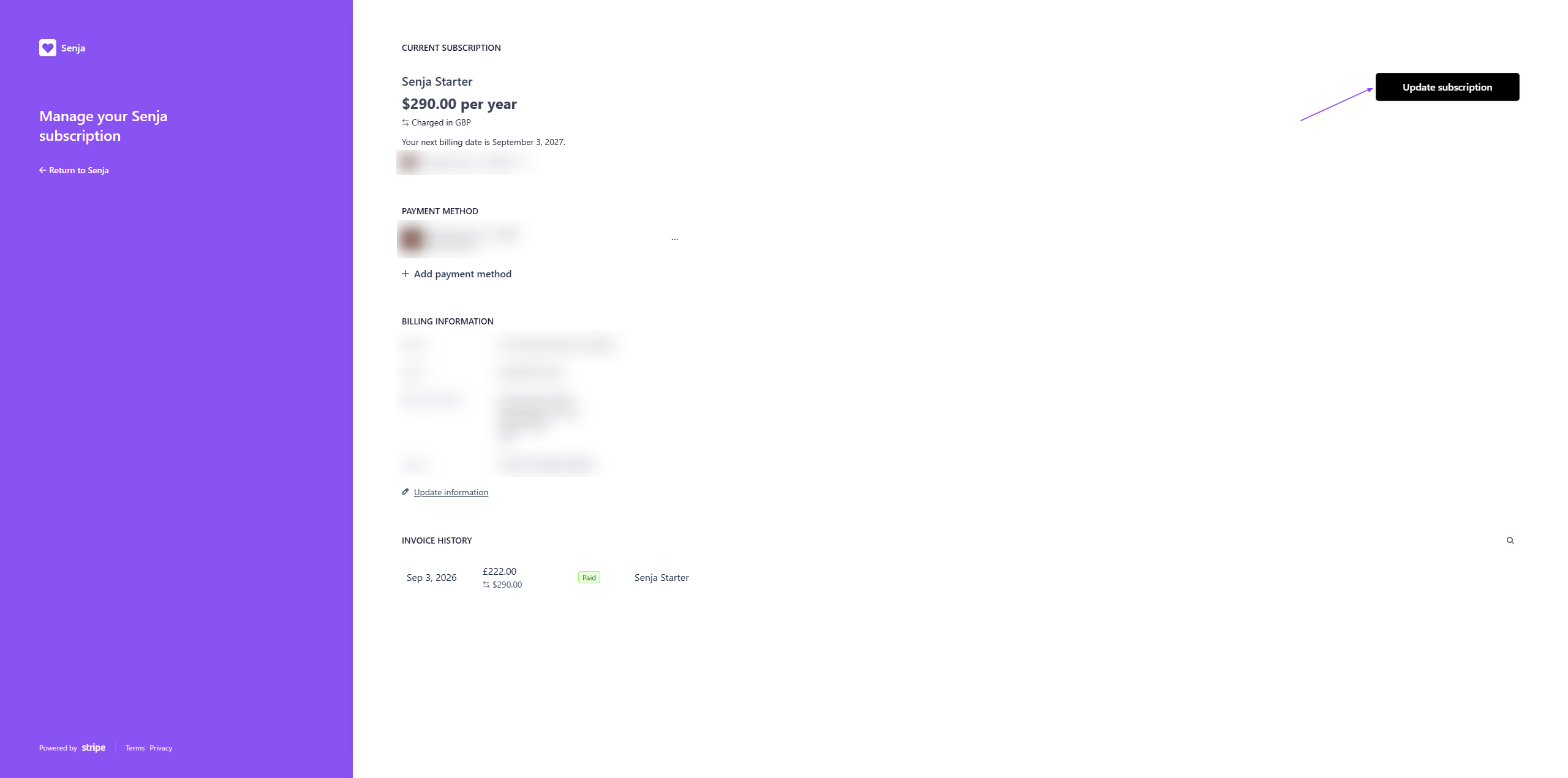
Click Update subscription
Choose your new plan and click Continue
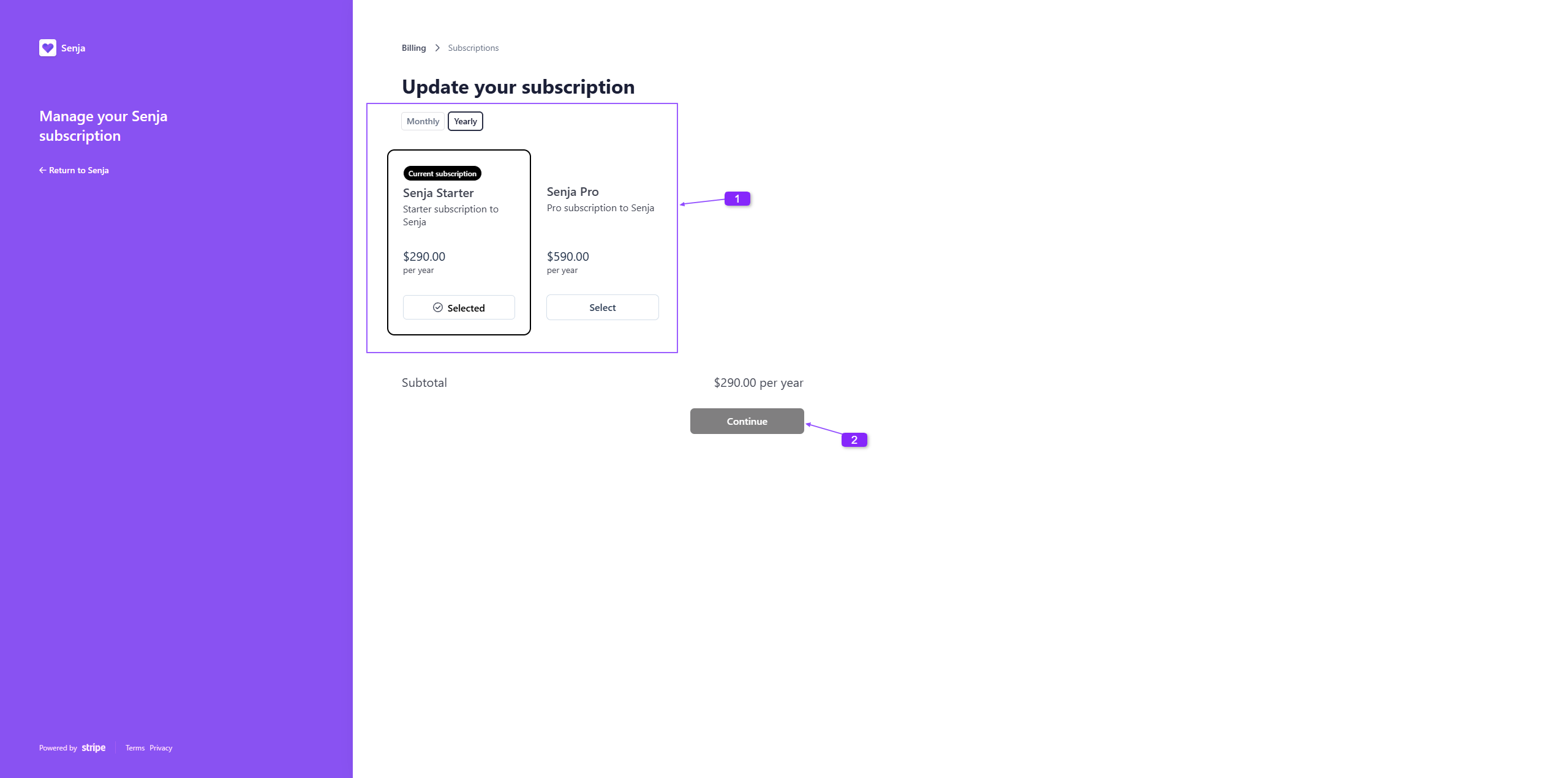
The Continue button turns from grey to black once you pick a plan that's different from your current one.
Move from a paid plan to Free
Need to stop paying for a while? Cancel your paid plan and your account moves to Free.
When downgrading from paid plan to Free plan, no prorate balance is applied
Your paid plan will run until the end of the billing period
When you're ready, upgrade again. See How do I cancel my paid plan?
Your testimonials, forms, and widgets stay in your account when you move to Free.
Something went wrong? Contact Support.