
Import testimonials from Udemy
Senja lets you import testimonials from your Udemy page and keep them in one place.
This feature is available on all plans. Auto-sync availability depends on your plan
What you can do
Import all testimonials from your Udemy page at once
Select individual testimonials to import specific entries
Auto-sync new testimonials if available for Udemy (paid plans only)
How to import from Udemy
Go to Import > Import from web: https://app.senja.io/import/web
Click the Udemy icon
Paste your link in Udemy course URL field
Click Import testimonials
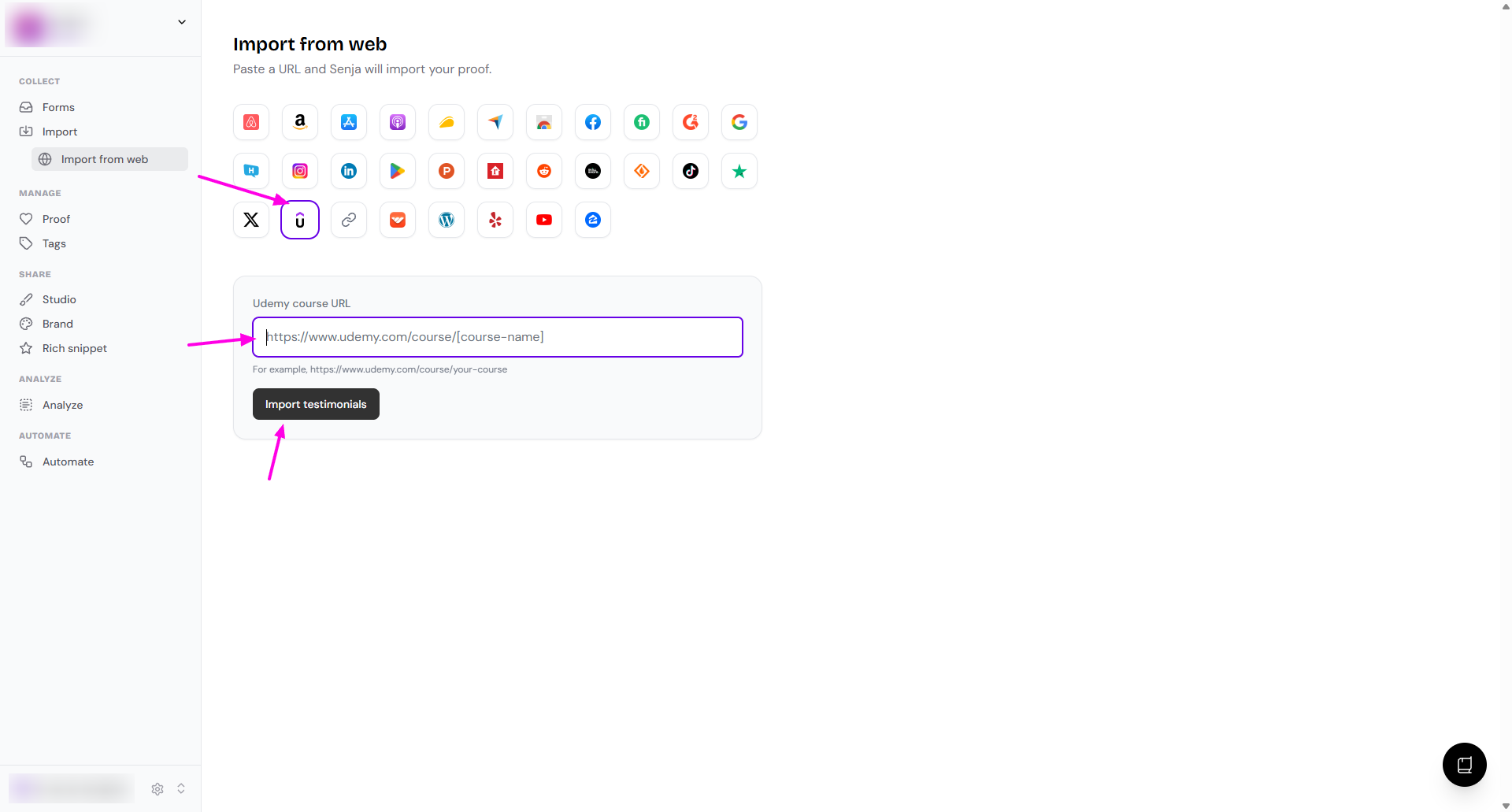
Choose which testimonials you want to import, or select all to import everything
Your Udemy testimonials are now in Senja and ready to share on your website
Other methods
Auto-import
You can also follow this guide to import your testimonials automatically from Udemy: How to auto-import testimonials from other platforms
Manual import
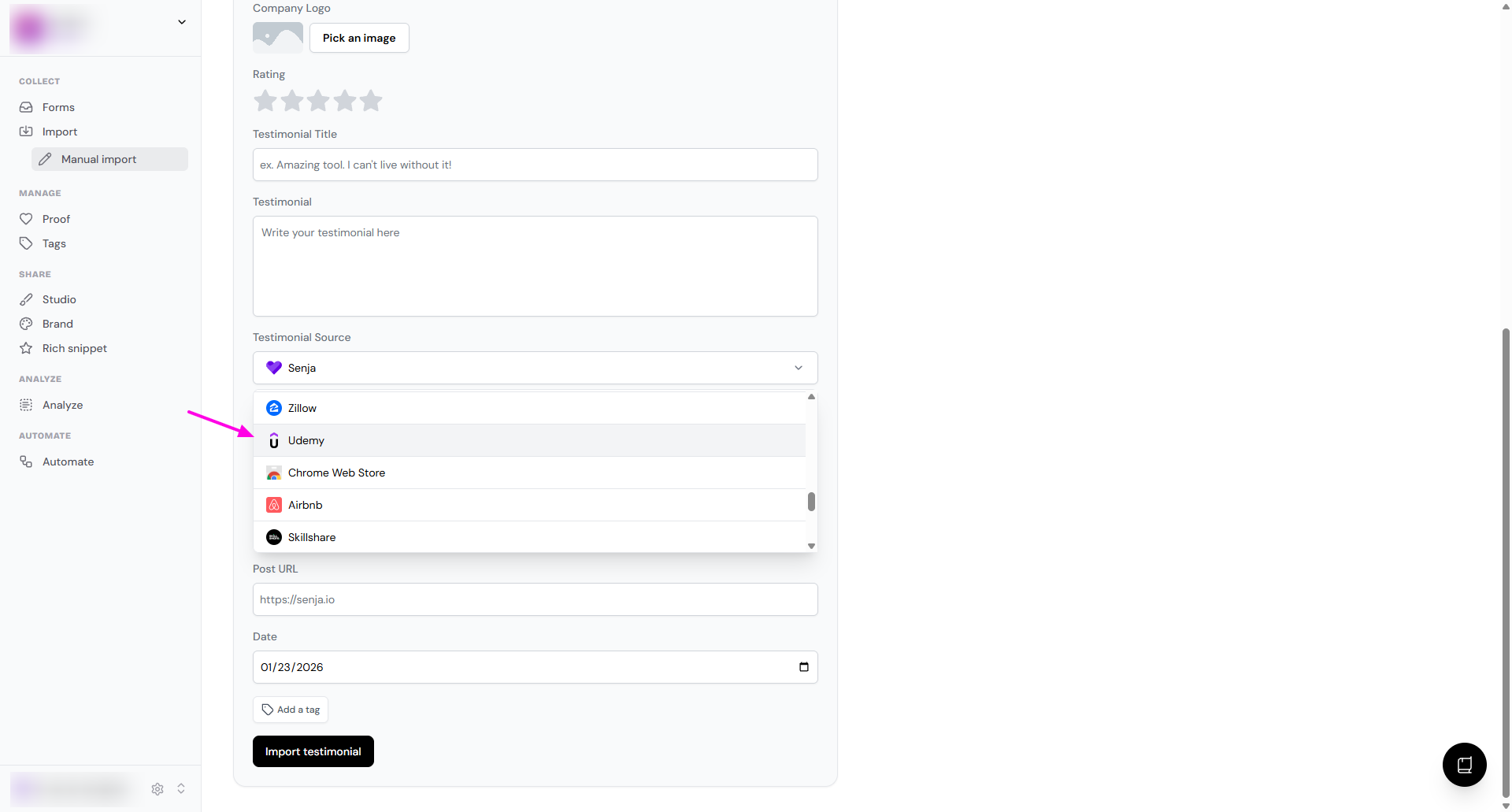
You can do manual import following this guide: How can I manually import text testimonials?
In the Testimonial Source dropdown, choose Udemy
Senja Chrome extension
You can use Senja Chrome extension following this: Import testimonials with the Chrome Extension
Need help?
If you run into any issues importing your Udemy testimonials, contact Senja Support and we'll help you get set up