Testimonial automation with Zapier
Testimonial automation via Zapier is available on Senja's paid plans.
You can use our Zapier integration to automate your testimonial collection, management, sharing and notifications.
Auto-collect automations
You can automatically invite customers to leave you a testimonial at the perfect moment. The testimonial invites will show in Senja, and we'll handle the reminders too.
Once a customer submits a testimonial, we automatically stop any scheduled follow-up reminders for them.
You can enable automation in testimonial collection using Forms, 1 form at a time.
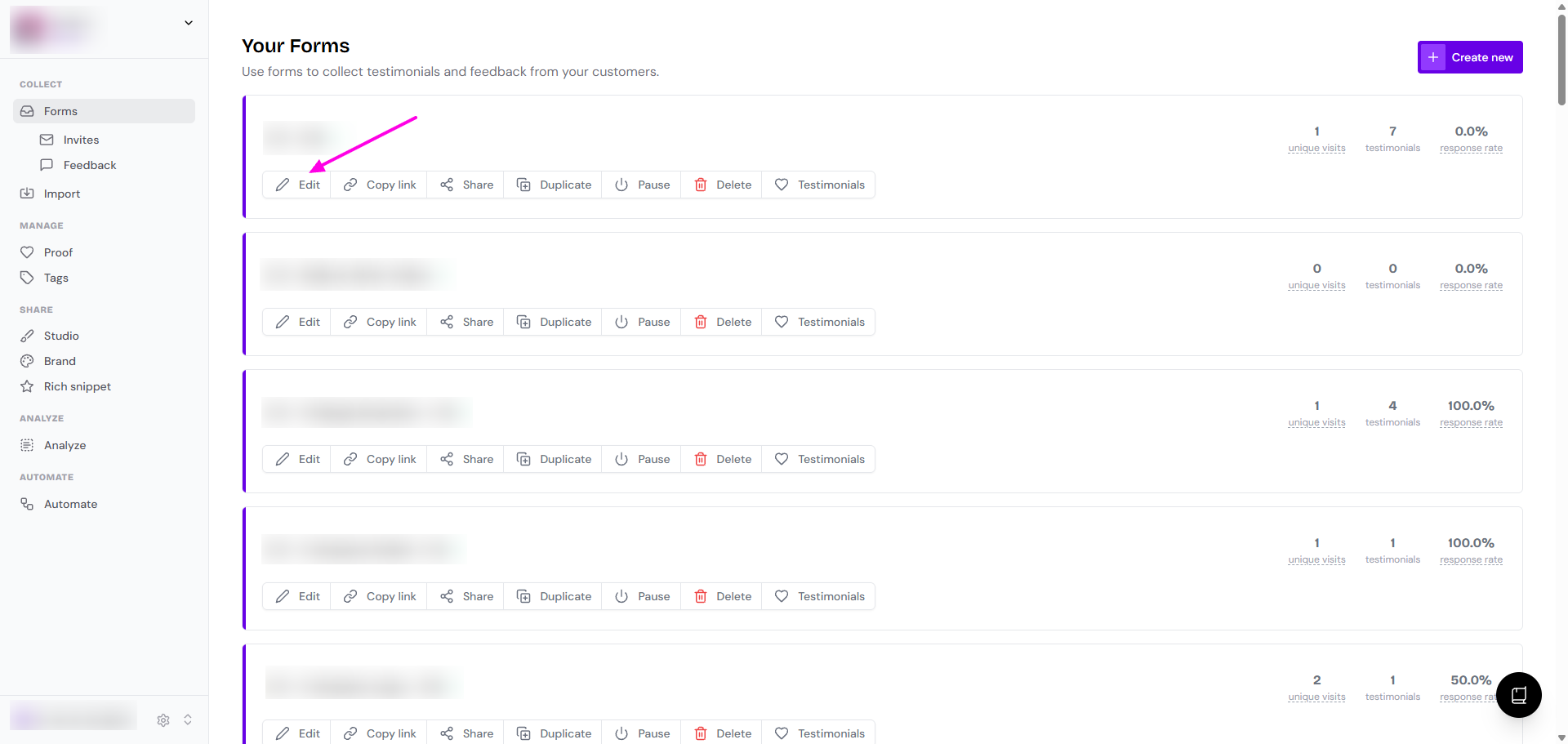
Go to your Forms page: https://app.senja.io/forms
Edit the form you want to automate
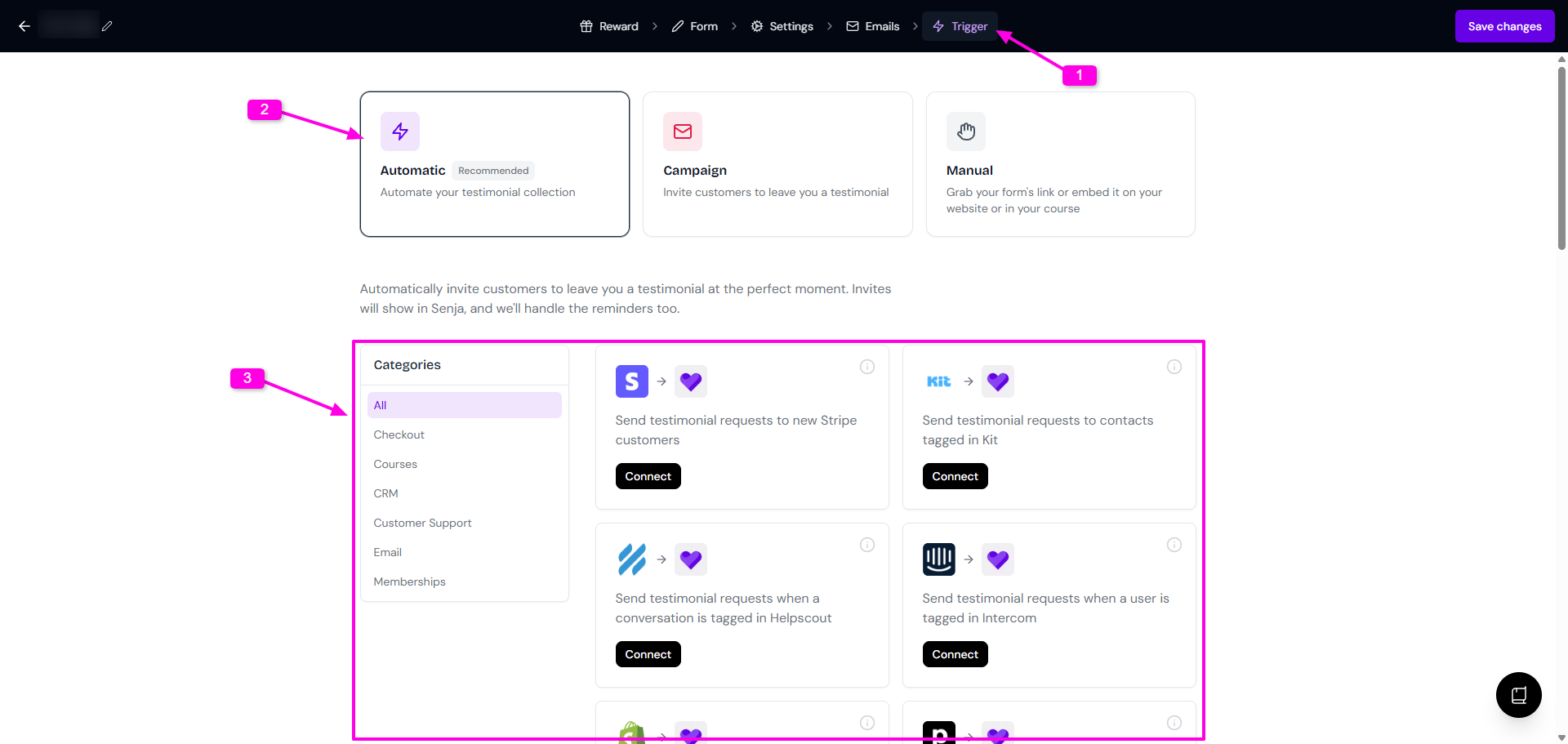
Go to Trigger > Automatic
Choose the platform and click Connect
You will be directed to your Zapier dashboard
Follow the on-screen steps
On the final part, regardless the form you choose to edit, you have the option to choose different form in the same Project
Move to different Project to automate the form you have there
More information about auto-collect in forms is available in Auto-collect testimonials article.
Sharing automations
You can automate your testimonial management and sharing with Senja. Build your own recipe with Zapier, or use our pre-made templates.
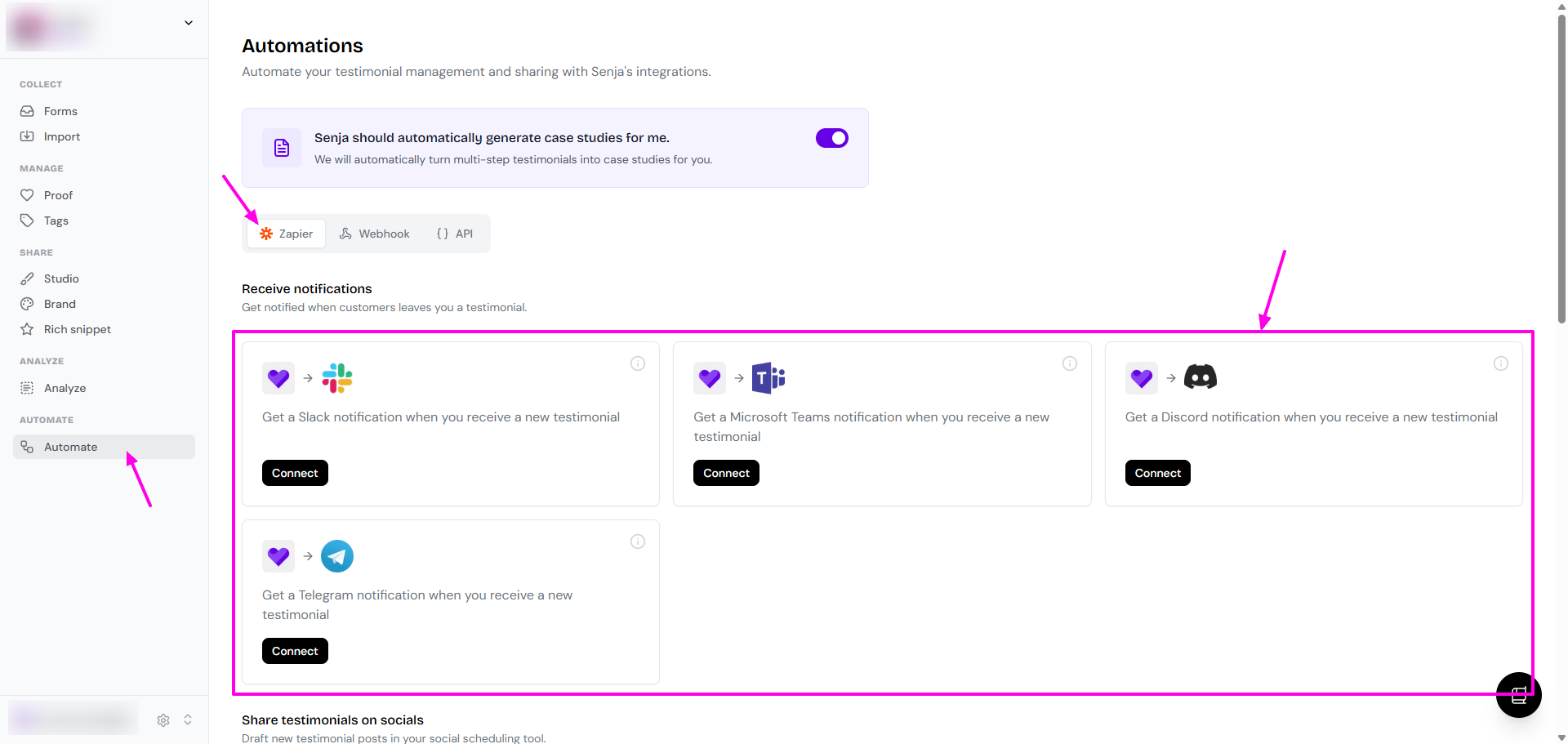
Go to Automate page: https://app.senja.io/automations
On the Zapier tab, choose the platform to Connect
You will be directed to your Zapier dashboard
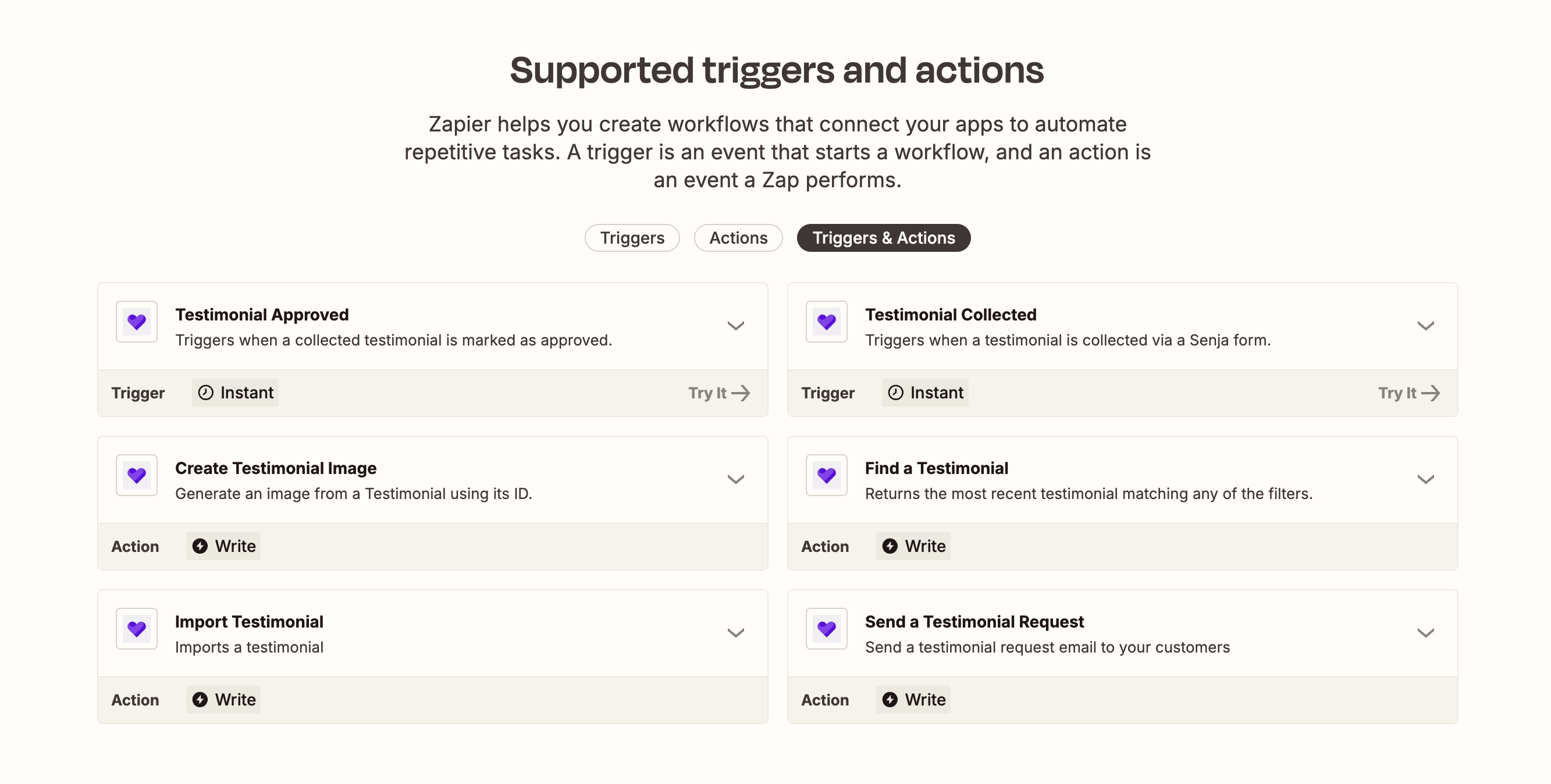
Our Zapier events
These are the trigger and action events available as part of Senja's Zapier integration: