
How do I analyze my testimonials?
Senja's AI-powered analysis helps you identify patterns, common phrases, and insights across your testimonials to understand what customers value most.
This feature is available on all Senja plans
Run an analysis
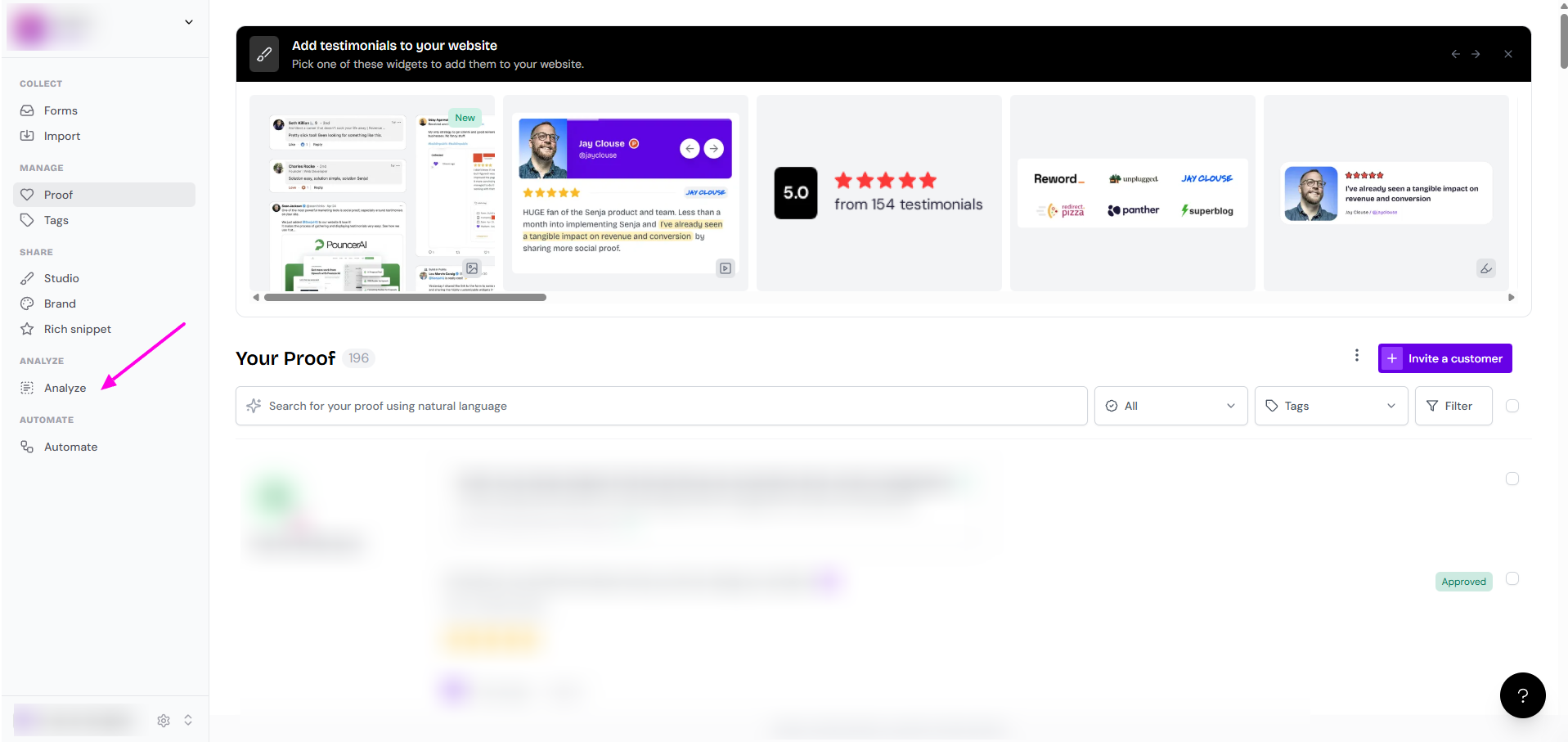
1. Click Analyze
You can access the analysis feature from any screen in your dashboard.
2. Select testimonials and analysis type
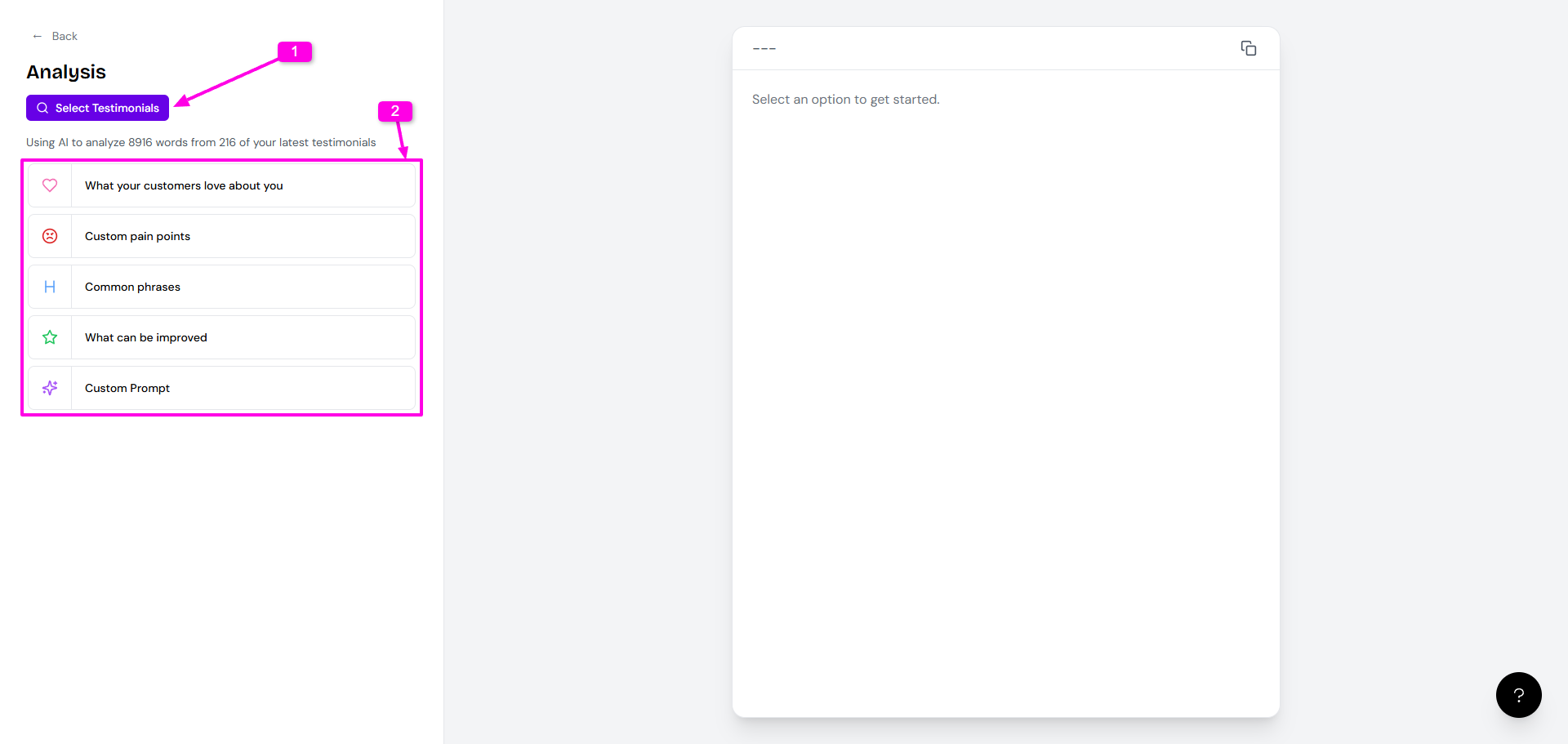
Choose which testimonials to analyze and pick the type of analysis you want:
Common phrases - Identifies frequently used words and phrases
Other analysis types available based on your needs
3. Review your results
The AI will process your testimonials and return the analysis. For example, the common phrases analysis shows which terms appear most frequently across your testimonials.

Use these insights to understand what resonates with customers and incorporate key phrases into your marketing messaging
Refine your analysis
If you want different results:
Click Try again to re-run the analysis
Use the thumbs up/down buttons to provide feedback on the results
