
How to approve testimonials automatically
By default, testimonials you collect need manual approval before you can use them in widgets or share them. You can enable auto-approval to automatically approve all testimonials you collected.
Auto-approval in form is available for all account types. The auto-approval for auto-import only works on paid plans (Starter and Pro).
Enable auto-approval for a form
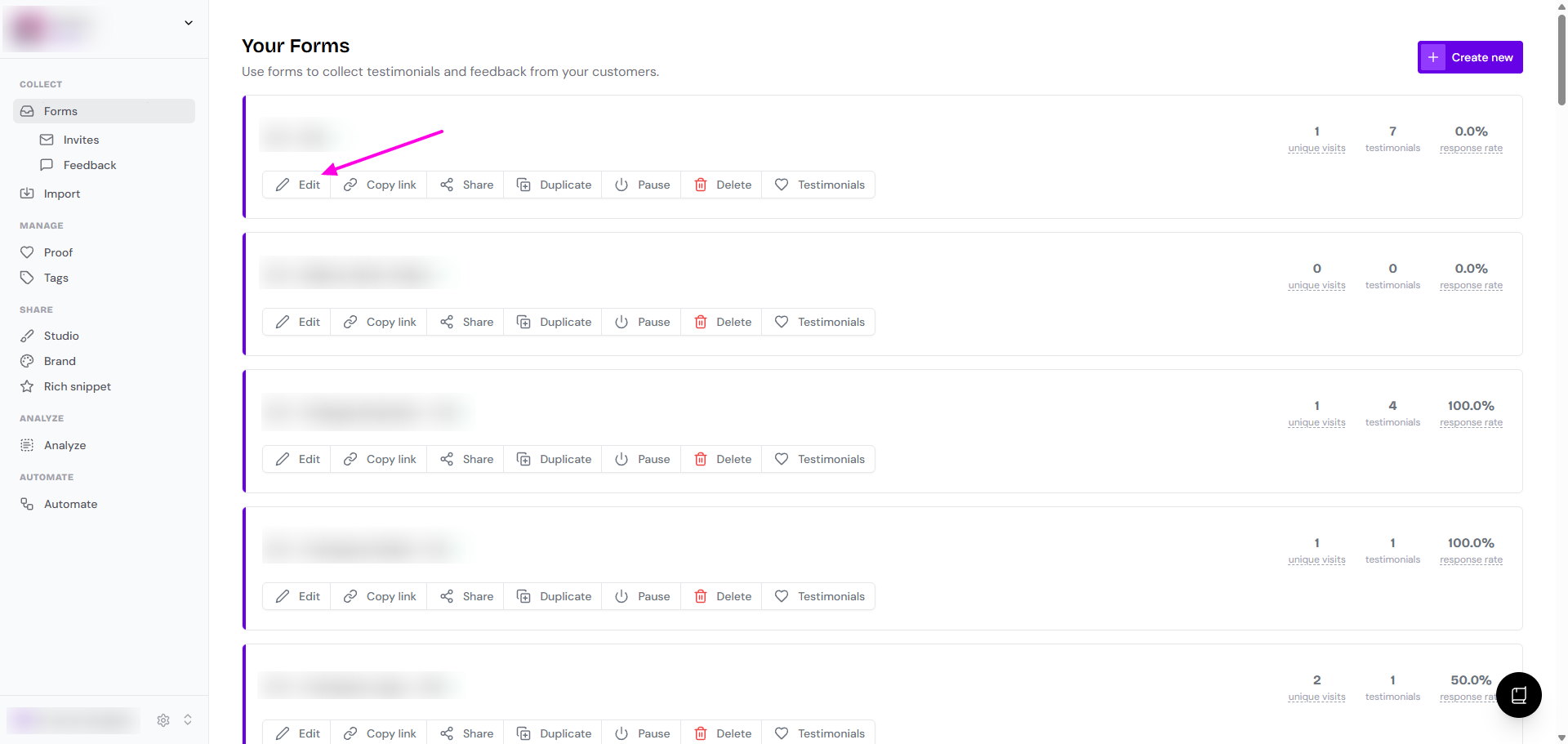
Go to Forms in your dashboard: https://app.senja.io/forms
Click the Edit button on the form you want to configure
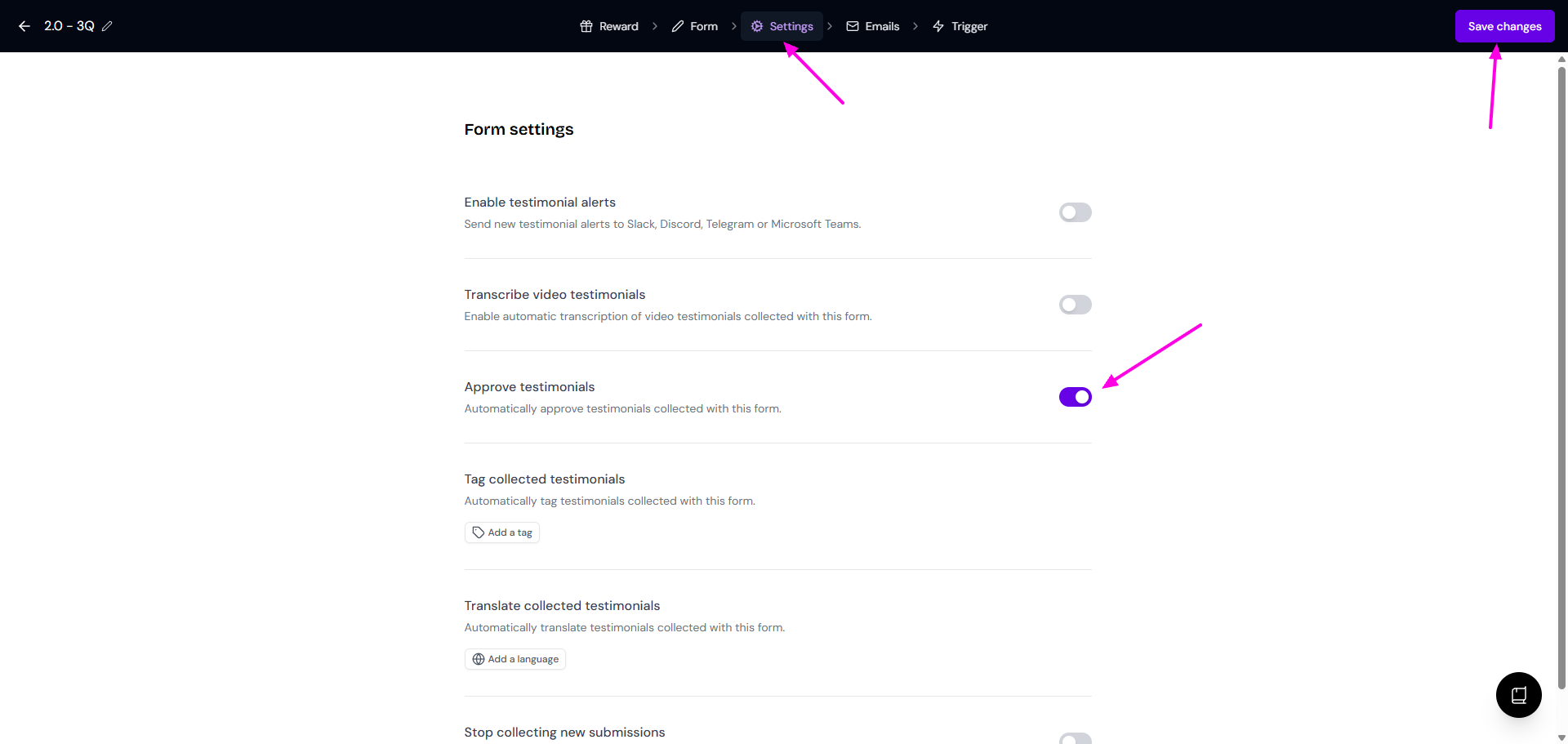
Navigate to the Settings tab
Put the toggle on next to Approve testimonials
Click Save changes when done
4-5 stars testimonials will be automatically approved in the Proof page: https://app.senja.io/
Your settings are saved automatically. All future testimonials collected through this form will be approved automatically.
Enable auto-approval in auto-import
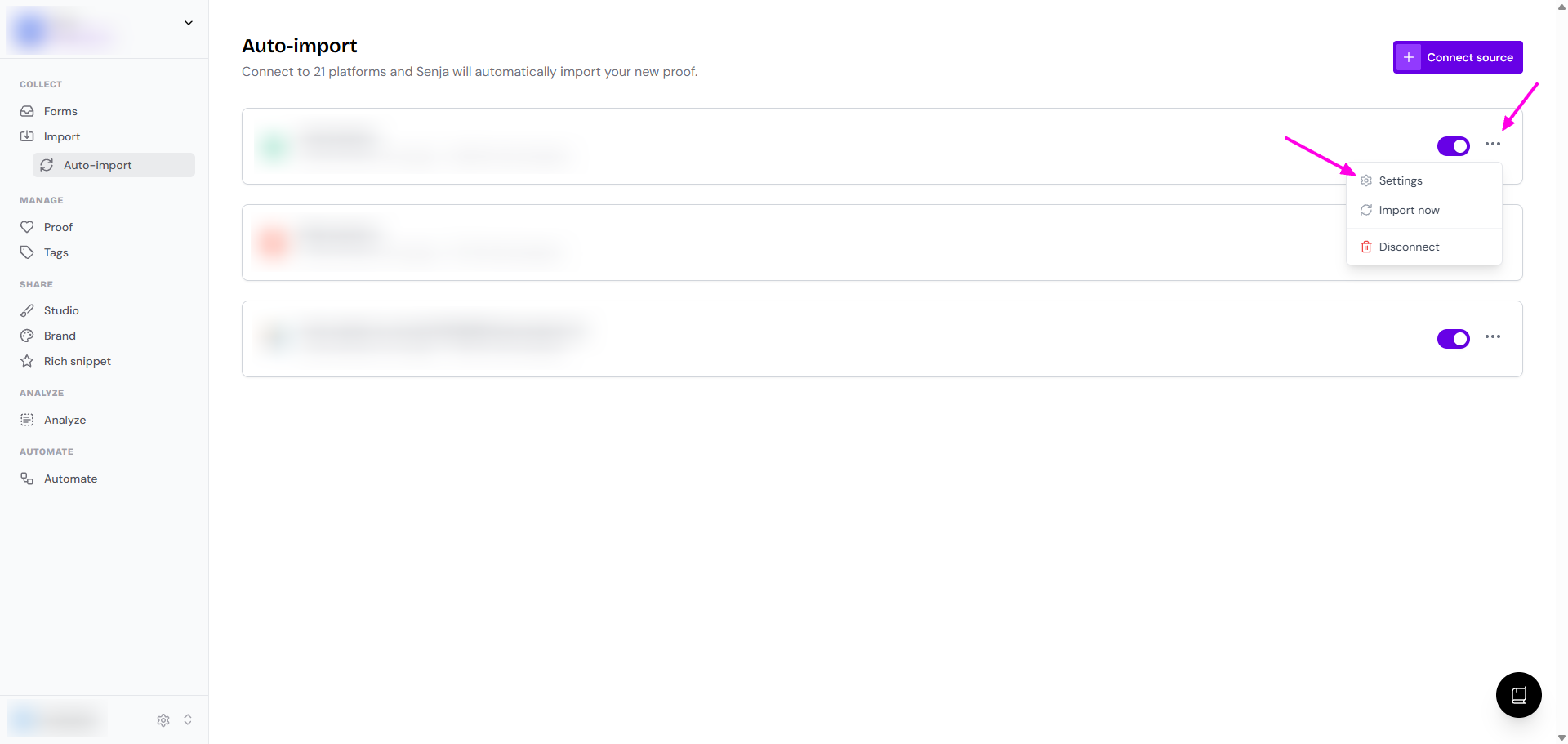
Go to Import > Auto-import: https://app.senja.io/import/auto
Click on the 3-dots on your connected platform
Click Settings
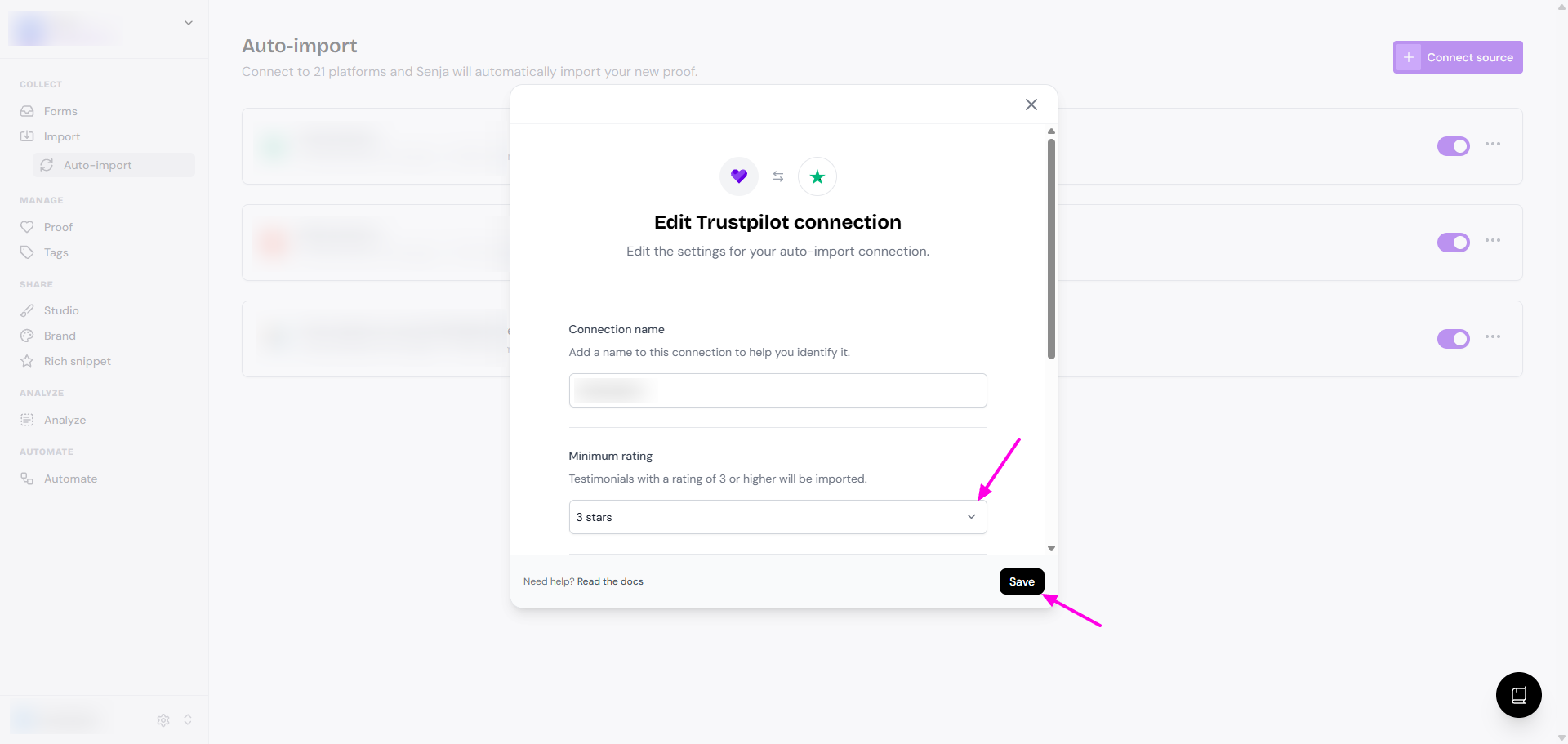
Set the Minimum rating to the star level that you want to approve automatically
Read How to auto-import testimonials from other platforms to see how you connect your platform for this automated import.