
How to set up a custom domain and favicon
On the Domain page of your project settings, you can put your forms and Walls of Love on your own subdomain, and add your own favicon.
Custom domains are available on paid plans only (Starter and Pro). Favicons are available on all plans: Free, Starter, and Pro.
Custom domain
Use your own subdomain (like testimonials.yourdomain.com) for your Senja forms, Walls of Love, and individual testimonial links.
What changes with a custom domain
Type | Default Senja URL | With custom domain |
|---|---|---|
Form | senja.io/p/love-courses/r/w3OzjB | subdomain.yourdomain.com/form-name |
Wall of Love | senja.io/p/love-courses/6jdm3C | subdomain.yourdomain.com/wall-name |
Testimonial link | senja.io/p/love-courses/t/e181b104... | subdomain.yourdomain.com/testimonial-url |
Set up your custom domain
If you're on the Free plan, upgrade first to Starter or Pro
Go to Project Settings → Domain: https://app.senja.io/settings/domain
Type the subdomain you want to use (like testimonials.yourdomain.com) and click Save
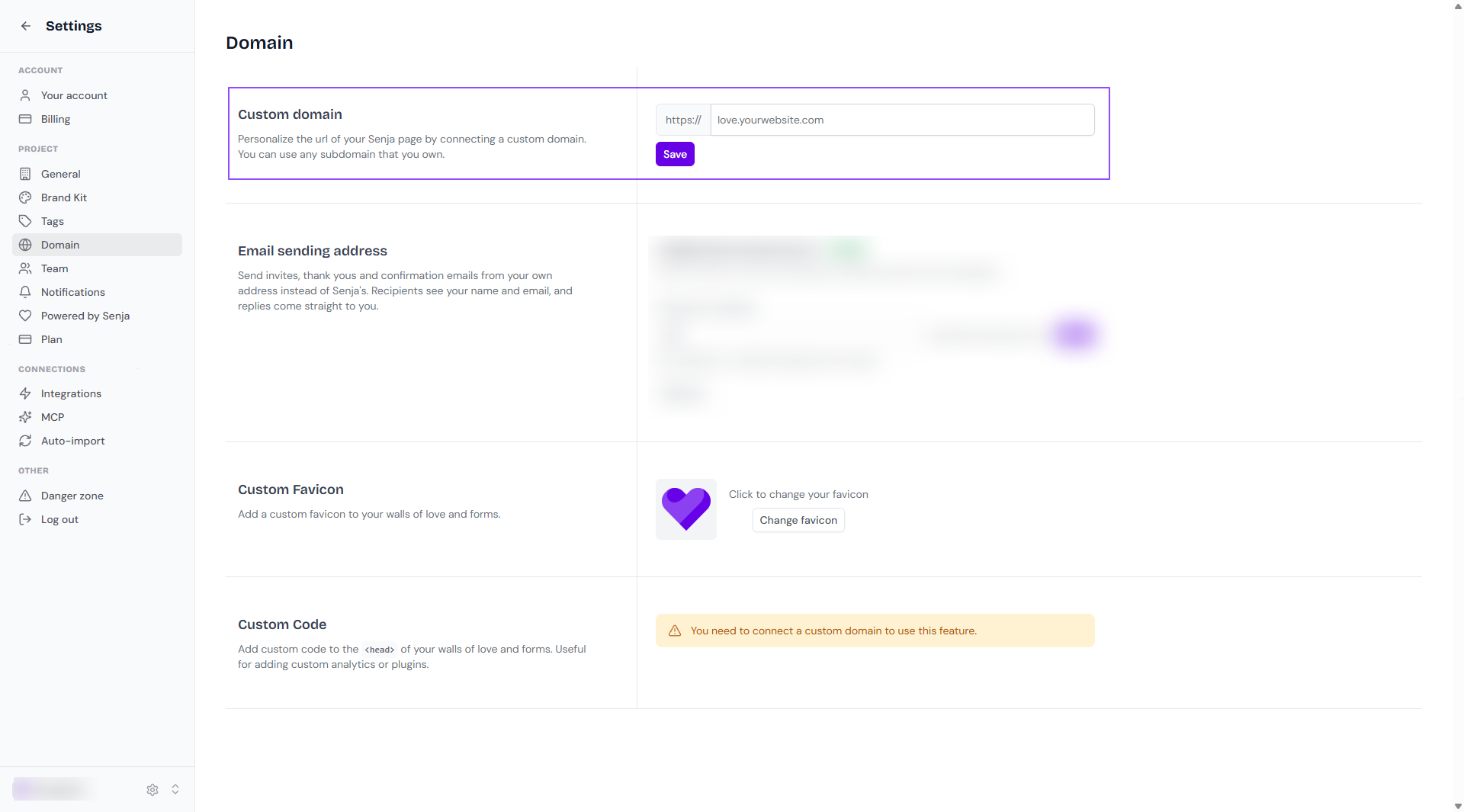
Senja generates DNS records for you
Copy them into your domain provider's DNS settings
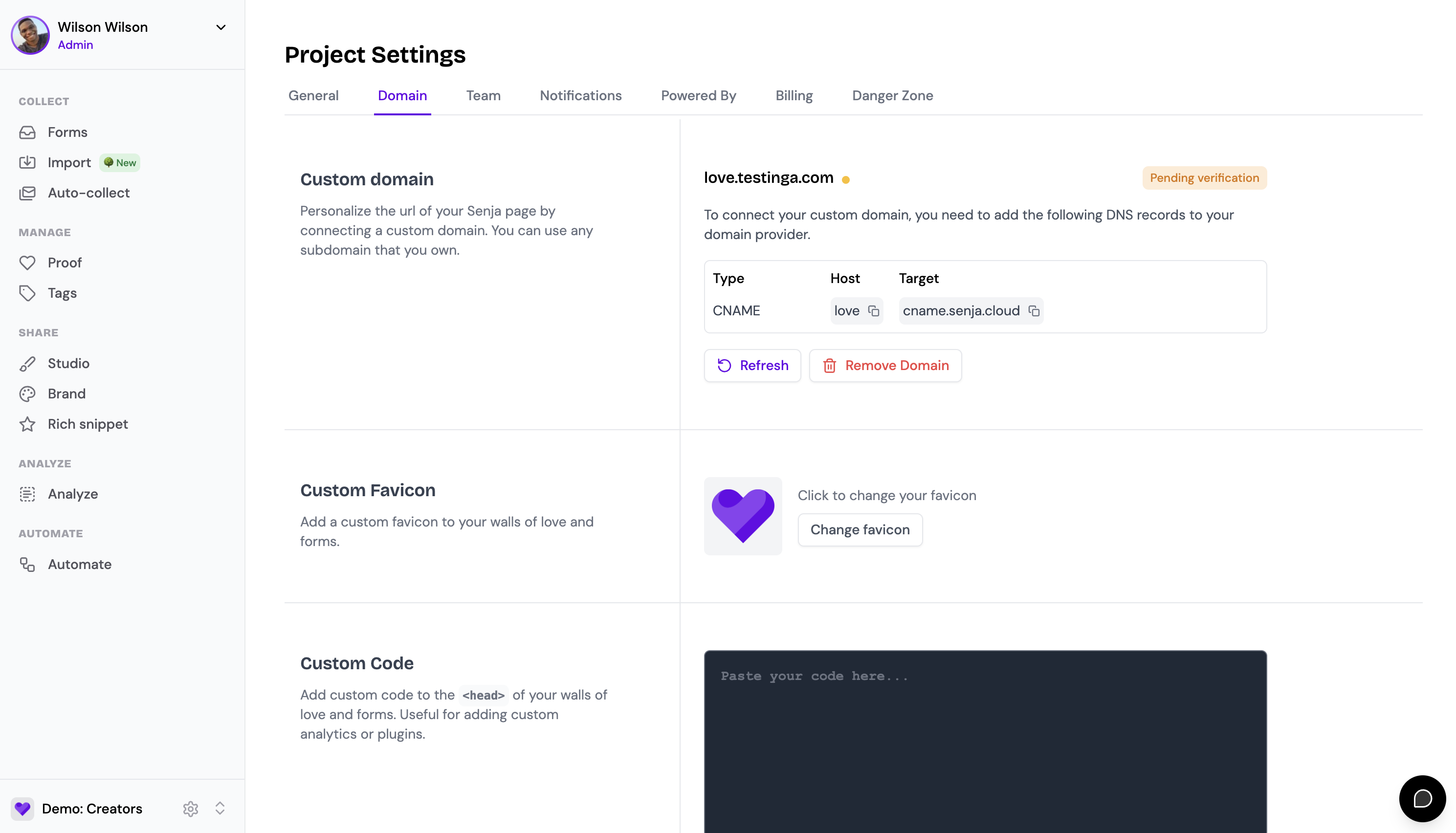
Once your DNS records are verified, your custom domain is active
DNS changes can take up to 24 hours to propagate, but usually complete within an hour.
Favicon
A favicon is the small icon on a browser tab, next to the page title. Adding your own keeps your forms and Wall of Love on-brand when visitors have them open alongside other tabs.
Go to Project Settings → Domain: https://app.senja.io/settings/domain
Click Change favicon
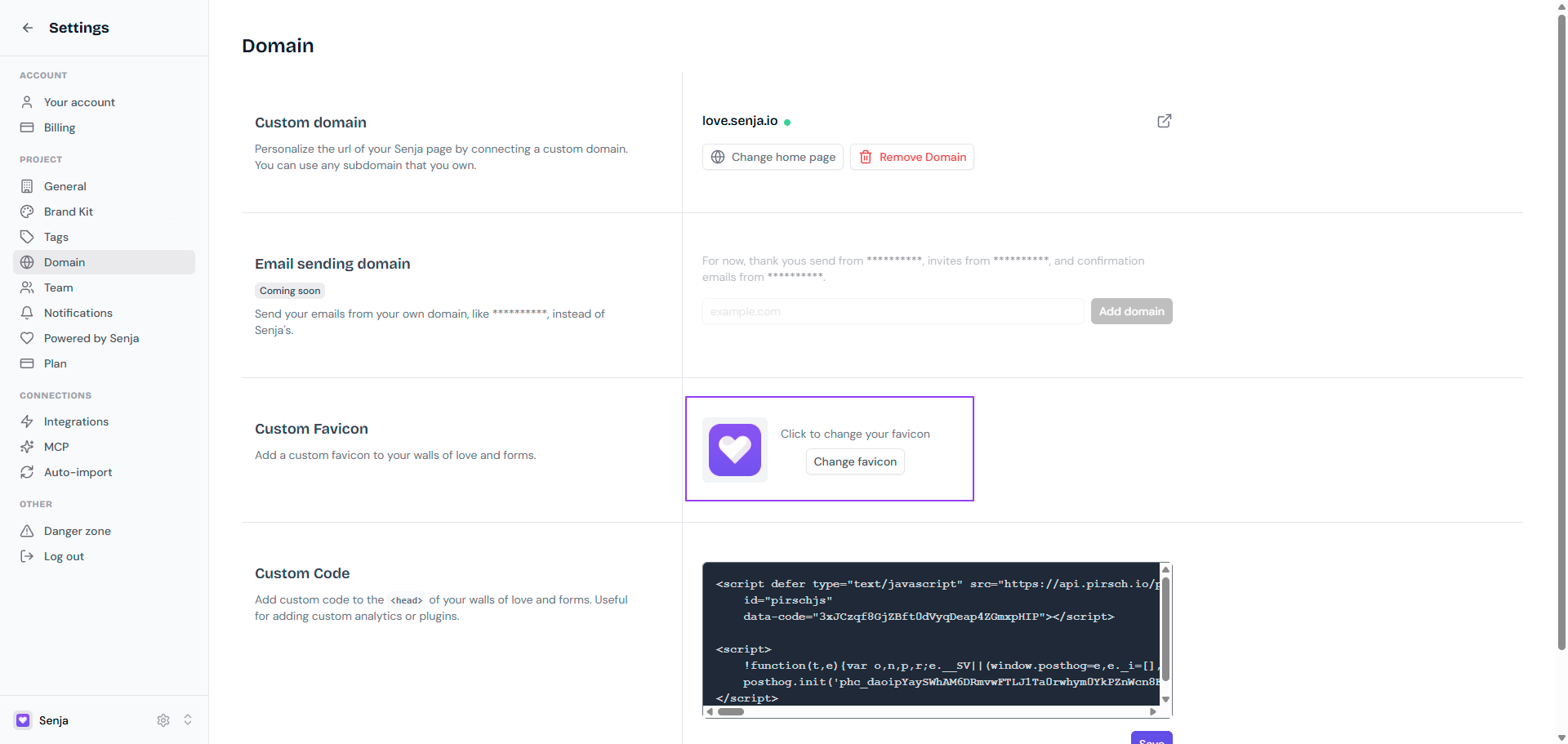
Upload and save your favicon
Your favicon now shows on your Wall of Love and Senja forms sharing page
Tips for a good favicon
Use a square image: 32×32px or 64×64px works best
A PNG with a transparent background looks cleanest
Keep it simple, since detailed logos don't show well at that size