
Import testimonials from Instagram
Import a testimonial from an Instagram post into Senja.
Before you begin: You'll need the URL of the Instagram post you want to import. Instagram comments must be copied manually
What you can do
Import a single Instagram post
Manually copy and paste Instagram comments
Instagram Stories and auto-sync aren’t supported
How to import from Instagram posts
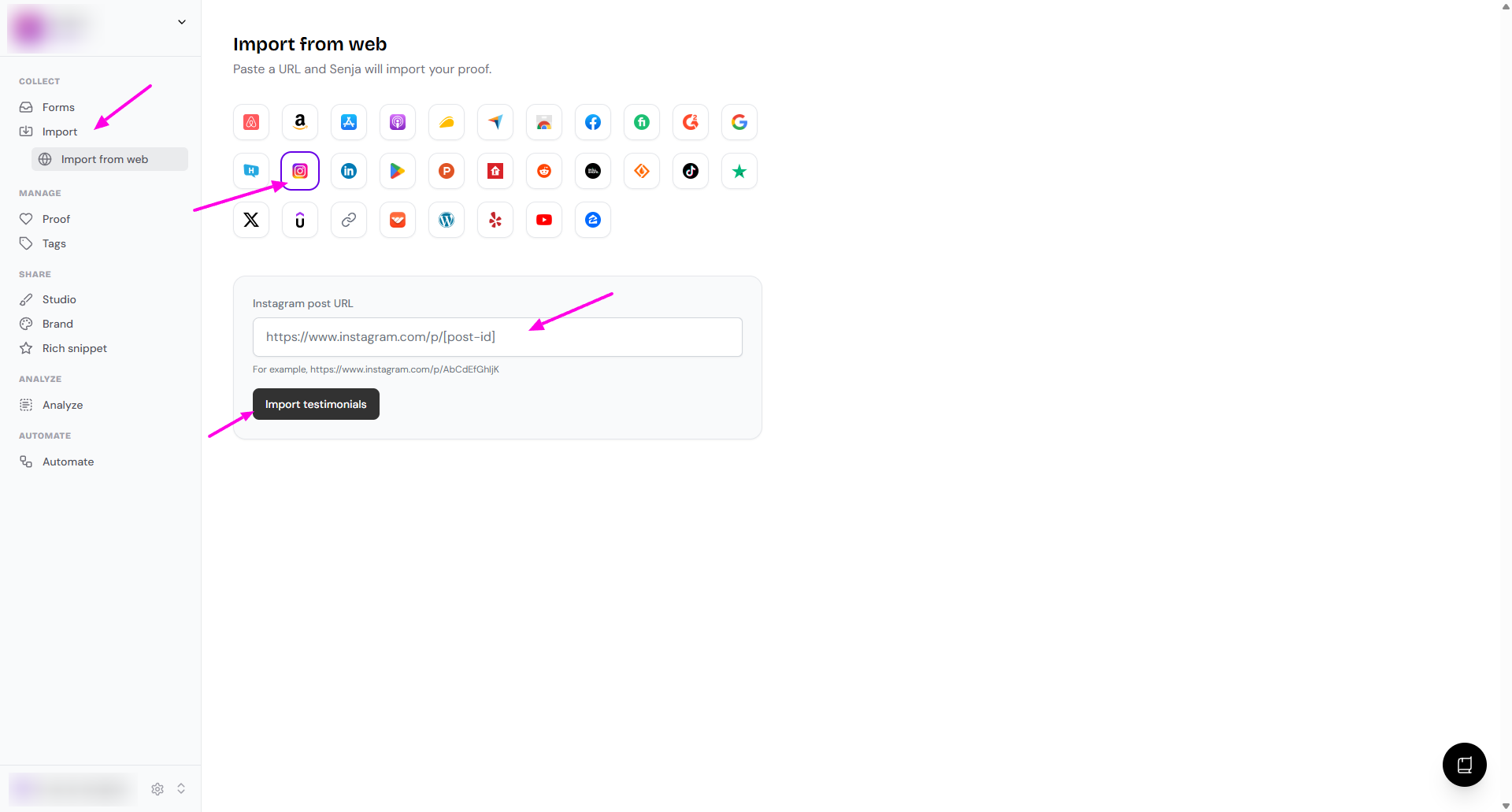
Go to Import > Import from web: https://app.senja.io/import/web
Click the Instagram icon
Paste the link under Instagram post URL
Click Import testimonials
Your Instagram post is now imported into Senja
Other methods
Senja Chrome extension
Use the Chrome extension to grab Instagram comments: Import testimonials with the Chrome Extension
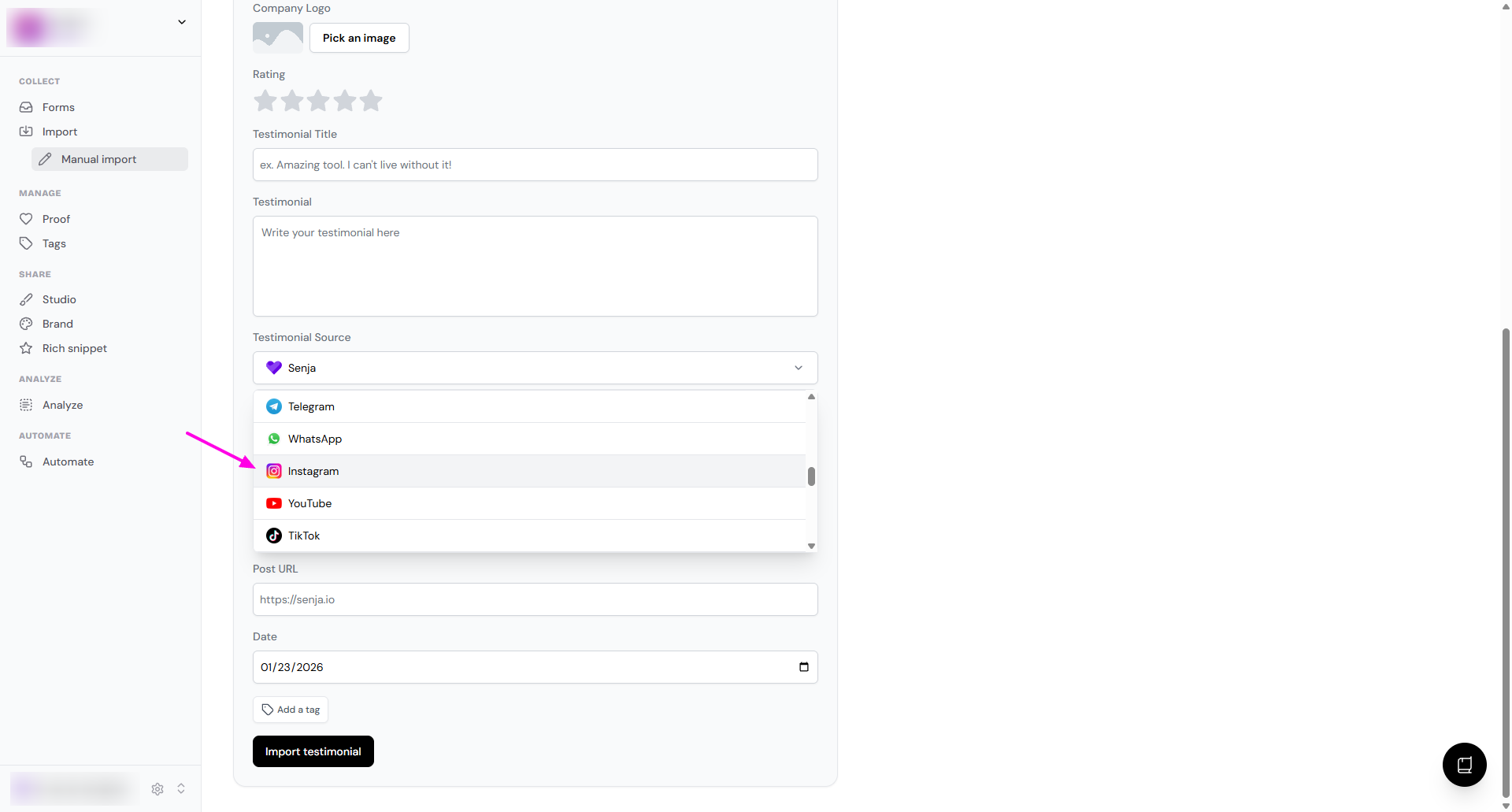
Manual import
Prefer copy and paste? Follow How can I manually import text testimonials?
In the Testimonial Source dropdown, choose Instagram
Need help?
If you run into any issues importing from Instagram, contact Senja Support and we’ll help you get set up