
How to edit my account settings
This article explains how to edit your account settings, including your name and email address. It also provides troubleshooting steps for common issues you might encounter.
How to edit your account settings
To edit your account settings, follow these steps:
Log in to your Senja account.
Navigate to the Account section (click the arrow next to your profile icon)
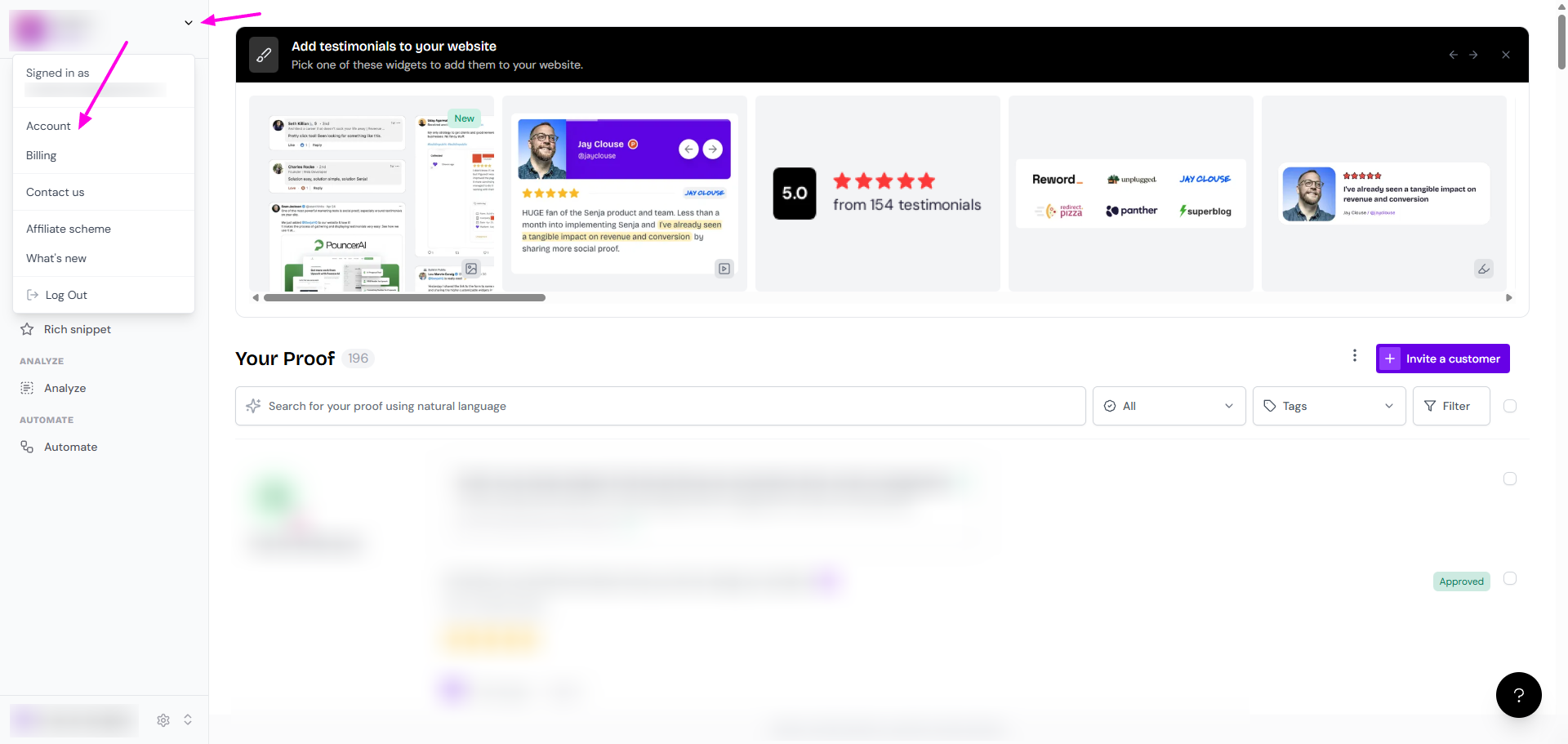
On the Account settings page, you will see options to edit your name, email address, and password
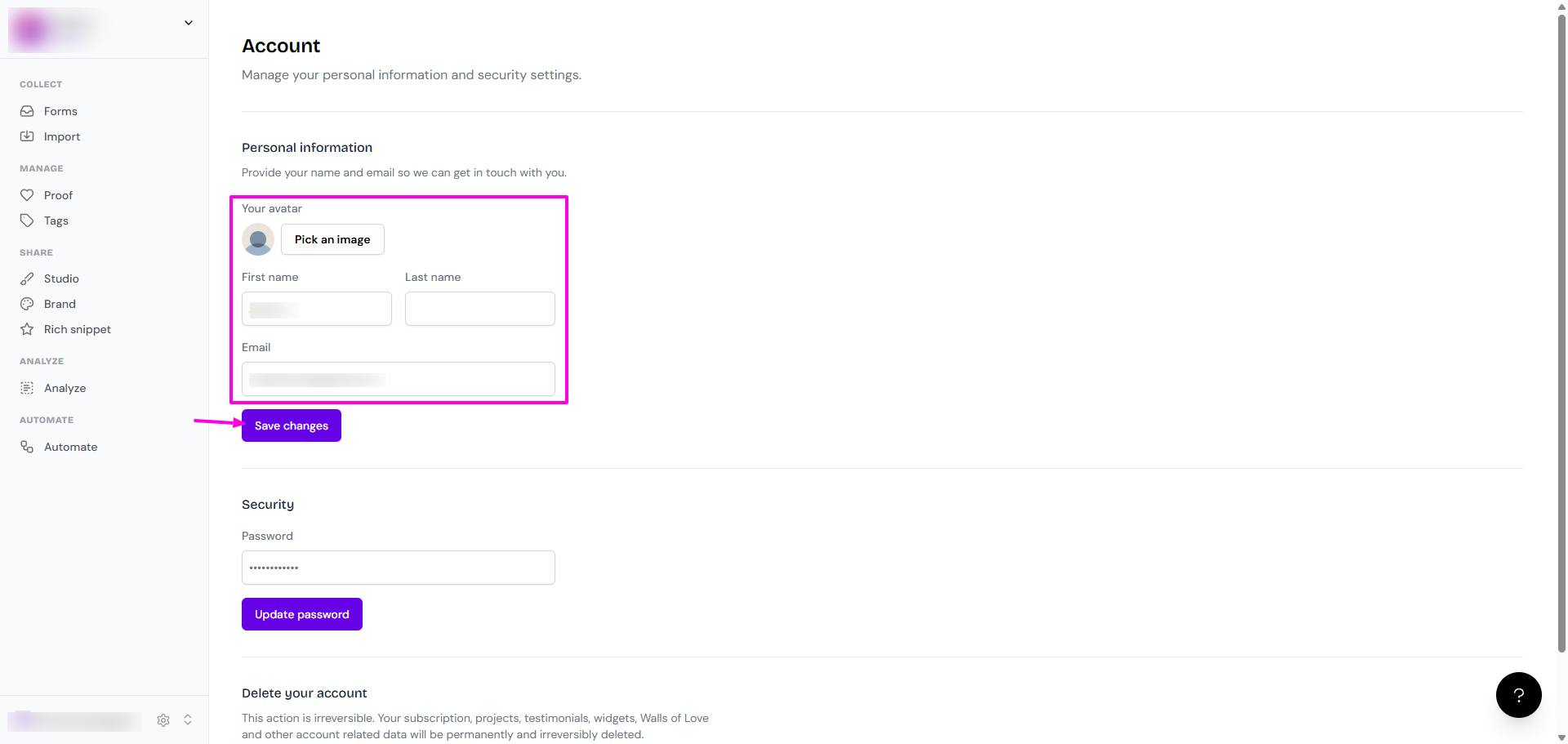
Make the changes and click Save changes to update your settings
Some account settings may not be editable by users. If you are unable to change certain information, you may need to contact our support team for assistance.
Troubleshooting
If you encounter any issues while trying to edit your account settings, here are some common solutions:
"Something went wrong" error: contact our Support team and we will be happy to assist you
Unable to change email address: it might happen because the new email address is already associated with another Senja account
Make sure that the new email address you are trying to use is not already in use
If that's not the case, contact Senja Support
If you are still having trouble editing your account settings, please don't hesitate to contact our support team. We are always here to help!