
How to add testimonials to React or NextJS
Adding testimonials to your React or NextJS app is extremely simple and requires no external dependencies.
This feature is available on any Senja plans: Free, Starter, and Pro.
Create your widget
First, you'll need to create a widget in Senja. Learn how to turn your testimonials into a widget
Add the embed code to your React app
Copy the widget embed code, see Where do I get my widget embed code or link?
Open the React component you'd like to add your Senja widget to
Paste the Senja embed code
<div>
  <div
    class="senja-embed"
    data-id="4ac65b64-922c-4daf-af40-5cf71ade893f"
    data-lazyload="false"
  ></div>
  <script
    async
    type="text/javascript"
    src="https://static.senja.io/dist/platform.js"
  ></script>
</div>
Alternatively, add the
<script>portion of the Senja embed code just before the end of your<head>or<body>tag of your React website<head> ... <script async type="text/javascript" src="https://static.senja.io/dist/platform.js" ></script> </head>Embed the
<div>portion in any React component
Add the embed code to your NextJS app
Copy the widget link, see How do I share a link to a testimonial?
Open the
+page.tsxfile, orpage.jsxfile you'd like to add your Senja widget toPaste the Senja embed code
// import this:
import Script from "next/script";

export default function SenjaPage() {
  return (
    <main>
      <div
        className="senja-embed"
        data-id="4ac65b64-922c-4daf-af40-5cf71ade893f"
        data-lazyload="false"
        data-mode="shadow"
      ></div>
      {/* This changed from <script> to <Script> */}
      <Script
        async
        type="text/javascript"
        src="https://static.senja.io/dist/platform.js"
      ></Script>
    </main>
  );
}
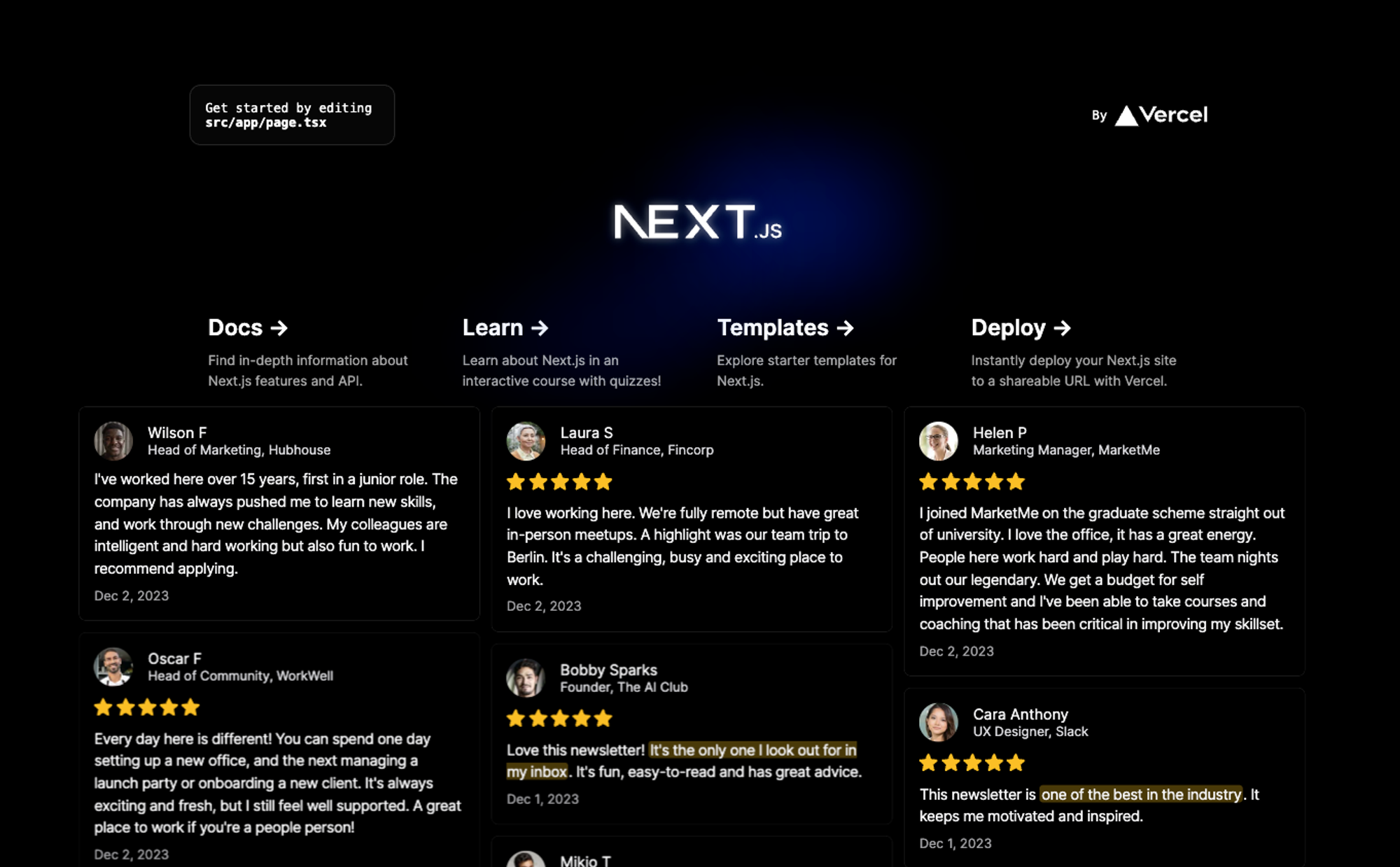
Once you do this, your Senja widget will be rendered on the page, like this:
If you're using NextJS, don't use the default <script> tag. To prevent hydration errors, replace the script tag with the next/script component