
How to add testimonials to Shopify
Add your Senja testimonial widgets to your Shopify store using the Custom Liquid section.
You can upload testimonials as images or embed widgets using code snippets. Senja doesn't have a Shopify app integration.
Create your widget in Senja
Follow the guideline How do I create widget?
Click Share and copy the embed code
Use Senja's free Chrome Extension to quickly copy widget codes and form URLs without leaving your page
Add the widget to Shopify
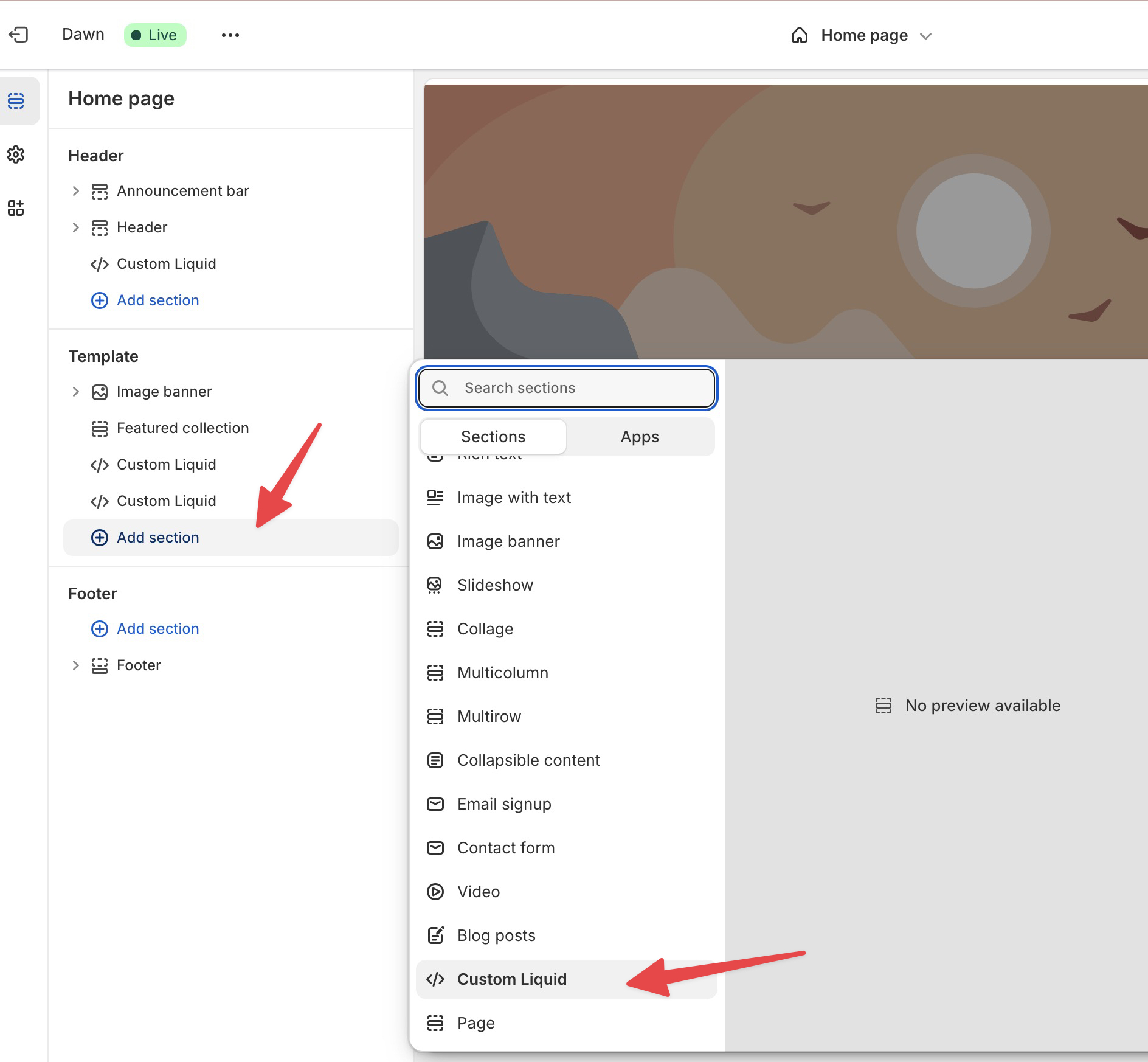
In your Shopify store editor, navigate to the page where you want to add testimonials
Click Add section and select Custom Liquid
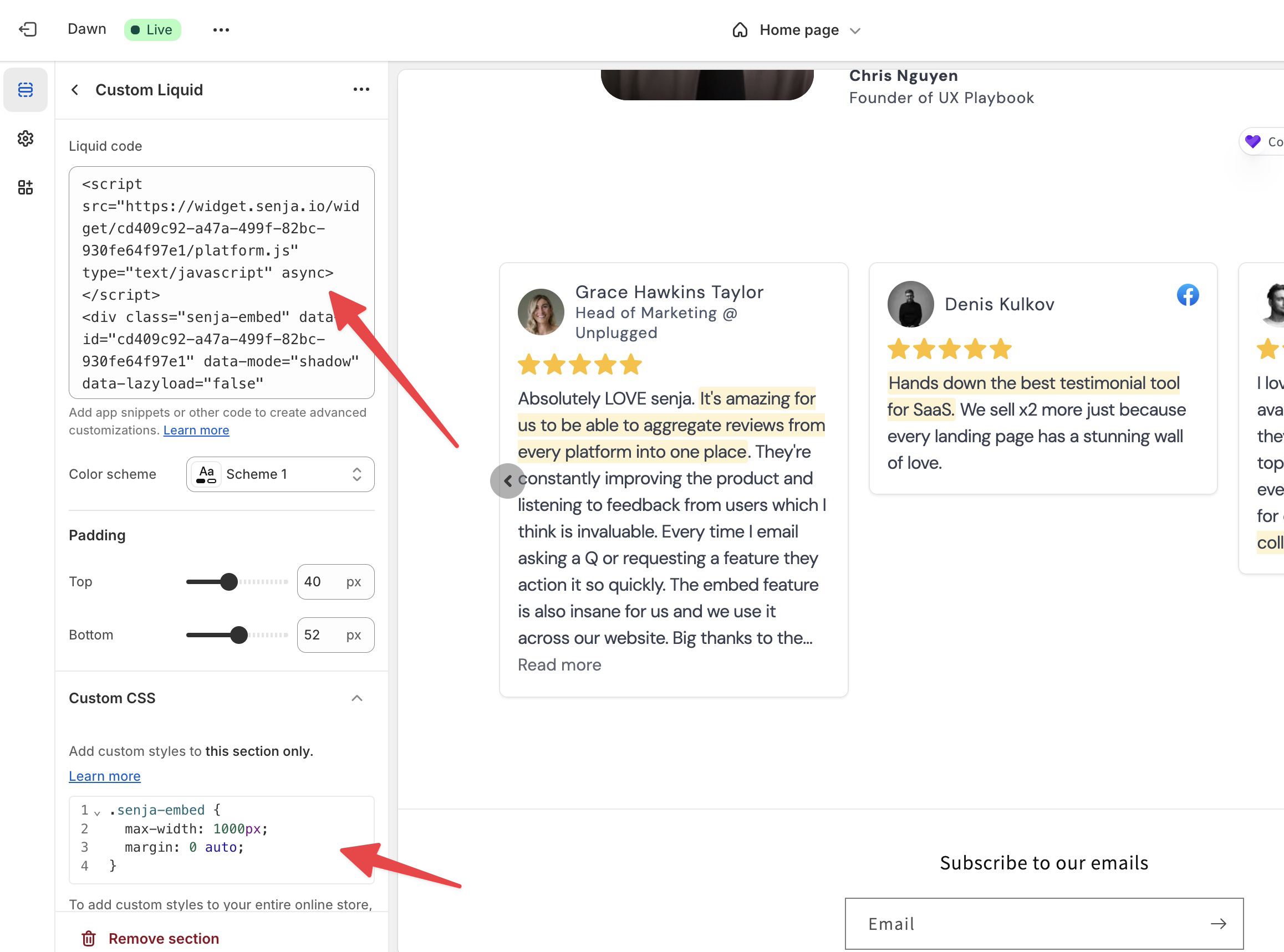
Paste your Senja embed code into the Liquid code field
Click Save
Center your widget (optional)
To center the widget on your page, add this CSS to your Custom Liquid section:
.senja-embed {
  max-width: 1000px;
  margin: 0 auto;
}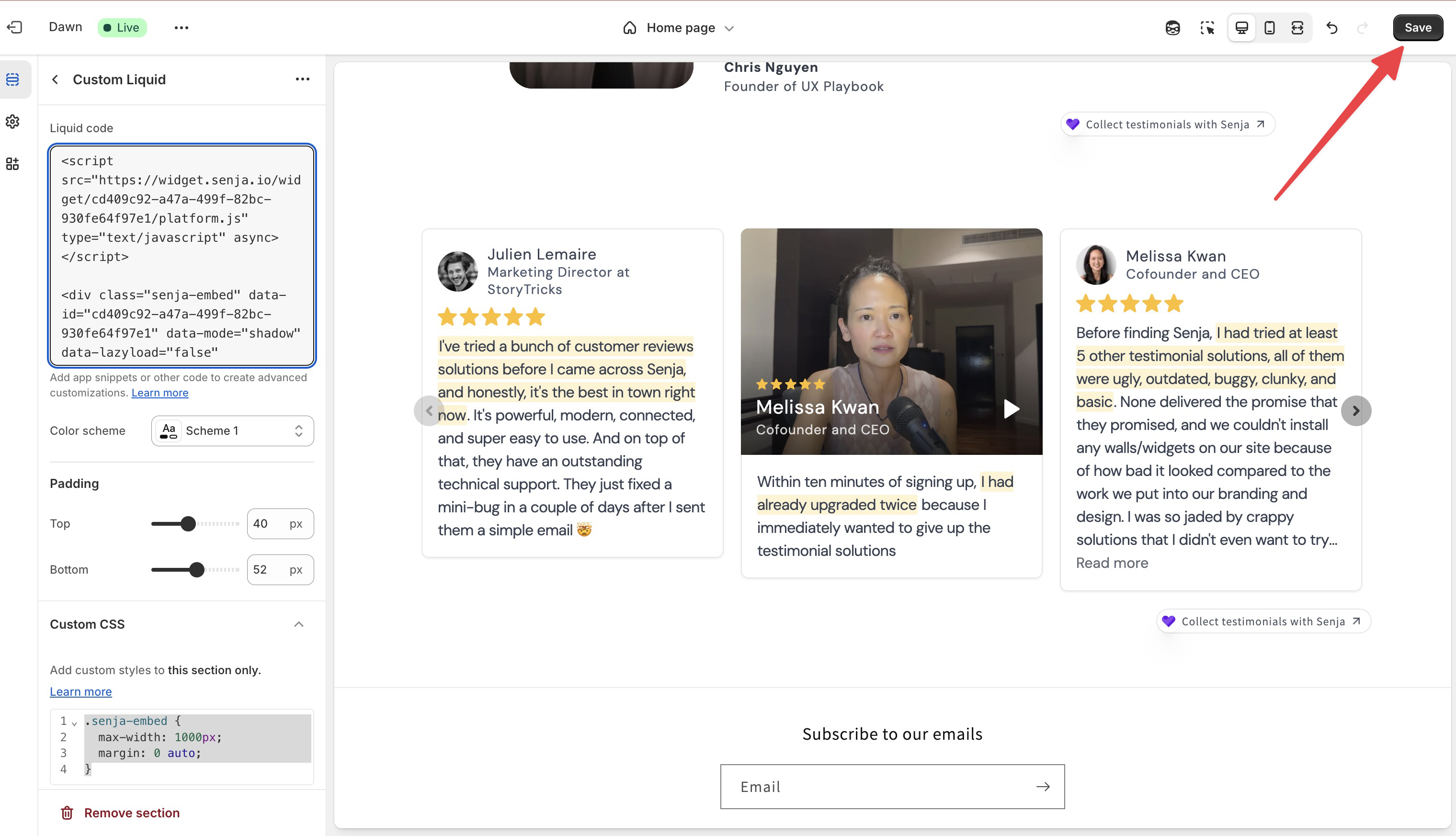
Your testimonial widget is now live on Shopify. If it's not displaying correctly, contact us for help