
How do I cancel a sent invitation?
If you've sent an invitation and need to revoke it before the recipient accepts, you can cancel it from your team settings.
Only account owners and admins can cancel pending invitations
Cancel a pending invitation
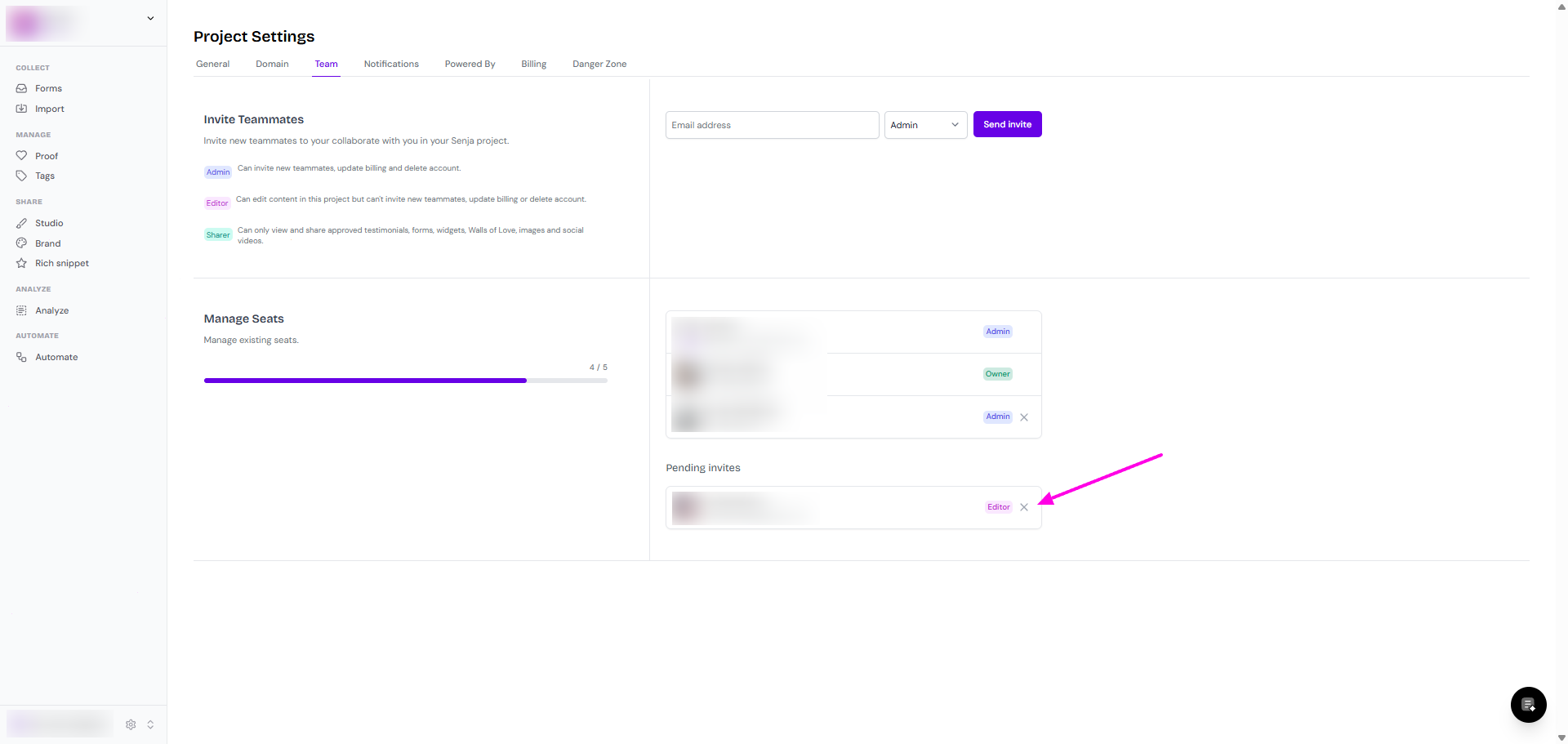
Go to your Project Settings > Team: https://app.senja.io/settings/members
Check under Pending invites
Cancel the invitation by clicking the x mark
Once canceled, the recipient won't be able to accept the invitation using the original link.
If the invitation hasn't been sent yet (failed to send), it won't appear in pending invitations and no action is needed
Was this helpful?