
How can I manually import video testimonials?
If you have video testimonials from your customers, sent by email or other platforms, you can add the testimonials to your Senja dashboard using the Manual import.
Manually import video testimonials
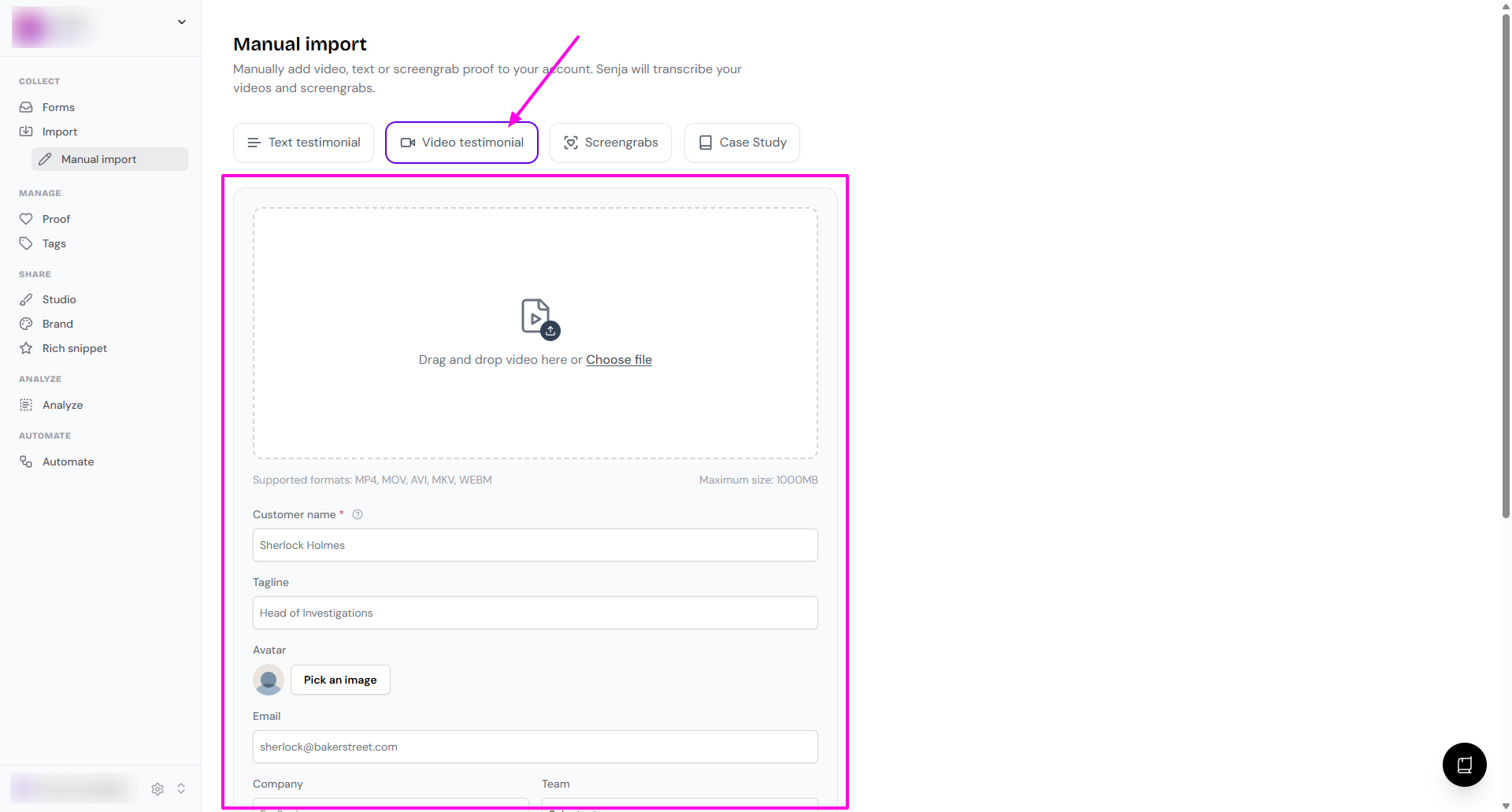
Go to Import > Manual import page: https://app.senja.io/import/manual
Choose Video testimonial
Complete the details
Upload the video
Customer name (mandatory)
Tagline (you can put your customer's job title here)
Avatar
Email
Company
Team
Company Logo
Rating
Excerpt (highlight or quick summary on the video)
Date (add the date when you receive the testimonial the first time)
Add a tag
Once you're done, click Import testimonial
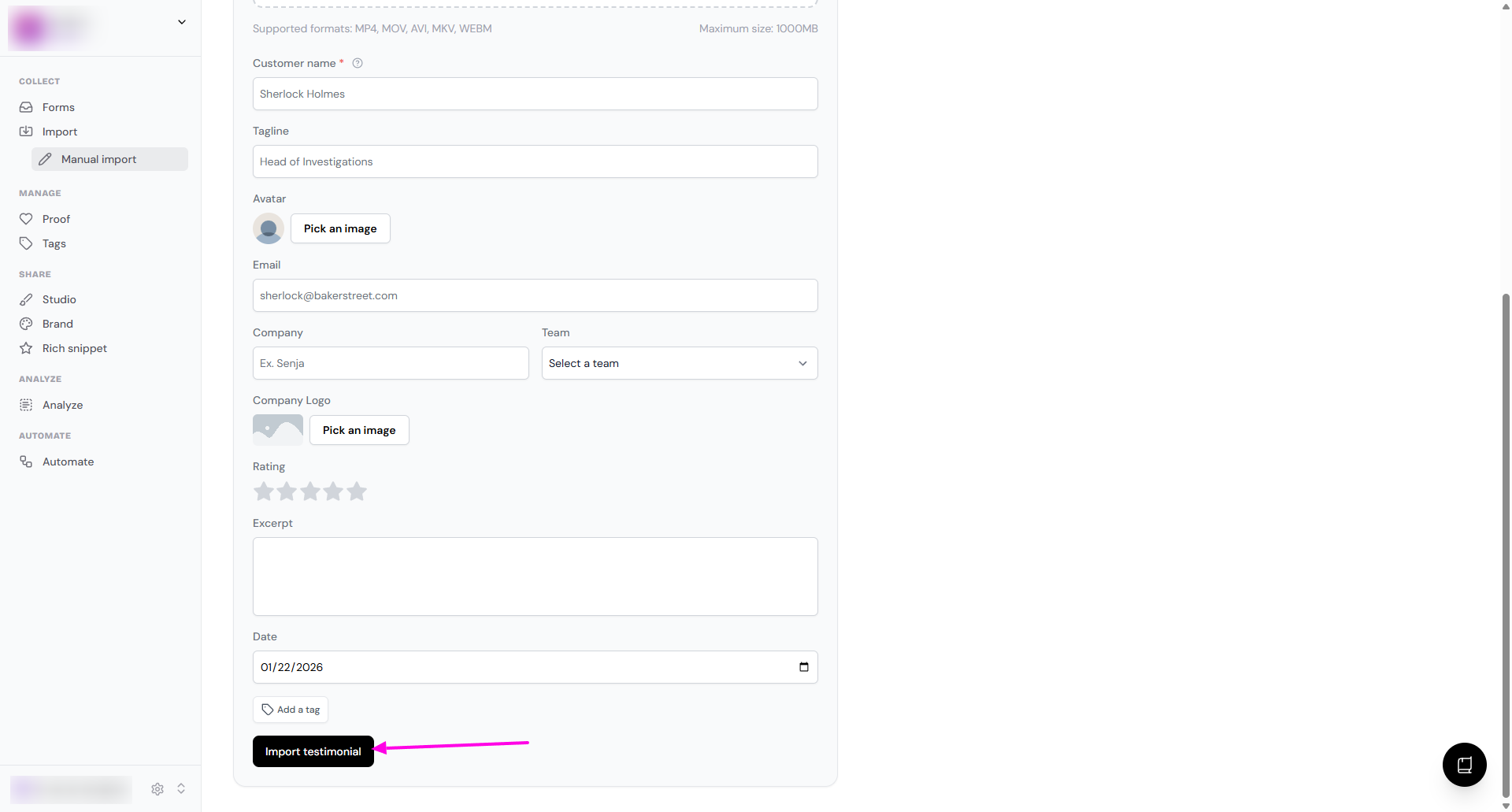
Once the video is uploaded, our system will transcribe it and make it available for remixing and sharing
For best results, we recommend using a portrait video format. While there are no restrictions on video length or file size, using a portrait orientation will ensure your video displays correctly without any parts being cut off.