
How to add testimonials to Simplero
Senja makes it easy to embed forms and testimonials in Simplero.
This feature is available on all Senja plans: Free, Starter, and Pro.
What you can/can't do
✅ Embed your form as a course modul in Simplero
✅ Add a testimonial widget to Simplero website or course lesson with the code snippet
✅ Upload testimonials to Simplero website and course lesson as images
❌ Add testimonials with an app integration
Adding embedded code to Simplero
You can embed content in a content box in most places across Simplero: Email body, body content in a course, the text box on a landing or site page (details here).
Go to your Simplero page on the WYSIWYG editor
Click the < > button (in the upper right corner of the toolbar)

Paste the embed code
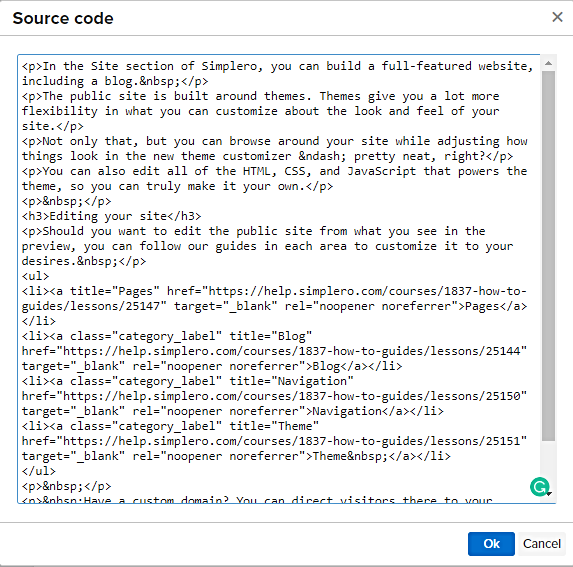
Hit Ok to save
Adding testimonial image to Simplero
Navigate to your Studio page: https://app.senja.io/studio
Create a new image, see How do I turn my testimonials into images?
Select between 1 and 3 testimonials to add to your image
Customise the design to match your brand
Export the image
Upload the image to your Simplero page
Your testimonial image is now on Simplero