
How do I remove Senja branding?
You need a paid account
Customers of Senja on a Starter or Pro plan can remove Senja branding from their widgets, forms, images, videos and Walls of Love. If you are on the Free plan click here to upgrade.
Note:
When you upgrade to a Starter of Pro plan, all new widgets you create will be created without Senja branding
Senja branding on your Wall of Love is automatically removed
Senja branding on your forms is automatically removed
Senja branding on your videos is automatically removed
Senja branding is also known as Made with Senja or Powered By.
How to remove Senja branding
Remove branding in general
Go to your Project Settings > Powered By: https://app.senja.io/settings/powered-by
Toggle off the Show Senja Powered By section
Click on Save settings
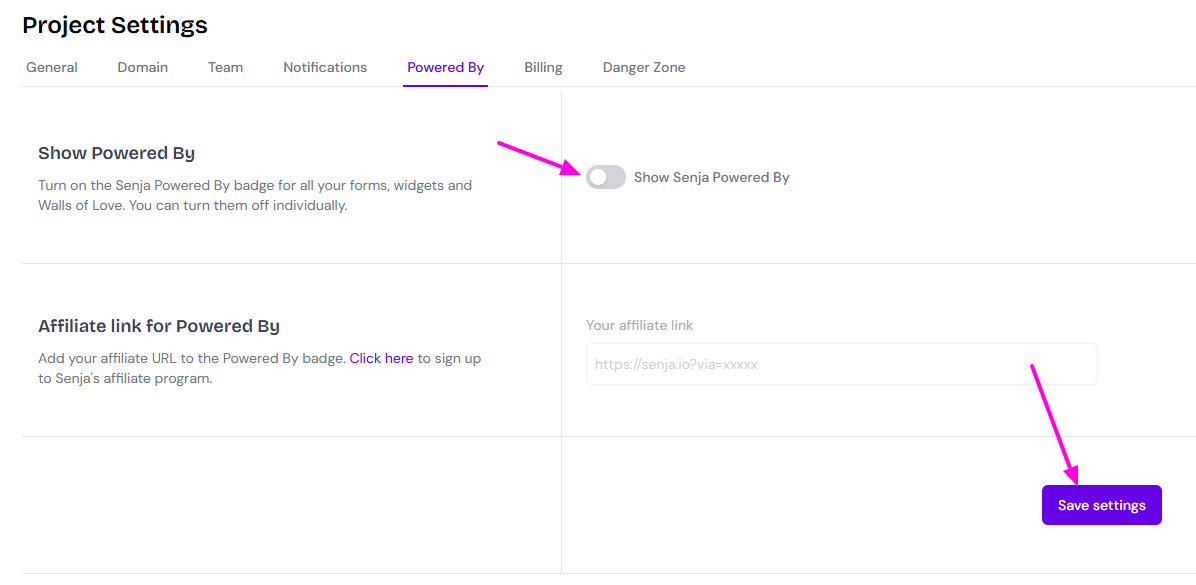
Senja branding will be removed from all assets
Remove branding from Forms
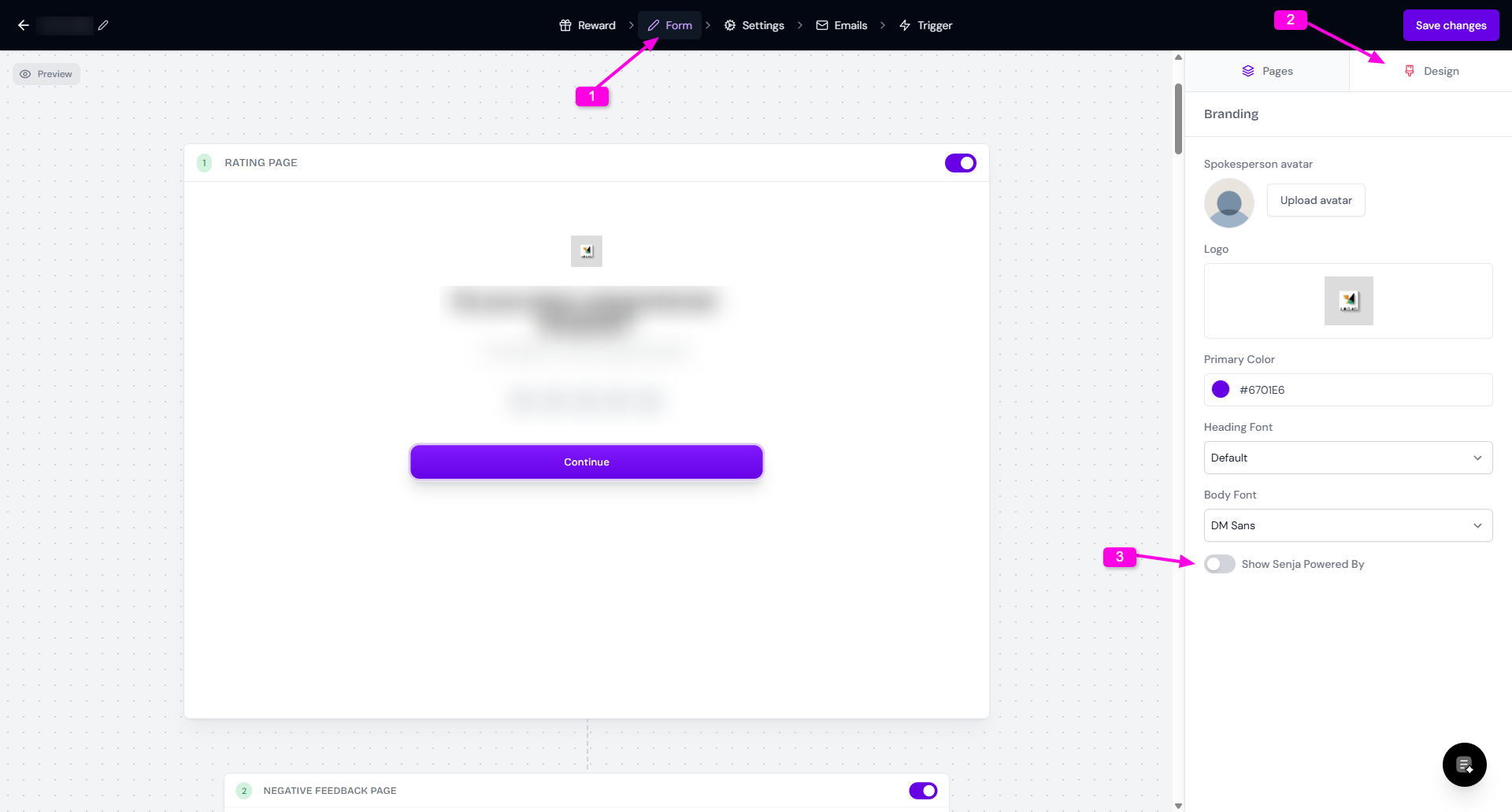
Go to your Forms page: https://app.senja.io/forms
Edit the form that you want
Go to Form tab
Click Design
Put the toggle off in Show Senja Powered By
Remove branding from widgets or Walls of Love
Go to your Studio page: https://app.senja.io/studio
Pick the widget/Wall of Love you want to remove the Senja branding from
Go to Design
Scroll down until you find Remove Senja branding section
Put the toggle off in Show Senja Powered By
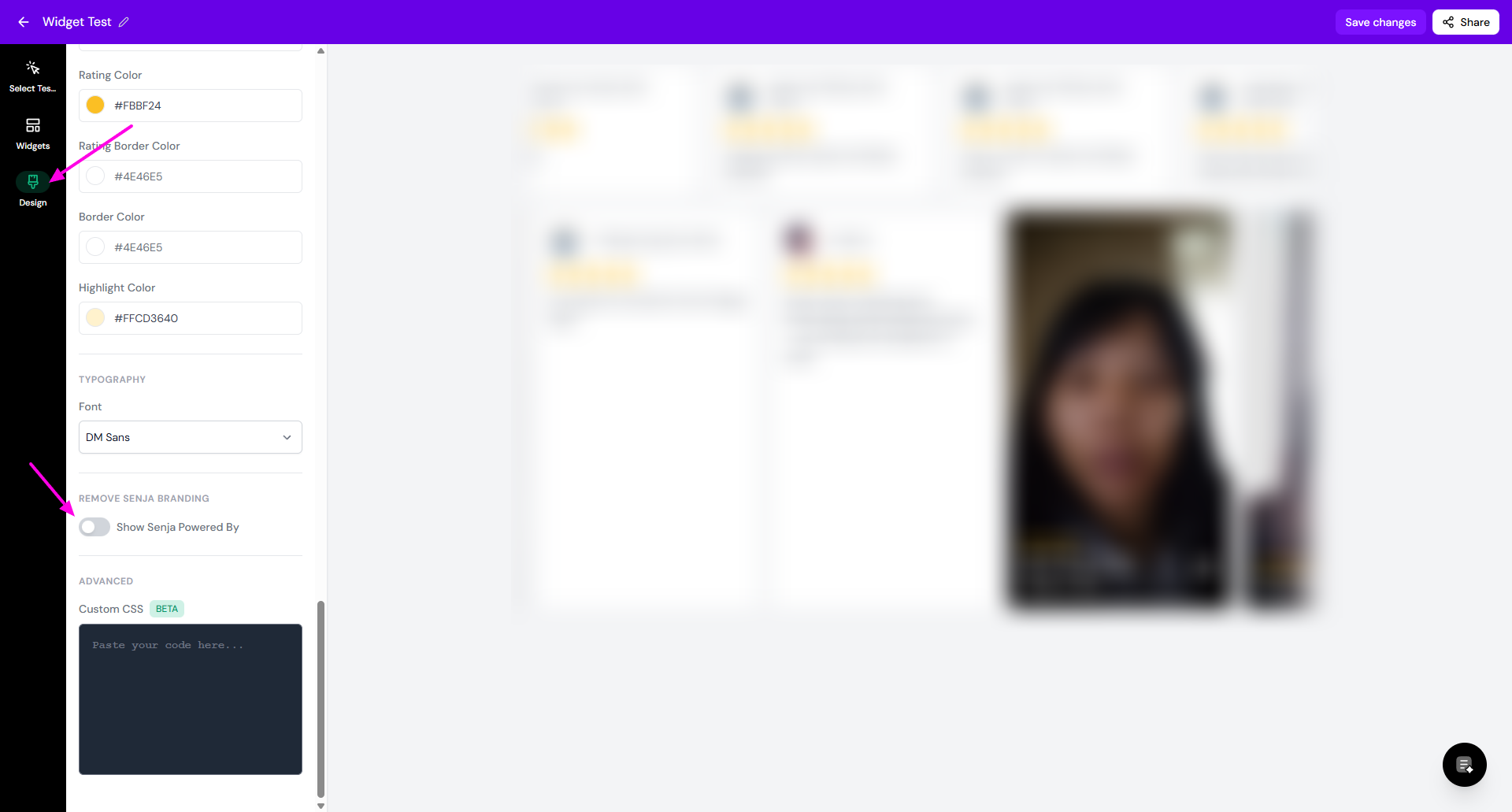
That’s it, your widget no longer has Senja branding 💜