
Import testimonials from Trustpilot
Use the Trustpilot import to bring your reviews into Senja so you can share them anywhere.
Before you begin: You’ll need your Trustpilot company URL and a Senja account
Account type
Available on Free, Starter, and Pro plans.
What you can do
Import all reviews from your Trustpilot page at once
Select individual reviews to import specific testimonials
Auto-sync to pull in new reviews automatically
Step by step
Go to Import > Import from web: https://app.senja.io/import/web
Click the Trustpilot icon
Paste your link under Trustpilot page URL
Click Import testimonials
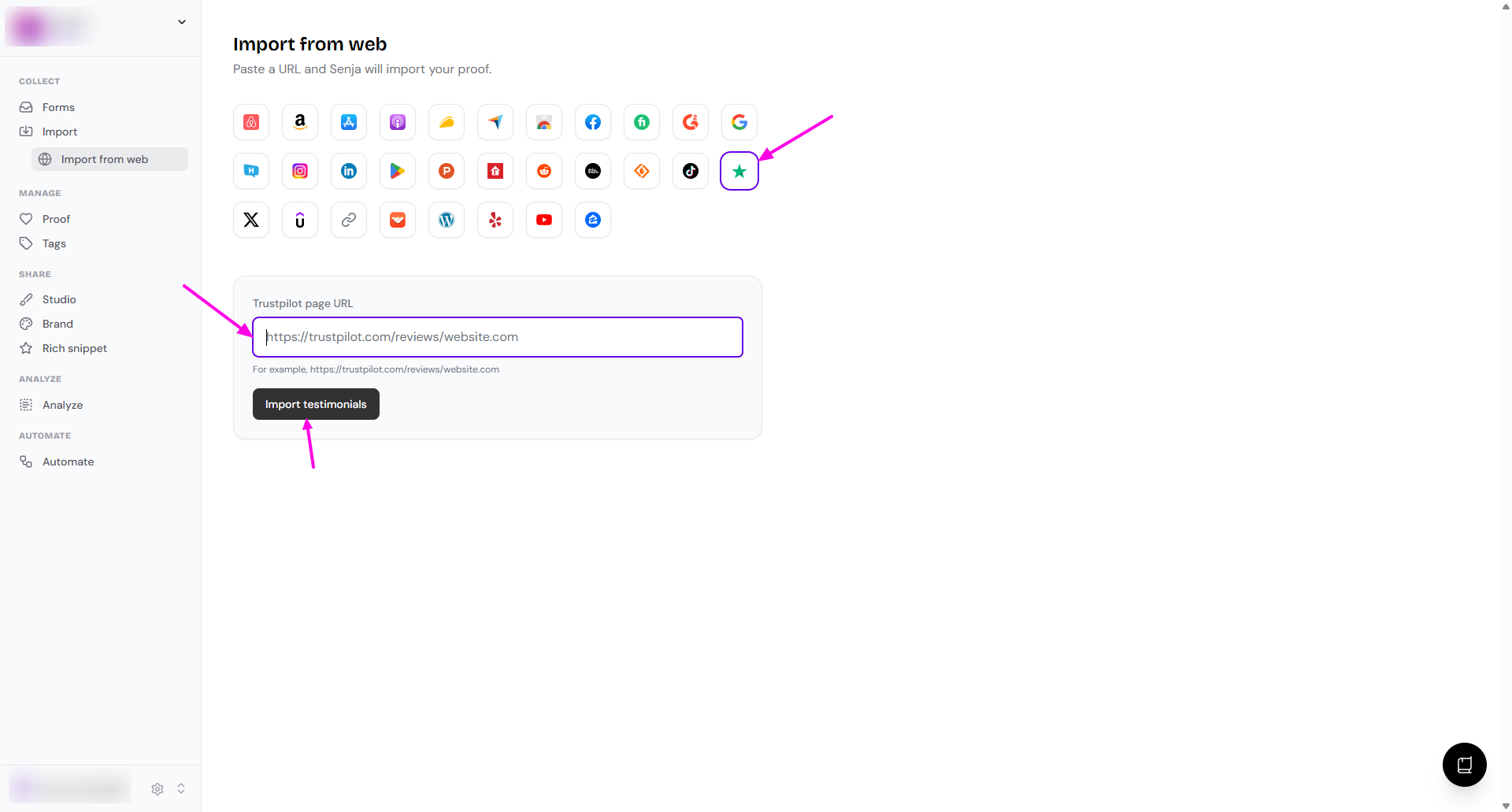
Choose which testimonials you want to import, or select all to import everything
Your Trustpilot reviews are now in Senja and ready to share
Other methods
Auto-import
You can also follow this guide to import your testimonials automatically from G2: How to auto-import testimonials from other platforms
Manual import
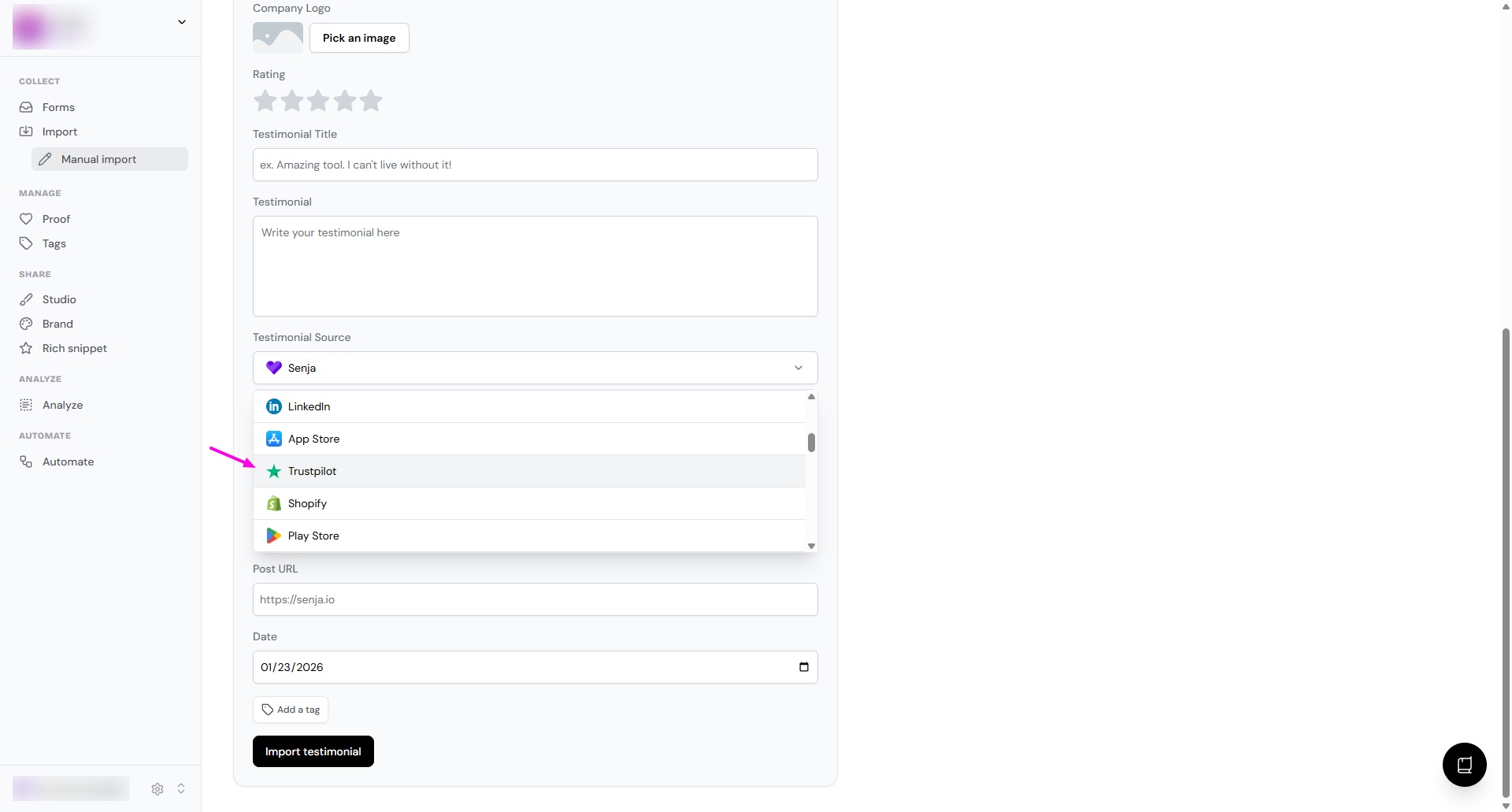
You can do manual import following this guide: How can I manually import text testimonials?
In the Testimonial Source dropdown, choose Trustpilot
Senja Chrome extension
You can use Senja Chrome extension following this: Import testimonials with the Chrome Extension
Important note about Trustpilot policies
Trustpilot may send warnings if you display their reviews on your website without using their paid widgets. Some users remove Trustpilot logos using custom CSS to address this.
We’re working on a permanent solution with our legal team. If you receive a warning from Trustpilot, contact Support for guidance