
Import testimonials from AppSumo
Import your AppSumo reviews into Senja so you can share them as social proof.
Before you begin: you’ll need the public AppSumo product URL (for example, https://appsumo.com/products/your-product)
What you can do
Import all reviews from your AppSumo product page at once
Select specific reviews to import only the testimonials you want
Set up auto-imports for new AppSumo reviews from the auto-import page
How to import from AppSumo
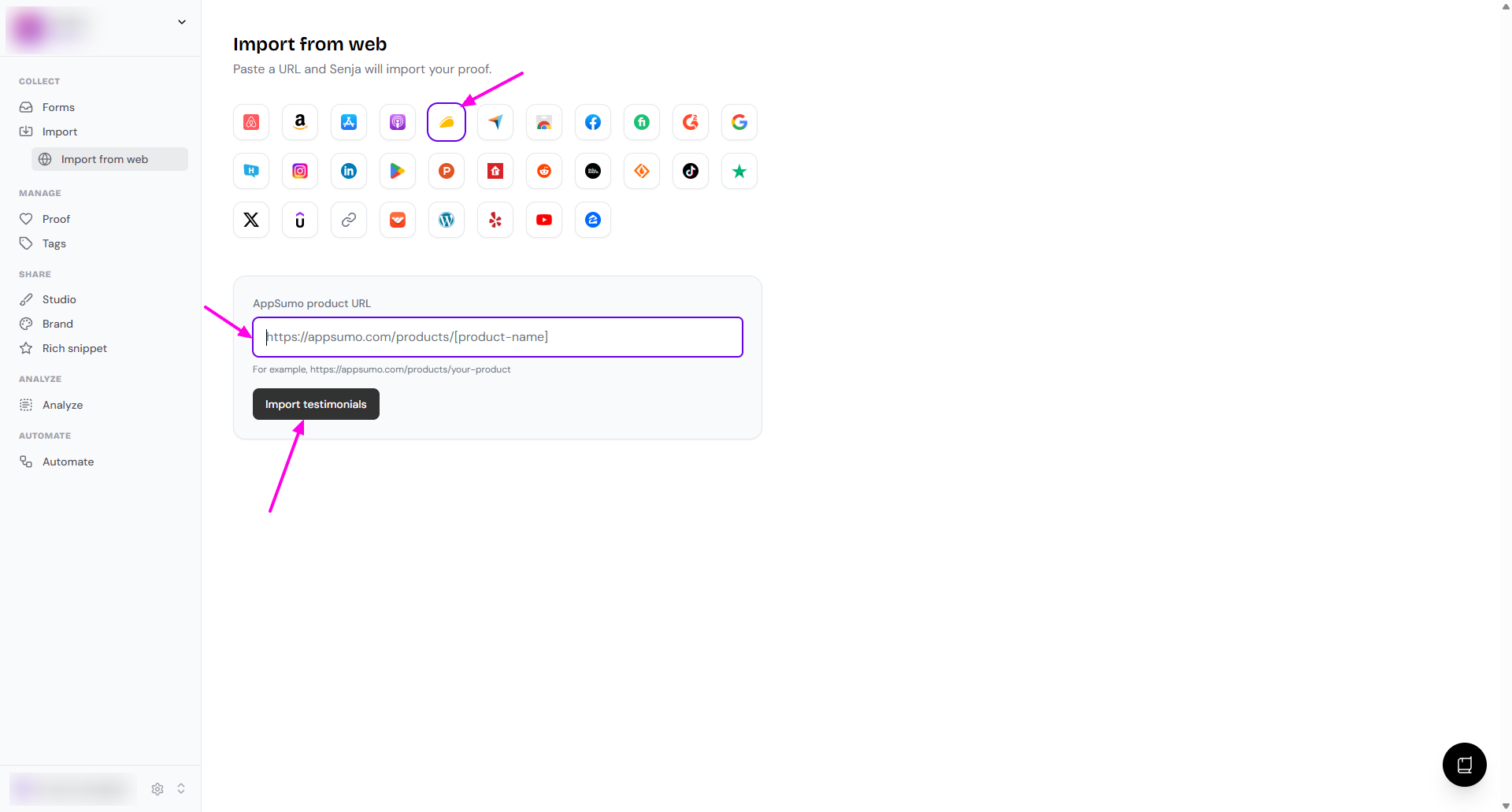
Go to Import from web
Click the AppSumo icon
Paste your link under AppSumo product URL
Click Import testimonials
Select the testimonials you want to import, or choose all to import everything
Click Import testimonials to finish
If you see a duplicates prompt, choose whether to allow duplicates or skip them before finishing the import
Your AppSumo reviews are now in Senja and ready to share
Other methods
Auto-import
Want new reviews to sync automatically? Follow How to auto-import testimonials from other platforms.
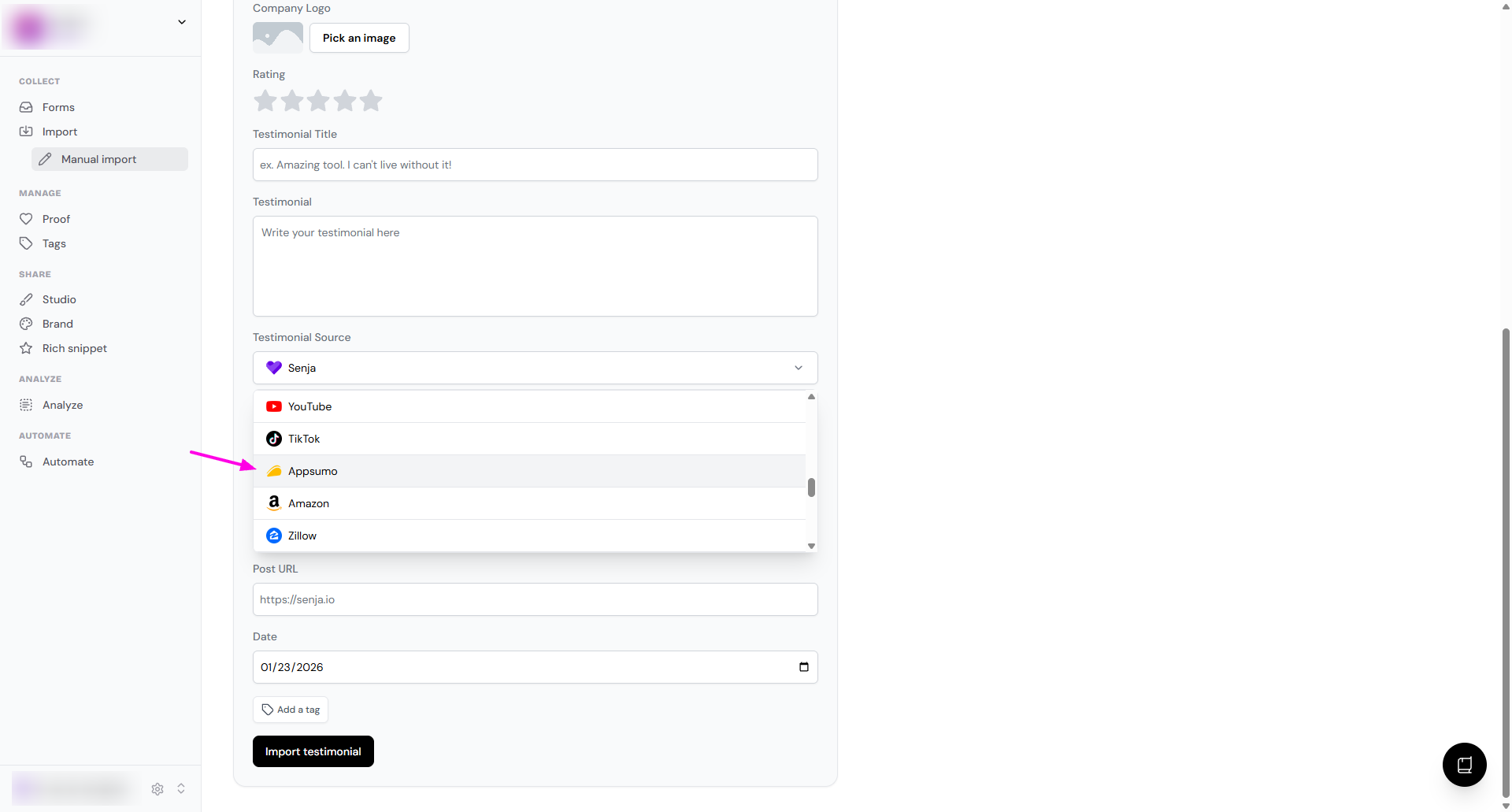
Manual import
If you have a list of reviews, you can import them manually. See How can I manually import text testimonials?
In the testimonial source dropdown, choose Appsumo
Senja Chrome extension
Grab reviews directly from a webpage with the extension. See Import testimonials with the Chrome Extension.