
How do I change my Senja plan?
Changing from Free plan to paid plan
Go to your Billing page: https://app.senja.io/billing
Click Upgrade your plan to get started
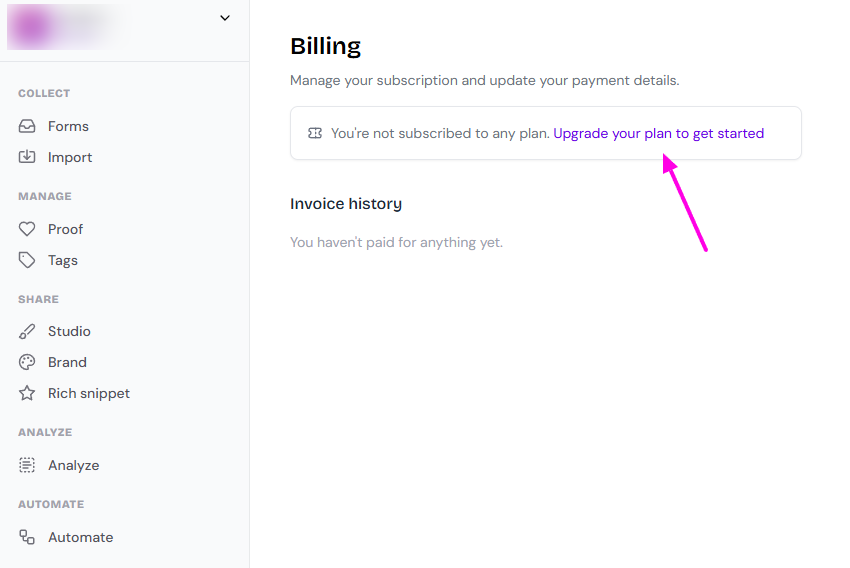
Changing from 1 paid plan to another
Go to your Billing page: https://app.senja.io/billing
Click Change plan
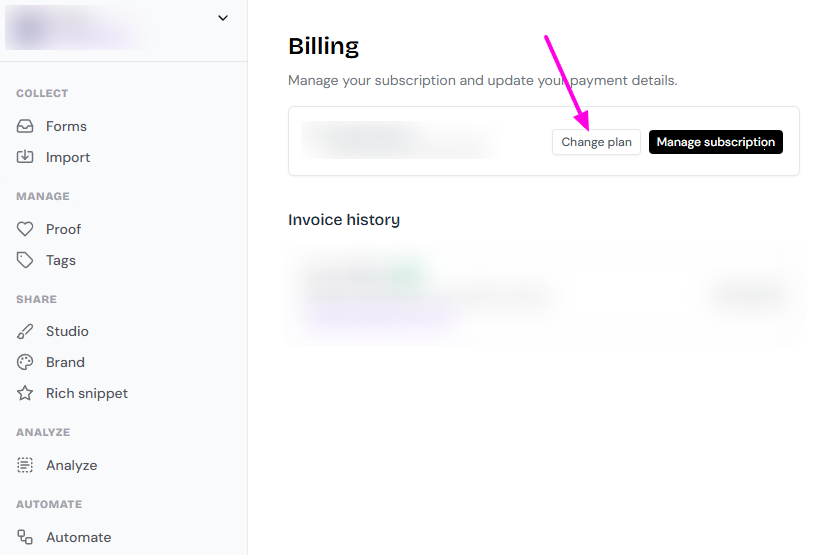
If you want to move from paid plan to Free plan, read How do I cancel my paid plan?
Can I pause my subscription?
Senja doesn't offer a pause feature.
If you need to temporarily stop billing for a few months, you can cancel your paid plan to downgrade to the Free plan.
When you're ready to resume, simply upgrade back to your paid plan.
Your testimonials, forms, and widgets stay in your account when you downgrade. You won't lose any collected testimonials.
To downgrade, follow the steps in How do I cancel my paid plan?
Was this helpful?