
How do I cancel my paid plan?
Cancelling your paid plan means downgrading to Free plan. Senja will not delete your account or your project.
You can do this when you are on Starter or Pro plan.
Steps to cancel paid plan
Go to your Billing page: https://app.senja.io/billing
Click Or cancel your subscription
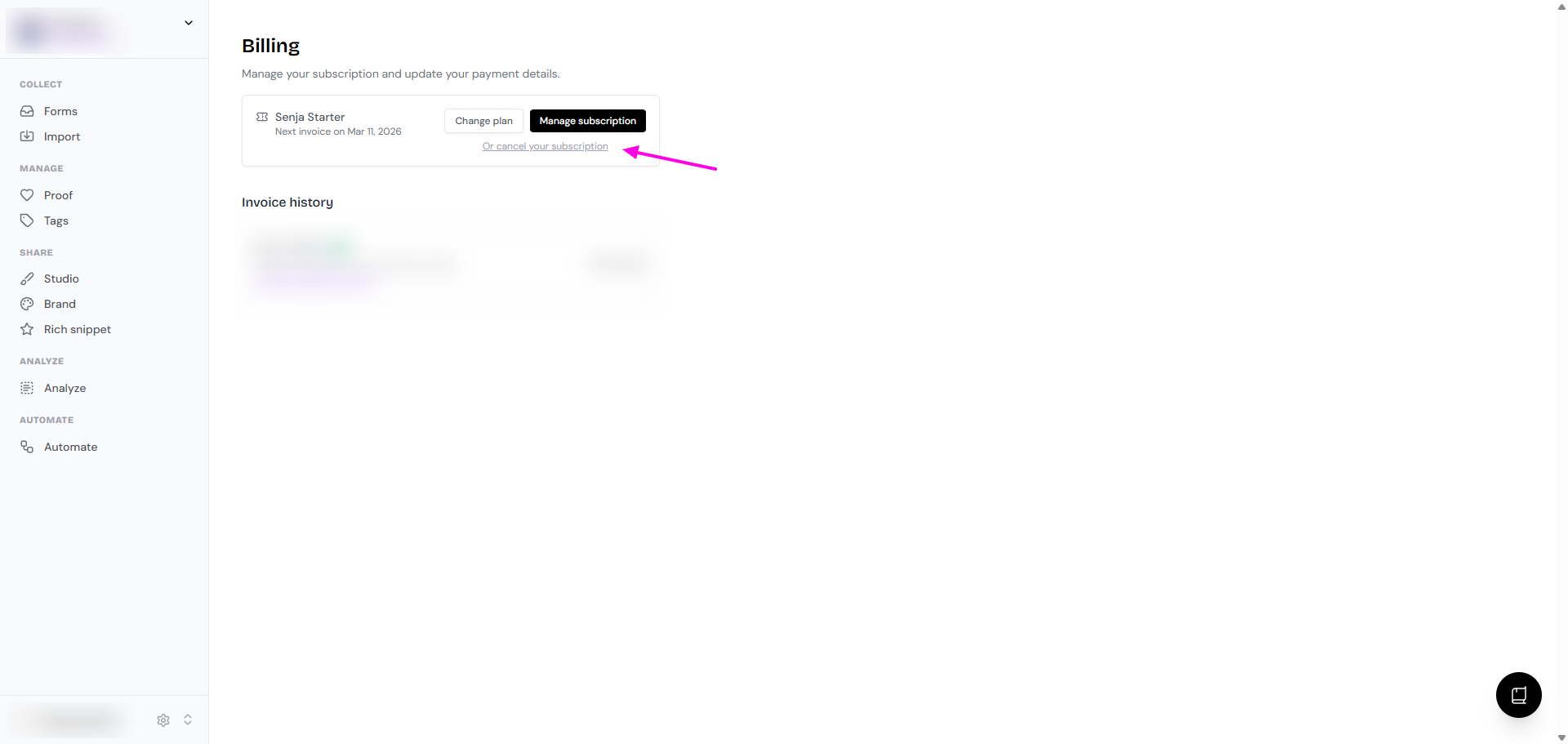
Follow the on-screen instruction to finalize cancellation
Subscription cancellation confirmation
After you cancel your subscription, you will receive an email confirming the cancellation
Your account will automatically downgrade to the Free plan at the end of your current billing period, and you will not be charged again
You've successfully canceled your subscription. Check your email for a confirmation message.
What happens when I downgrade to Free plan?
When you cancel your paid Senja subscription, your account is automatically downgraded to our Free plan at the end of your billing cycle.
Here’s what that means:
All your existing testimonials remain in your account: You can still access, view, and manage them
If you have less than 15 testimonials, you can still collect until the max cap of 15 testimonials is filled
If you have more than 15 testimonials, any new testimonials you collect will be hidden: Upgrade to a paid plan at any time to unlock them
You will lose access to paid features at the end of your billing cycle
Your widgets and Wall of Love will display Senja branding
You will not be able to add new forms
After your paid plan expires, you will have access to paid features for a grace period of 10 days
Free Plan Limitation: Our free plan allows for up to 15 testimonials. If you have more than 15 testimonials and you downgrade to the free plan, any new testimonials you collect will be hidden from view. To access them, you will need to upgrade to a paid plan.
How to access your testimonials after cancellation
You can access your testimonials at any time by logging into your Senja account.
If you have accidentally deleted a testimonial, please see our guide on How to recover a deleted testimonial?
Cancellation failed
Contact Senja Support team if:
You encounter an issue when trying to cancel your paid plan
You are still charged after cancelling your subscription