
How to share my form as QR code
QR codes let you share your testimonial collection form offline—perfect for posters, flyers, business cards, or anywhere people can scan with their phone.
Generate and download your QR code
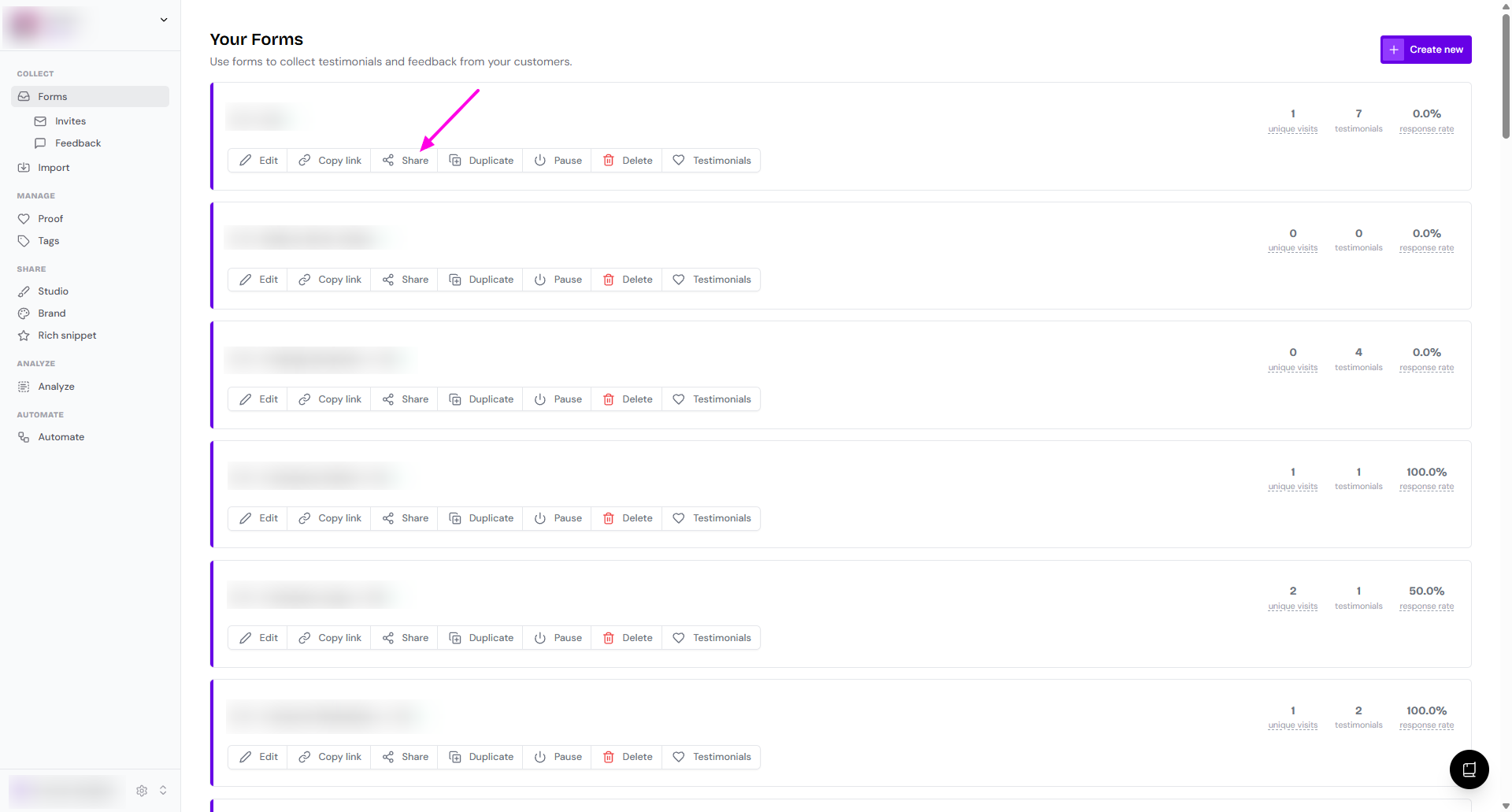
Go to your Forms page: https://app.senja.io/forms
Click Share on the form that you want to share
On Trigger page, choose Manual
See Share the link section, you'll find the line Share your form's QR code
Click Download
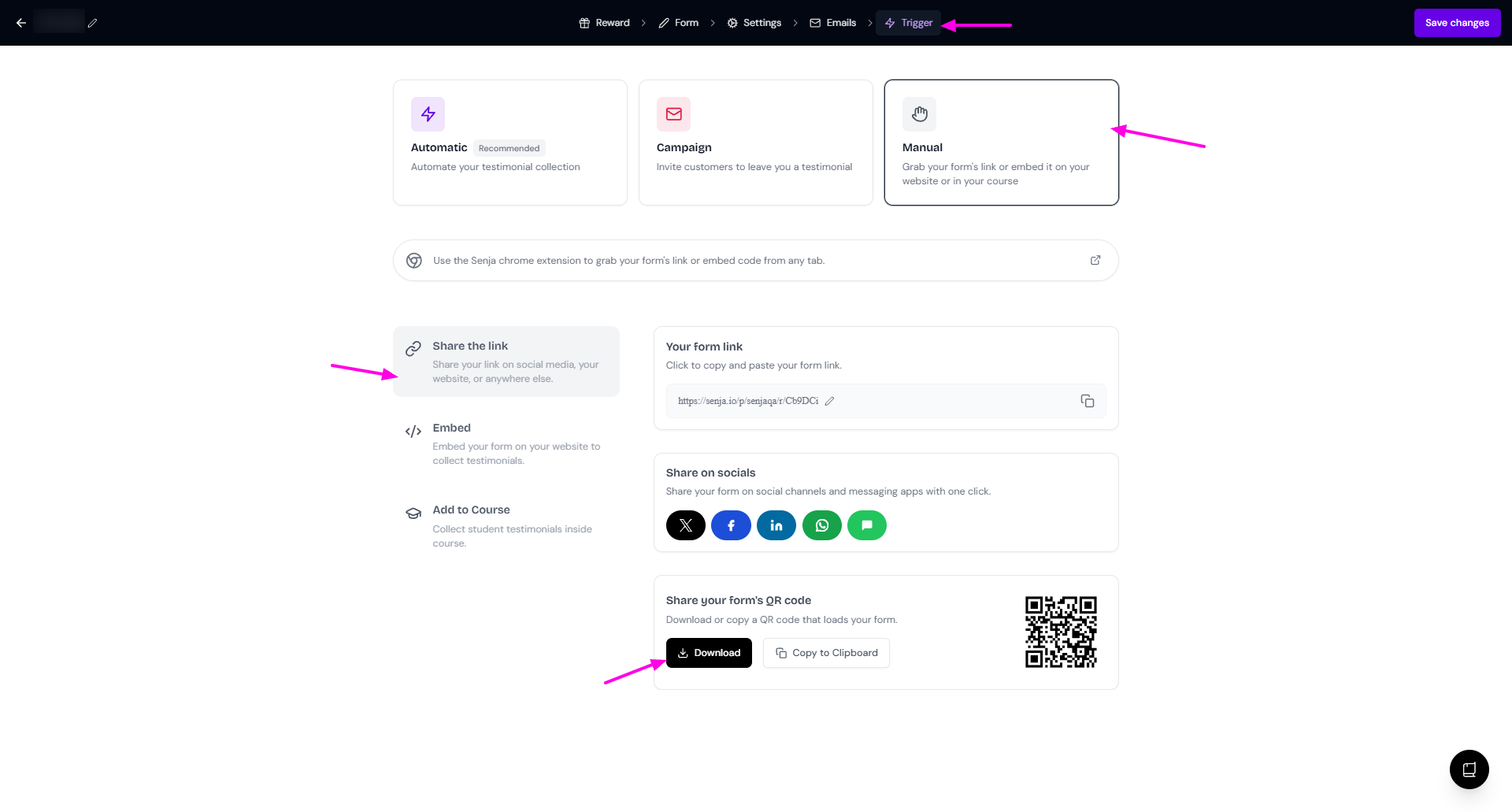
You can also click Copy to Clipboard to paste it directly into your design tool
When someone scans your QR code, they'll be taken directly to your form where they can submit a testimonial.
Was this helpful?