
Adding popup widgets to Framer
Popup widgets let you display testimonials as subtle notifications on your Framer site.
Steps
First, create your popup widget and copy the embed code.
Then add it to Framer:
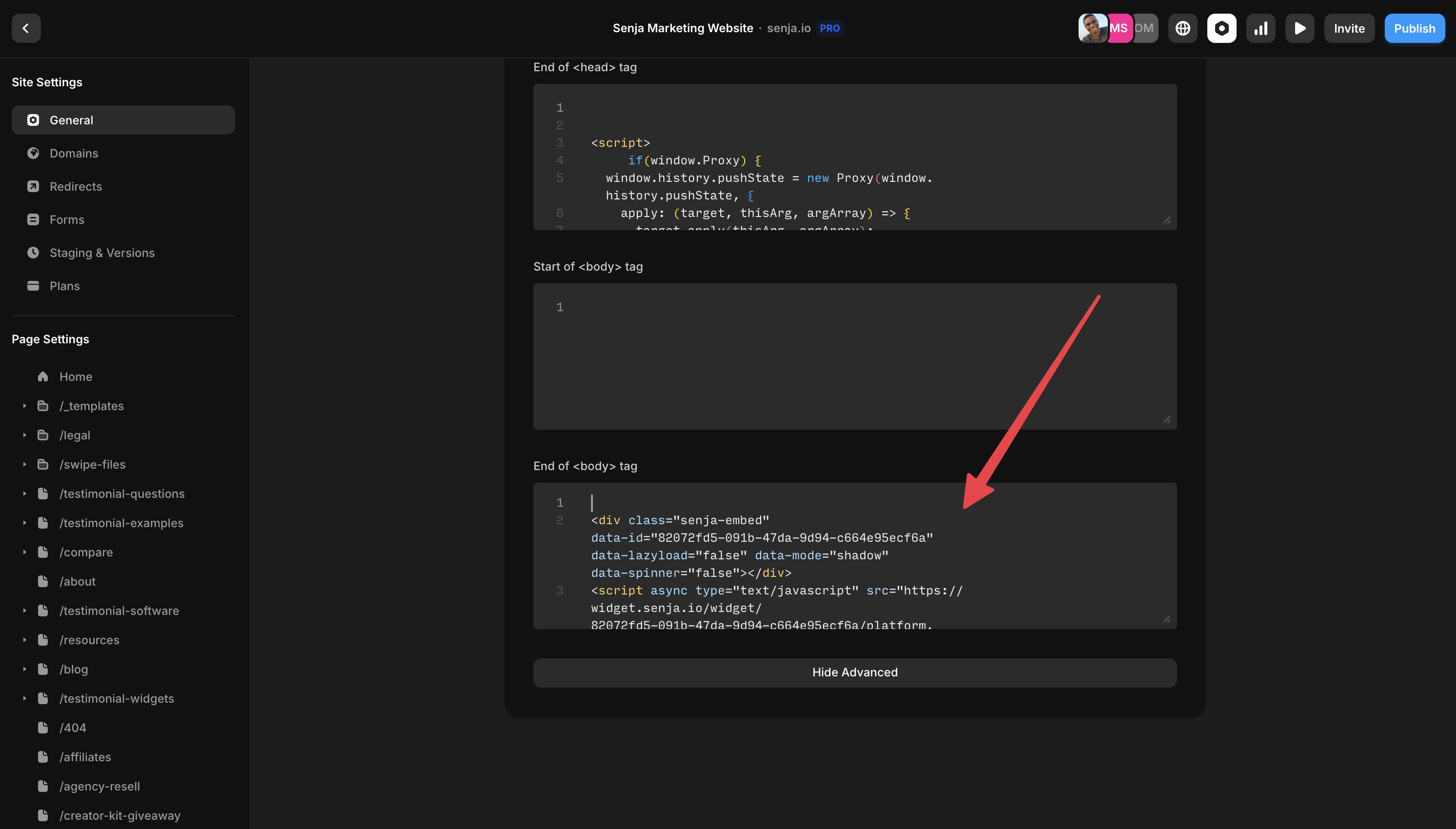
Click Site Settings > General
Paste your code at the end of the <body> tag section
Questions? Contact Senja Support team.
Was this helpful?