
How to upgrade Classic Form to Form 2.0
Upgrade your existing Classic Form to the new Form 2.0 builder to access multi-question forms, advanced customization options, and enhanced features.
The upgrade preserves all your existing form data, analytics, and settings. You can revert back to Classic at any time.
How to upgrade
Go to Forms in your Senja dashboard: https://app.senja.io/forms
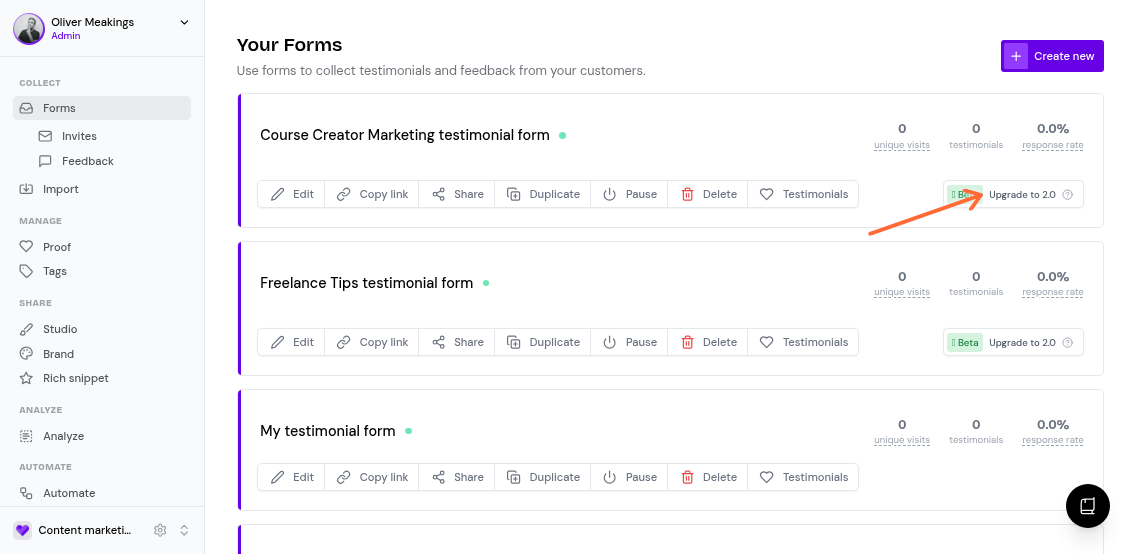
Find the Classic form you want to upgrade (forms without a "v2" badge)
Click the Upgrade to 2.0 button on the form card
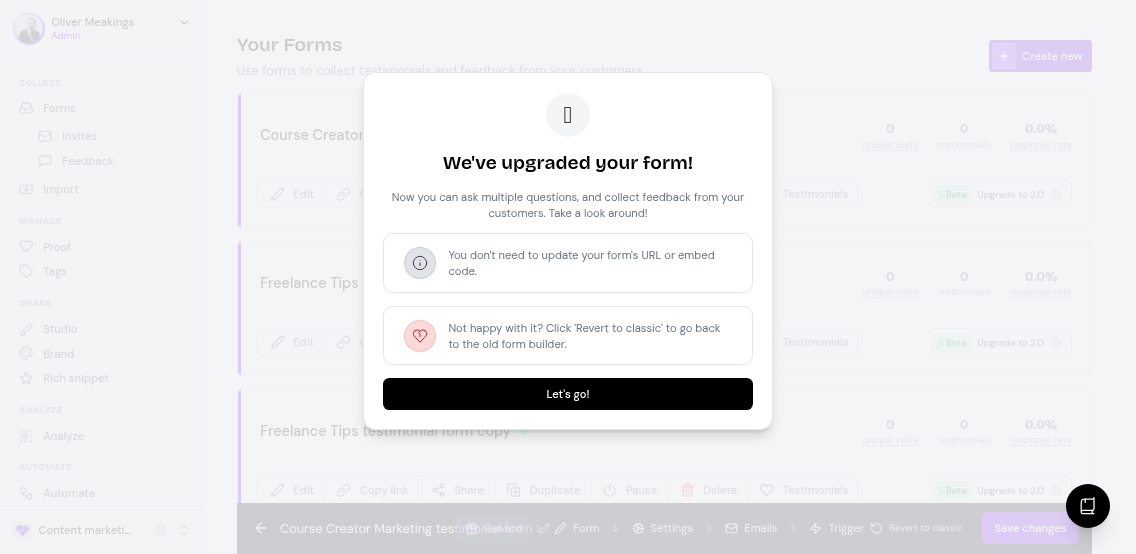
Once upgraded, you'll see a confirmation message and your form will now use the Form 2.0 builder.
What happens after upgrade
Your form opens in the Form 2.0 editor with all existing settings preserved
All collected testimonials and analytics remain intact
You can now add multiple questions, customize the design, and use advanced features
Want to customize your newly upgraded form? Check out How do I customize my Form 2.0 design? for styling options.
Reverting to Classic
If you need to revert your form back to Classic, you can undo the upgrade at any time from the same Forms page.
Creating a new Form 2.0 instead
Prefer to start fresh? You can create a new Form 2.0 from scratch instead of upgrading an existing Classic form.